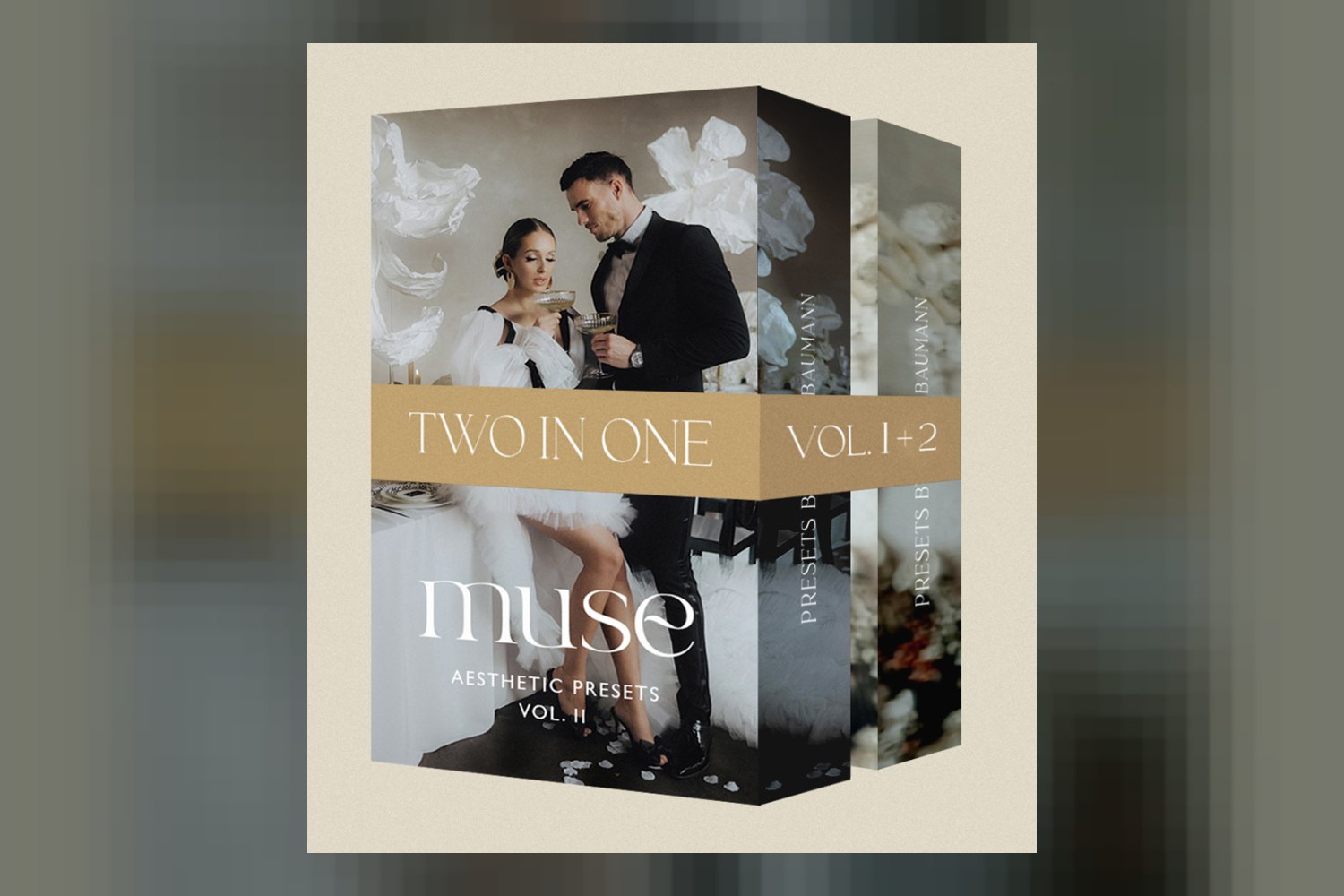

You’re looking at the Muse Two In One Bundle by Vicky Baumann, a package of photo editing tools designed to speed up and refine your workflow. On paper, it’s built for serious photographers, especially wedding photographers, who need both excellence and efficiency. The main catch to keep in mind from the start is that one of its key features, the Smart Retouch Masks, might not always play nice with Lightroom’s AI.
What’s packed into this bundle: counts, looks, and formats
This bundle pulls together assets from Vicky Baumann’s MUSE Vol. I and MUSE Vol. II, giving you a thorough set of tools. You’re getting 23 Desktop Presets, split into 17 color options and 6 dedicated black and white looks. These are standard Desktop Presets, meaning they’re meant for the full desktop versions of Lightroom Classic.
Beyond the presets, you’ll find the ‘Blur’ Photoshop Action taken from MUSE Vol. I. This is a dedicated action designed to create background blur effects, which can be pretty handy for making subjects pop in portraits or wedding shots. The bundle also includes Smart Retouch Masks from MUSE Vol. II, which are meant to streamline local adjustments.
To help you get everything set up, the creator includes 1 Installation Guide. There are also 2 ‘How To’ Video Tutorials, one for Vol. 1 and one for Vol. 2, which should walk you through using the tools. A nice touch is the warm invitation to join the ‘Vicky Baumann Presets Community,’ which the creator says has over 1,000 users. That’s a good sign for support and sharing tips.
Where these tools fit in your photo editing workflow
If you’re a discerning editor, these tools slot into a standard photo editing workflow pretty clearly. The 23 Desktop Presets are your starting point in Lightroom Classic or Photoshop Camera Raw. You’d likely apply one of these presets as a base grade to your RAW files right after import and initial culling. This sets the overall tone, color, and contrast for your images.
Once your base look is applied, the Smart Retouch Masks come into play for local adjustments within Lightroom Classic. These masks are designed to target specific areas, and the creator says they’re there to streamline that process. For example, if you need to brighten eyes, soften skin, or adjust a specific highlight, these masks are supposed to give you a quick way to do it without manual brushwork every time. From what the creator publishes, they’re meant to work with Lightroom’s AI to detect subjects or areas, which can be a huge time-saver if it works consistently.
The PS Action ‘Blur’ from Vol. I is for when you need to move into Photoshop. After you’ve done your general color work and local adjustments in Lightroom, you’d export the image to Photoshop if you wanted to add a specific background blur effect that goes beyond what you can achieve with depth-of-field sliders in Lightroom or your lens aperture. It’s a targeted tool for a specific visual effect, not a general editing step.
So, the workflow is: presets first in LrC/ACR for a global look, then Smart Retouch Masks in LrC for targeted refinements, and finally, the Photoshop Action for specific creative effects like blur if needed.
What kind of footage and mood it suits
The Muse Two In One Bundle is pretty upfront about its target audience: “wedding photographers.” This tells you a lot about the intended mood and aesthetic. The creator specifically highlights that the presets are “designed to enhance skin tones and maintain vibrant whites for wedding photography.”
This points to a clean, elegant, and timeless style. You’re probably not going to get overly moody, dark, or heavily desaturated looks here. Instead, I’d expect images that are bright, natural-looking, with pleasing skin tones that aren’t too warm or too cool, and whites that stay true without getting muddy or shifting into strange color casts. For a wedding photographer, maintaining vibrant whites is crucial for dresses and décor, and enhancing skin tones is non-negotiable for portraits.
The inclusion of 17 color presets and 6 black and white options offers versatility within this specific aesthetic. The black and white presets suggest a desire for classic, emotional imagery, while the color presets will likely lean towards natural, slightly enhanced, and celebratory tones. If you shoot weddings, engagements, or even bright, airy portraits, this bundle seems built for that kind of visual storytelling.
Which cameras and raw files it’s built for
This is where things get a bit general. The creator states that the presets are compatible with “all LrC versions (Lightroom Classic)” and “Photoshop Camera Raw (for presets).” However, the facts don’t specify any particular camera brands, models, or raw file types beyond what Lightroom and Photoshop Camera Raw generally support.
What this means is that these presets are likely built to be fairly universal across different camera manufacturers’ RAW files. Most professional-grade presets are designed this way, aiming for a consistent look regardless of whether you’re shooting on a Canon, Nikon, Sony, Fuji, or another brand. They work by adjusting parameters like white balance, exposure, contrast, highlights, shadows, and color channels, which are fundamental to all RAW files.
If you shoot RAW files from any modern DSLR or mirrorless camera, you should be able to apply these presets without issue in Lightroom Classic or Photoshop Camera Raw. The creator doesn’t publish any specific advice for different camera profiles or color science, so you’ll need to judge the results on your own camera’s files. My opinion is that for general photo presets, this kind of broad compatibility is standard, but some specific camera systems might require minor tweaks after applying a preset to achieve the absolute best result.
Limits and who should skip it
Every tool has its limitations, and the Muse Two In One Bundle is no exception. The most significant point to consider, straight from the creator’s published details, is about the Smart Retouch Masks. The creator notes that “Lightroom’s AI may occasionally not recognize the Smart Mask on certain images, and it might not apply correctly.”
This is a real practical consideration. If you’re buying this bundle specifically for the promised efficiency of those Smart Retouch Masks, and they’re a core part of your workflow, this limitation could be a dealbreaker. For a “serious photographer” or someone who “demands excellence and efficiency,” having a tool that’s inconsistent means you’ll still have to manually intervene, which negates some of the time-saving benefits. You’d have to be prepared for those moments when the AI doesn’t quite get it right, and you’d need to fall back on traditional masking techniques.
Another thing to think about is the focus on wedding photography. While the presets might be adaptable, if you primarily shoot genres like moody landscapes, dark street photography, or heavily stylized fashion, these presets might not be the right fit. They’re designed for a specific aesthetic that emphasizes clean skin tones and vibrant whites, which might not align with every photographic style. You should skip this if you’re not shooting weddings or similar bright, natural portraiture, or if you can’t tolerate the occasional hiccup with AI-powered masking.
So, should you get it?
If you’re a wedding photographer constantly looking for excellent and efficient ways to edit, and the aesthetic of clean skin tones and vibrant whites is your bread and butter, this bundle looks like a solid option. The fact that it combines presets, a Photoshop action for specific effects, and smart masks from two volumes suggests a well-rounded kit for that niche. However, if the idea of Lightroom’s AI occasionally missing the mark on those Smart Retouch Masks makes you uneasy, or if your photography style leans far away from classic wedding looks, you might want to consider other options. The access to a community is a strong point for ongoing learning and support.
Questions people ask
What specific presets are included in the bundle?
The bundle includes 23 Desktop Presets: 17 color presets and 6 black and white presets, all from MUSE Vol. I and MUSE Vol. II.
Is this bundle compatible with my version of Lightroom?
Yes, the presets are compatible with all Lightroom Classic (LrC) versions, and you can also use them in Photoshop Camera Raw.
Can I use the presets in Photoshop?
Yes, you can use the presets within Photoshop via the Photoshop Camera Raw interface. The bundle also includes a specific Photoshop Action called 'Blur' from Vol. 1.
How do the Smart Retouch Masks work?
The Smart Retouch Masks from Vol. 2 are designed to streamline local adjustments in Lightroom, likely leveraging Lightroom's AI to target specific areas for editing.
Prefer to buy directly from Vicky Baumann at full price? See the official page.