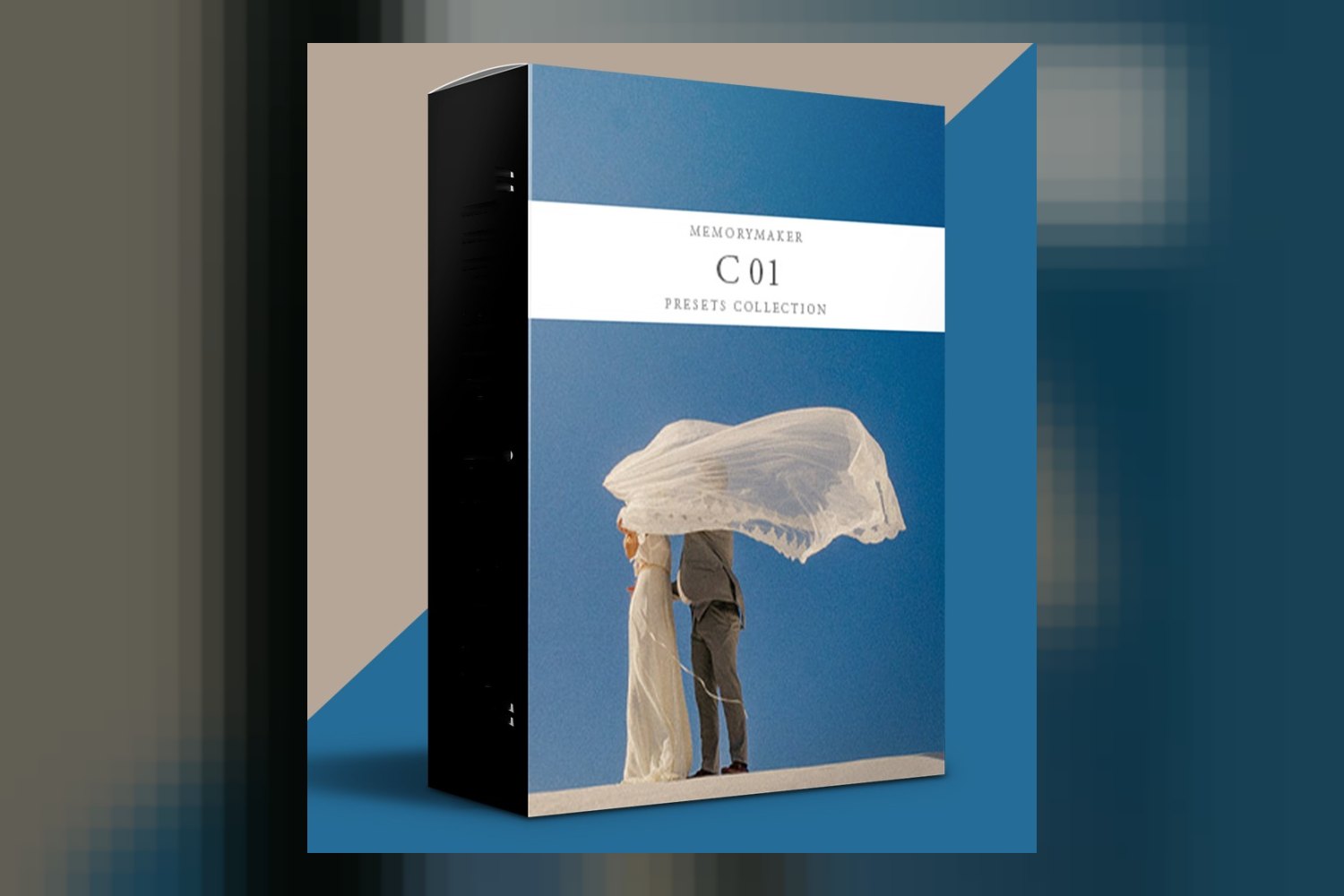
If you’re looking at Livio Lacurre’s collection, Color Pack 01 Presets by MemoryMaker Presets, here’s the lowdown. It’s a package of four main color presets designed for post-processing photographic services, inspired by various landscapes and cinematic narratives. It’s aimed squarely at creative photographers, both professionals and those aspiring to that level, who shoot everything from weddings to expansive landscapes. Just be aware up front: all sales are final, so you won’t get a refund if it’s not a fit.
What’s inside the pack: counts, looks, and file formats
On paper, this pack offers more than just four basic color looks. You’re getting 4 distinct color presets, but also 4 different mood presets and 4 different grain presets. Plus, the creator includes something called a Special Fade Kit, which sounds like it could give you some extra control over the contrast and depth of your images, maybe for a softer, filmic feel.
The four main color presets are named: 01 – LIKE A JUNE, 02 – COLOR IT AGAIN SAM, 03 – INTO THE DEEP, and 04 – ALÒ. From what Livio Lacurre publishes, each of these has its own unique narrative and distinct aesthetic, drawing inspiration from places like the “Magic Tuscan Land,” the “Greek sea,” and the “awesome dolomites.” That kind of specific inspiration often means the looks are quite distinct and not just subtle variations of each other.
All of this comes as a digital download. The presets themselves are made for Adobe Camera Raw, Lightroom 7.3 or newer, and Lightroom Classic versions 7.3 or newer. So, if you’re working within the Adobe ecosystem, you’re covered for compatibility. It’s a pretty standard setup for photo presets.
Which cameras and log profiles are supported, and what if yours isn’t listed?
This is where things get a bit less specific for a colorist looking at the technical side. Livio Lacurre, who created these presets based on over a decade of photographic experience, doesn’t publish any specific camera models or log profiles that these presets are explicitly built or tested for. The creator does state that the presets were “tested in a lot of different light conditions,” which is good to hear, and that they’re “designed to retain natural skin tones and scene integrity.”
But here’s the kicker: without knowing if these were built for, say, Canon RAW files versus Fujifilm or Sony, or if they account for specific camera color science, you’ll need to do your own testing. For example, if you’re shooting on a Sony A7 IV and hoping for perfect skin tones right out of the box, you might find you need to do a fair bit of tweaking after applying the preset to get those natural skin tones the creator talks about. Presets that don’t specify camera profiles often require more individual adjustment depending on your camera’s native color. If you’re a professional who needs predictable results across different camera systems, this lack of detail means more work for you.
I’d say this is the weakest part of the offering from a technical standpoint. While “tested in a lot of different light conditions” is a good sign, the absence of camera-specific information means you’re flying a bit blind on how it will interact with your particular raw files. Most presets are built with a specific camera profile in mind, even if it’s just a general “standard” profile. If you have a highly color-accurate workflow, be prepared for some calibration.
What kind of footage and mood the pack suits
The creator is pretty clear about who this pack is “made for.” It’s pitched at “creative professional photographers” and “aspiring creative photographers.” That’s a broad group, but the specific applications narrow it down. The pack is suitable for “wedding photography,” “intimate portraits,” “expansive landscapes,” and “lifestyle shoots.”
Judging by the inspiration – Magic Tuscan Land, Greek sea, awesome dolomites, cinematic narratives – you’re probably looking at looks that lean towards warm, perhaps slightly desaturated or muted tones for that “cinematic” feel, and possibly rich blues and greens for landscapes. The “Special Fade Kit” further supports the idea of achieving a softer, perhaps analog-inspired aesthetic, which fits well with wedding and lifestyle photography that often seeks a timeless or nostalgic mood.
If you’re a photographer delivering consistent work in any of these genres and you like a cohesive, thoughtful color palette, then the narrative behind these four presets suggests they could provide a solid foundation. The promise to “retain natural skin tones and scene integrity” is crucial for portraits and weddings, where clients always want to look their best and recognizable. This means the presets aren’t likely to be extreme color shifts that totally re-interpret a scene, but rather refined stylizations.
Where it fits in a grading workflow
These are presets designed for Adobe Camera Raw and Lightroom (versions 7.3+). So, your workflow would typically start with importing your raw files into Lightroom Classic or opening them in ACR through Photoshop. You’d apply one of the 4 color presets first. From there, you’d layer on one of the 4 mood presets to adjust the overall feel, and then one of the 4 grain presets to add texture, if that’s part of your desired aesthetic. The Special Fade Kit would come into play for fine-tuning the contrast and blacks after the main color and mood are established.
This kind of stacking system, where you have separate controls for color, mood, and grain, is generally quite flexible. It means you aren’t stuck with one fixed look; you can mix and match to a degree, or at least apply the grain and fade kit independently. This is a strength, as it allows for more customization than a single, monolithic preset.
In terms of workflow, these would generally be applied *after* any basic technical corrections you need to make to your raw file – things like white balance, exposure, and lens corrections. Then, the preset applies its creative look. After applying the preset, you’d still do your local adjustments, dodging and burning, and final retouching. The creator claims it “simplifies complex post-processing,” which rings true if the base looks are strong and you don’t have to rebuild them from scratch every time.
Limits and who should skip it
The biggest technical limitation is pretty clear: these are “Only ACR and Lightroom Presets.” If you’re a professional who works primarily in Capture One, Luminar, or another raw editor, then these presets simply won’t work for you. You’d need to convert your raw files to DNG or TIFF and import them into Lightroom, which is an unnecessary extra step and can sometimes lead to slight color shifts depending on the conversion. So, if you’re not an Adobe user, skip it.
Another significant point, and one I think is important for any buyer, is that “All sales are final, no refunds.” This means you can’t try them out and then decide they don’t quite match your style or your camera’s output. Given the lack of specific camera or log profile information, this no-refund policy is something to seriously consider. You’re buying somewhat blind regarding how it will interact with your specific gear.
Therefore, if you’re new to photography and unsure of your style, or if you’re on the fence about committing to a specific look, the no-refund policy makes this a riskier purchase. Similarly, if you primarily shoot video or use software other than Adobe Lightroom or Camera Raw, these aren’t for you.
My thoughts on Color Pack 01
On paper, the Color Pack 01 Presets by MemoryMaker Presets looks like a solid option for creative photographers who live inside Adobe Lightroom and Camera Raw. The stacking system of color, mood, and grain presets, plus the Special Fade Kit, suggests more control than you might get from a basic set of four presets. The inspiration from real-world landscapes and cinematic narratives points to some thoughtful, cohesive looks. However, the lack of specific camera compatibility details is a definite weakness, making the “no refunds” policy a bigger deal. If you’re a wedding or landscape photographer already using Lightroom and are looking for a curated, film-inspired aesthetic and are okay with testing to see how it works with your camera, this could be worth a look. If you need precise camera profile matching or use other software, you should absolutely pass.
Questions people ask
What software is compatible with Color Pack 01 Presets?
Color Pack 01 Presets are compatible with Adobe Camera Raw, Lightroom 7.3 and newer, and Lightroom Classic versions 7.3 or newer.
How many presets are included in the Color Pack 01?
The Color Pack 01 includes 4 different color presets, 4 different mood presets, and 4 different grain presets, along with a Special Fade Kit.
Are refunds available for the Color Pack 01 Presets?
No, all sales for the Color Pack 01 Presets are final and no refunds are available.
Who created the Color Pack 01 Presets?
The Color Pack 01 Presets were created by Livio Lacurre, a seasoned photographer with over a decade of experience.
Prefer to buy directly from MemoryMaker Presets at full price? See the official page.