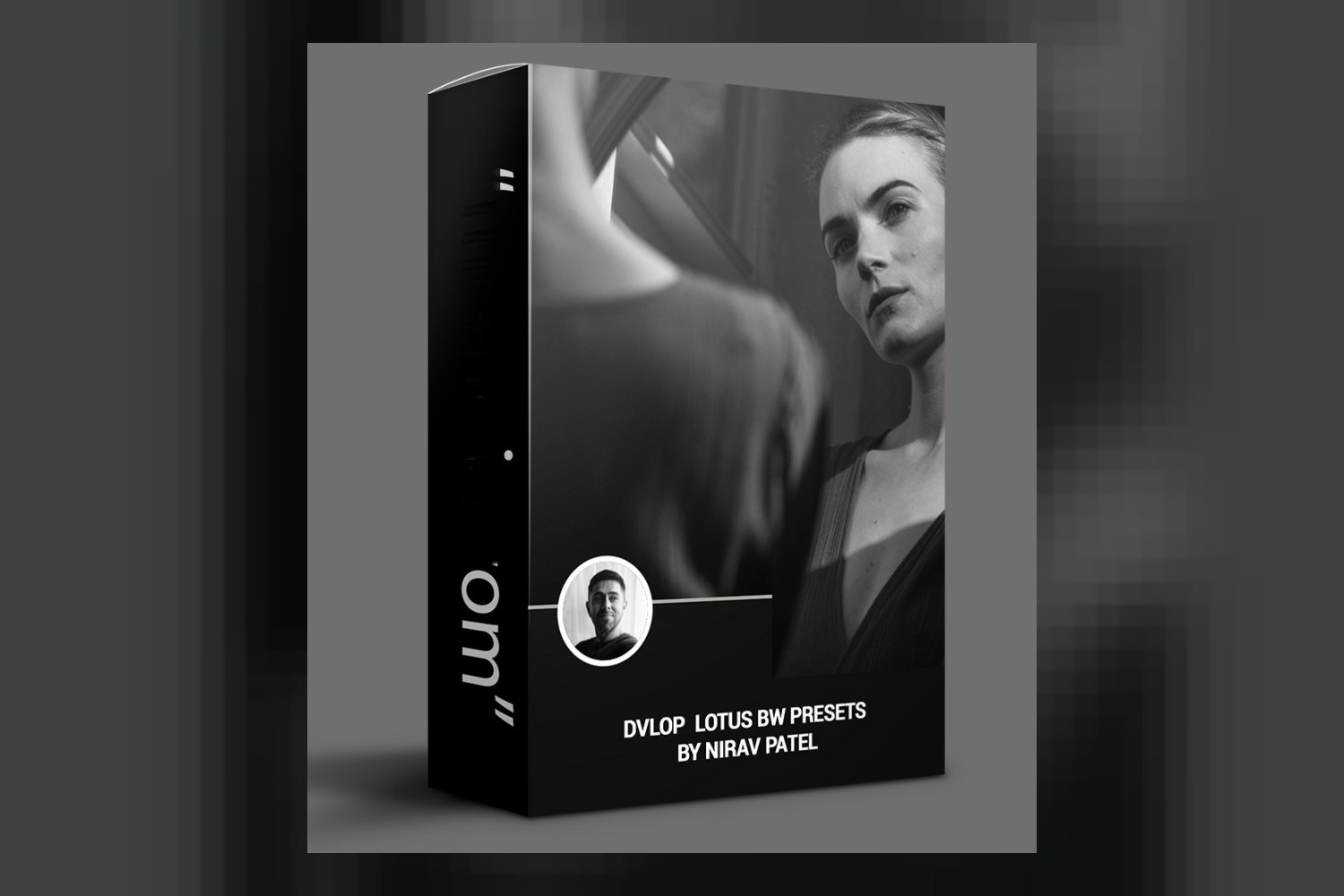
You’re looking into the Dvlop Lotus BW Presets by Nirav Patel to see if it’s the right fit for your photography, and that’s smart. This pack delivers two signature black and white looks from acclaimed fine art portrait and wedding photographer Nirav Patel, along with a set of useful modifiers and tools. It’s built for photographers focusing on portrait and wedding work, but you should know upfront that some of its features, especially the advanced camera profiles, are exclusive to Lightroom Classic and Adobe Camera Raw, and syncing to Lightroom Mobile requires the desktop version.
What the Lotus BW Pack Includes
The Dvlop Lotus BW Presets by Nirav Patel isn’t just a couple of one-click filters; it’s a curated set designed to give you specific monochromatic looks. The core of the pack features two distinct signature presets:
- Monochrome 1 Preset: This one is crafted for images that have low to medium contrast. Think of those quieter, more subtle scenes where you want the tones to breathe without getting too punchy.
- Monochrome 2 Preset: If you’ve got shots with medium to high contrast, this is the go-to. It’s designed to handle and enhance those stronger light and shadow dynamics.
Beyond the main presets, Nirav Patel includes a suite of modifiers and a “Lotus BW Toolkit.” These aren’t just fluff; they provide practical control over your images. You get specific modifiers for Brighten Whites, Grain, Highlight Recovery, and Shadow Recovery. The Grain modifier is interesting because it offers levels based on classic film speeds: 160, 400, 1600, and 3200. That’s a nice touch for adding a bit of analog character. Plus, there are tools for Lens Correction and Level, which are essential for cleaning up your images.
The creator also includes Lightroom Mobile Presets, which is handy for editing on the go, though there’s a small catch we’ll get into later. All in all, it’s a focused collection of tools for specific black and white styles.
Where These Presets Fit in a Workflow
From what the creator publishes, these presets are designed to work within the Adobe ecosystem, specifically Lightroom and Adobe Camera Raw. You’re looking at compatibility with:
- Adobe Lightroom 4 or later (Classic)
- Adobe Camera Raw 10.3 or later
- Adobe Lightroom CC Desktop 1.4 or later
- Adobe Lightroom Mobile (Non-Classic)
- LR Classic 9.3 or later (for ISO Adaptive Presets)
This wide compatibility means if you’re already using recent versions of Lightroom Classic or Adobe Camera Raw for your desktop editing, you should be fine. The mention of “signature monochromatic presets” suggests these are meant to be applied early in your grading workflow, likely after basic corrections like white balance and exposure, but before heavy local adjustments. They establish the core look, and then you use the included modifiers and toolkit to refine it.
The DVLOP Dual Illuminant Profiles, which are a standout detail, are specifically for LR Classic and ACR only. These profiles are super useful because they can help maintain consistent color (even though we’re talking B&W, the underlying color information still matters) and tone across varying light conditions, which is especially important for things like wedding days that span different environments and times. The DVLOP ISO Adaptive Presets, another advanced feature, are even more specific, requiring LR Classic 9.3 or later. This tells me that if you’re on older software, or primarily use Lightroom CC Desktop/Mobile, you might miss out on some of the deeper integration DVLOP offers.
What Kind of Images and Mood It Suits
Nirav Patel is a fine art portrait and wedding photographer, and these presets are very much aligned with his emotive style. The creator states they are his main treatments for both wedding and portrait work, so that’s a direct indication of their intended use. If you shoot a lot of people, be it for a couple’s big day or a thoughtful portrait session, these presets are built with your kind of imagery in mind.
The artistic inspiration behind the looks is quite specific and tells you a lot about the mood. Nirav Patel drew inspiration from movies like Roma and Ida, which are renowned for their striking, often stark and deeply emotional black and white cinematography. He also mentions the works of master photojournalists from the 60s and 70s. This suggests a desire for timeless, impactful, and perhaps slightly gritty or classic B&W aesthetics, moving beyond just simple desaturation.
Monochrome 1, designed for low to medium contrast, would likely suit softer, more intimate portraits, or scenes where you want to emphasize texture and subtle tonal shifts without harsh shadows. Monochrome 2, for medium to high contrast, is probably better for more dramatic lighting, strong compositions, or situations where you want punchy blacks and bright whites to convey intensity. Judging by the creator’s background and inspirations, I’d say this pack aims for a sophisticated, artistic black and white look, not a generic one. It’s for photographers who appreciate the nuance of monochromatic storytelling.
Limits and Who Should Skip It
No product is for everyone, and the Dvlop Lotus BW Presets review wouldn’t be complete without highlighting where it might not fit. The main “skip it if” points come directly from the compatibility and requirements:
First, if you’re primarily a Lightroom Mobile user and don’t have Adobe Lightroom Desktop, these presets won’t work for you out of the box. The Lightroom Mobile Presets included require you to sync them from the desktop application. So, if your entire workflow is phone-based, this is a definite barrier.
Second, the more advanced features, specifically the DVLOP Dual Illuminant Profiles, are only available for Lightroom Classic and Adobe Camera Raw. If you mostly use Lightroom CC Desktop or the mobile versions, you won’t be able to take advantage of these profiles that help with consistent light and color handling, even in B&W. Similarly, the DVLOP ISO Adaptive Presets require LR Classic 9.3 or later. If you’re on an older version of Classic, you’ll miss out on that specific enhancement, which can be useful for managing noise and tonal response across different ISOs.
Finally, while B&W is versatile, these presets are explicitly designed around Nirav Patel’s wedding and portrait work. If your primary focus is landscape, street photography, or commercial product work, you might find the specific tonal qualities and contrast curves less tailored to your needs, though you could certainly adapt them. I think the strongest part of this pack is the specific artistic vision tied to the two main presets and the film-speed grain, which offers a thoughtful approach to B&W. The weakest part, on paper, is the staggered compatibility for its more advanced DVLOP-specific features.
So, Should You Get It?
If you’re a wedding or portrait photographer using Lightroom Classic (especially version 9.3 or later) or Adobe Camera Raw, and you’re looking for sophisticated, film-inspired monochromatic looks with practical modifiers, this pack seems like a solid choice. Nirav Patel’s experience and specific artistic inspirations suggest a deeply considered approach to black and white. However, if you’re a mobile-first editor or use an older version of Lightroom Classic, be aware of the limitations regarding syncing and advanced features. You’ll still get the core presets and modifiers, but some of the DVLOP-specific benefits might be out of reach.
Questions people ask
What software is compatible with Dvlop Lotus BW Presets?
The presets are compatible with Adobe Lightroom 4 or later (Classic), Adobe Camera Raw 10.3 or later, Adobe Lightroom CC Desktop 1.4 or later, and Adobe Lightroom Mobile (Non-Classic). LR Classic 9.3 or later is required for ISO Adaptive Presets.
What is included in the Lotus BW Toolkit?
The Lotus BW Toolkit includes general tools like Lens Correction and Level, as well as modifiers for Brighten Whites, Grain, Highlight Recovery, and Shadow Recovery.
Are there different grain options in the presets?
Yes, the Grain modifier in the pack offers levels based on film speeds of 160, 400, 1600, and 3200.
Do these presets work for Lightroom Mobile?
Yes, Lightroom Mobile Presets are included, but they require Adobe Lightroom Desktop for syncing to your mobile device.
Prefer to buy directly from Nirav Patel at full price? See the official page.