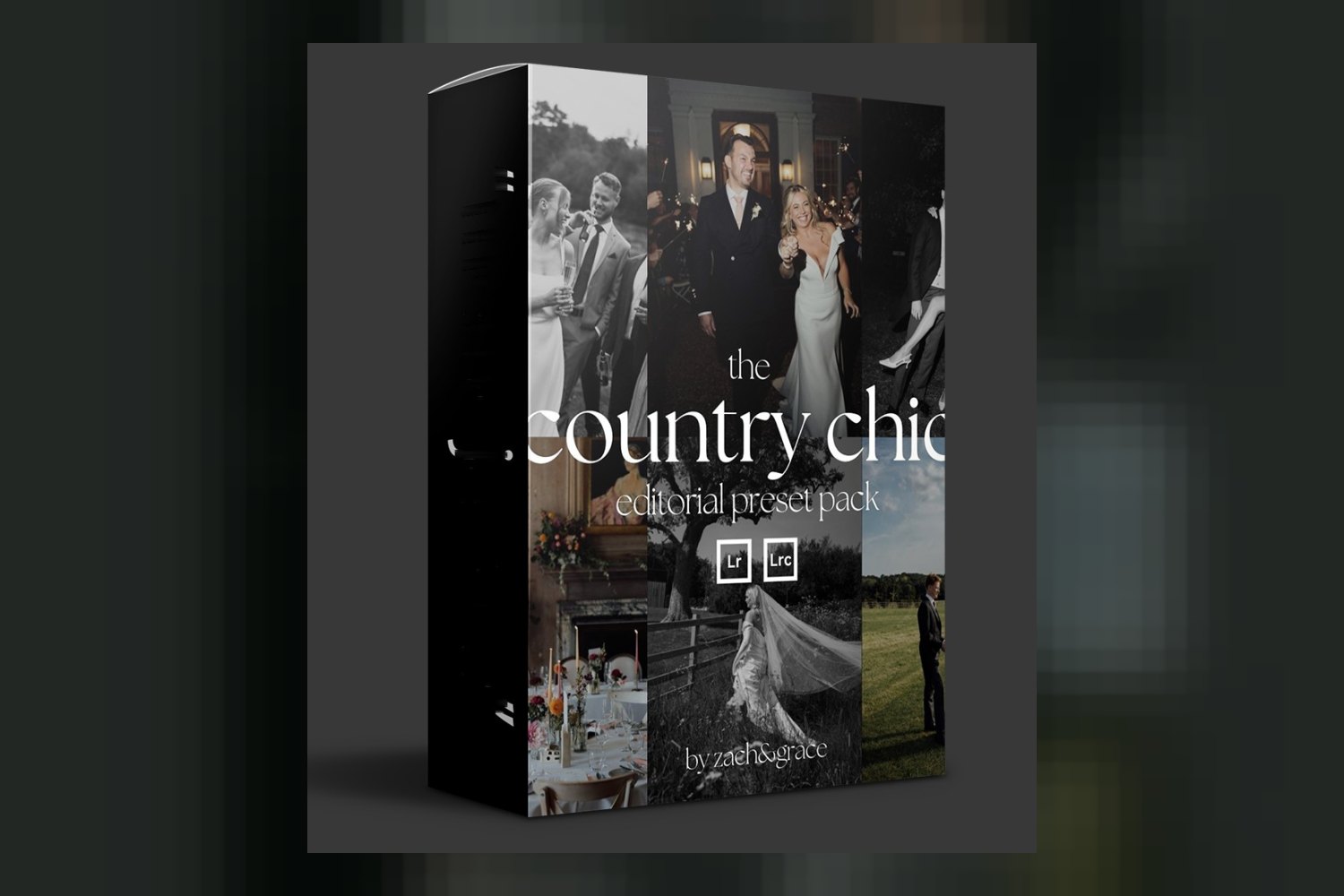
You’re looking at The Country Chic Preset Pack by Zach and Grace, a collection of 14 Editorial Lightroom Presets & Tools aimed at wedding photographers, wedding creatives, and photographers generally. What you get here is a set of stylistic presets and AI-powered adjustments, but it’s important to know right away that these aren’t a one-click fix. You’ll still need to handle your exposure and white balance manually, and it’s built for RAW files, not JPEGs.
What’s in The Country Chic Pack? Presets, AI tools, and lessons
On paper, The Country Chic Preset Pack by Zach and Grace includes a solid set of tools: 14 presets, 4 AI tools, 8 editing lessons, and a PDF walkthrough. It’s not just a dump of presets; the included educational content is a big plus, especially for photographers who want to understand the ‘why’ behind the look, not just the ‘what’.
The presets themselves break down into two main categories: Color and Black & White. For color, you get 6 options:
- 1.1 Base Colour
- 1.2 More Contrast
- 1.3 Less Contrast
- 1.4 Make It Pop
- 1.5 Windowlight
- 1.6 Direct Flash
These names give you a pretty clear idea of their function, offering variations on a core color profile. The “Windowlight” and “Direct Flash” presets suggest they’re specifically designed to handle common tricky lighting scenarios in wedding photography, which is smart.
Then there are the 4 Black & White presets:
- 2.1 Base Black & White
- 2.2 Dreamlike
- 2.3 In The Sun
- 2.4 Into The Night
Again, the names point to different moods and lighting conditions, offering some flexibility for monochrome conversions. “Dreamlike” and “Into The Night” sound like they lean into a specific artistic vision.
The 4 AI Tools are a standout feature here, designed to tackle common photographic challenges. They include:
- 3.1 Sky Saver
- 3.2 Backlit Portrait
- 3.3 In The Car
- 3.4 Group Photos
These AI tools are interesting because they suggest a level of intelligent adjustment beyond a standard preset. “Sky Saver” and “Backlit Portrait” are particularly useful for wedding photographers who often deal with inconsistent skies or challenging backlighting. The fact that the creators specifically mention these tools makes me think they’ve put thought into practical, real-world editing problems.
The 8 Editing Lessons and the PDF Walkthrough are, in my opinion, the strongest part of this package. Presets are only as good as the understanding you have of how to use them. For a colorist, I know that even the best LUT or preset needs finessing. Access to tutorials means you’re more likely to get consistent, high-quality results and less likely to feel like you just bought a “magic button” that doesn’t work. It shows Zach and Grace are thinking about helping you learn, not just selling you a look.
How these presets fit your Lightroom workflow
When you’re working with presets, understanding their place in your editing workflow is key. The Country Chic Preset Pack is designed for Adobe Lightroom, Lightroom Classic, and Lightroom Mobile on iOS. This covers the main bases for most photographers. The presets come as a .ZIP file, which is standard for installation.
What’s critical to know is what these presets don’t do. According to Zach and Grace, they do not affect Colour Temperature settings or your base Exposure Level. This means you need to handle your white balance and exposure corrections before applying these presets. Think of them as a stylistic layer you add on top of a properly exposed and color-corrected image, not a full-service correctional tool.
The creators also state that the pack requires individual adjustments to photos after applying presets. So, this isn’t a one-click solution where every image will look perfect right out of the gate. You’ll apply the preset, then likely tweak highlights, shadows, and other fine details to match your specific image. The good news is the presets are compatible with the intensity slider in the Develop console, which gives you more control to dial back or increase the effect.
This approach means you’re expected to have some basic Lightroom knowledge. If you’re looking for something that handles everything for you, this isn’t it. If you’re comfortable with a two-step process, correction first, then style, it fits right in.
What kind of photos and mood it suits (and who made it)
The creators, Zach and Grace, are editorial wedding photographers. They’ve shot for Vogue and at Fashion Weeks globally, building a six-figure business with their modern, editorial style. This background tells you a lot about the aesthetic they’re aiming for with The Country Chic Preset Pack: true to life colours and an editorial look.
This pack is explicitly made for wedding photographers, wedding creatives, and photographers who want that specific modern, high-end editorial feel. When I hear “editorial,” I think of clean, sophisticated, authentic colors with a certain timeless quality, rather than overly trendy or stylized looks. The “Country Chic” name itself suggests a refined, natural elegance, probably leaning towards natural light and outdoor settings, but versatile enough for various wedding scenarios given the “Windowlight” and “Direct Flash” presets.
If you’re shooting weddings and want your images to have a consistent, polished, editorial vibe that aligns with what you see in top publications, then judging by the creator’s background and claims, this pack is designed for that specific mood and client expectation.
Which cameras it’s built for, and what happens if yours is not on the list
Compatibility is crucial for any preset pack. Zach and Grace are pretty clear here: The Country Chic Preset Pack has been tested with Canon, Nikon, Sony, and Fuji RAW images. This is a thorough list covering the most popular professional camera systems used by wedding photographers today. If you shoot with one of these brands, you can be pretty confident the presets will perform as intended, assuming you’re shooting in RAW.
The requirement for RAW image files for optimal results is a big one. While you can use these presets on JPEGs, the creator explicitly states you won’t get the same effect. RAW files contain much more dynamic range and color information, allowing presets to push and pull pixels without falling apart. For professional wedding photographers, shooting RAW is standard practice anyway, so this isn’t a major hurdle. But if you’re a hobbyist who primarily shoots JPEGs, you’ll be missing out on the full benefit.
What if your camera isn’t Canon, Nikon, Sony, or Fuji? The creators don’t specifically address other brands like Panasonic, Olympus, or Leica. However, most presets are designed to work generally with RAW files, regardless of brand, as long as the software (Lightroom) supports them. The “tested with” list implies they’ve ensured quality for those specific brands. If you shoot with a different camera, it’s not a guarantee it won’t work, but it means Zach and Grace haven’t specifically validated the look on your files. You might need to do a bit more tweaking to get the desired result, and there’s always a small risk of unexpected color shifts.
Limits and who should skip it
Every tool has its limits, and The Country Chic Preset Pack is no different. The biggest limitation is that it does not affect Colour Temperature or base Exposure Level. If you’re someone who expects presets to correct these fundamental aspects of your image, you’ll be disappointed. You need to handle these basic corrections first, which means more manual work for you upfront.
Another significant point is its suitability for JPEGs. The presets are not designed for JPGs, and while you can apply them, you won’t get the same intended effect. If your workflow involves shooting only JPEGs, or if you’re a beginner who isn’t comfortable with RAW editing, then this pack isn’t for you. You’d be better off with something designed for JPEG workflows, or focusing on learning RAW editing first.
The requirement for individual adjustments after applying presets also means it’s not a true “one-click” solution. If your goal is to speed up your workflow by completely eliminating post-preset adjustments, you’ll find yourself still needing to fine-tune. This isn’t necessarily a bad thing – most professional editing requires finessing – but it’s important to set expectations.
Finally, Zach and Grace don’t provide specific instructions for installing the presets on Lightroom Mobile for all devices/versions, recommending you search Google or YouTube instead. This is a minor gap, but it means you might spend a bit of time figuring that out yourself if you’re a heavy mobile editor.
So, skip The Country Chic Preset Pack if you primarily shoot JPEGs, if you need presets to handle your exposure and white balance, or if you’re looking for a completely hands-off, one-click editing experience without any further adjustments. It’s built for photographers who are comfortable with the basics of RAW editing and want a consistent, editorial style applied to their already corrected images.
Should you get The Country Chic Preset Pack?
If you’re a wedding photographer or creative who shoots RAW with Canon, Nikon, Sony, or Fuji, and you’re aiming for a “true to life,” modern editorial look, this pack looks like a strong contender. The included 8 editing lessons are a valuable addition, suggesting a focus on helping you master the style, not just use a filter. But if you’re a JPEG shooter, or you expect presets to do all the heavy lifting on exposure and white balance, then you should probably pass on this one.
Questions people ask
What's included in this preset pack?
The pack includes 14 Editorial Lightroom Presets & Tools, 8 Editing Lessons, and a PDF Walkthrough for installation. The presets include 6 color presets, 4 black & white presets, and 4 AI tools.
Will these presets work with my camera?
The presets have been tested with Canon, Nikon, Sony, and Fuji RAW images. While they generally work with RAW files, optimal results are guaranteed for these specific brands.
What software do I need for these presets?
You need Adobe Lightroom, Lightroom Classic, or Lightroom Mobile on iOS to use The Country Chic Preset Pack.
Do I need to shoot RAW for these presets to work effectively?
Yes, shooting in RAW image files is required for optimal results. While the presets can be used on JPGs, the creator states you won't achieve the same effect.
Prefer to buy directly from Zach and Grace at full price? See the official page.