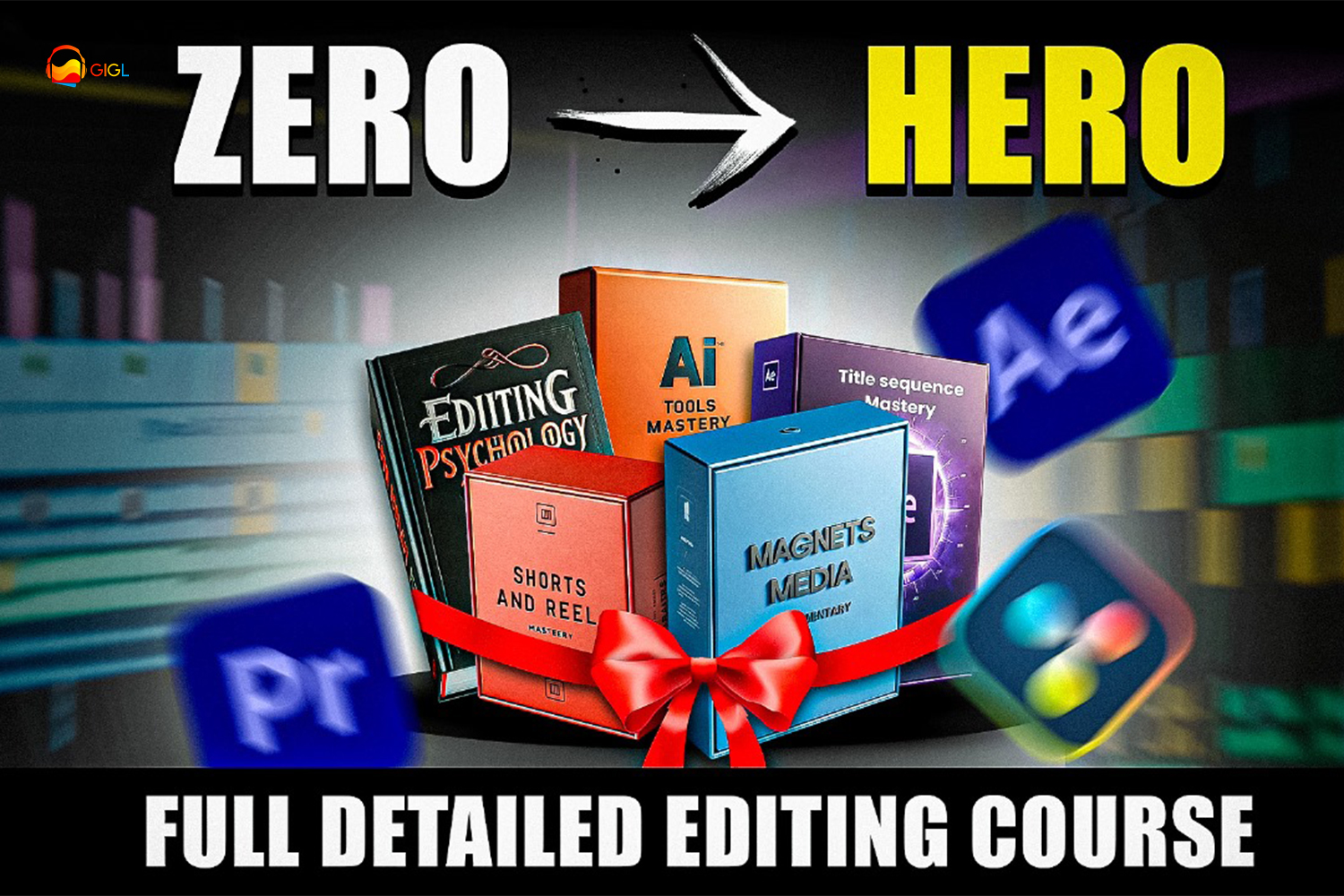
The Zero To Hero Video Editing Course by GIGL is a fully detailed video editing course designed to take you from fundamental concepts to advanced techniques. It’s aimed at a wide audience, from total beginners to experienced editors, and promises to cover everything from transitions and effects to AI usage, storytelling, and viewer psychology. This Zero To Hero Video Editing Course review will break down what the creator actually puts inside.
What this course actually covers
This course packs 53 lectures into 10 hours of video content, spread across the GIGL website and app. It starts with the absolute basics, like “Installing Editing Software,” before diving deep into Adobe Premiere Pro and After Effects.
A significant chunk of the curriculum is dedicated to After Effects, with 23 lectures focused solely on the software, including a deep get into creating a “Magnates Media Documentary.” You’ll go from “Premiere Pro Basics” (Chapter 1) to a detailed exploration of After Effects. This includes “Mastering After Effects Basics” (Chapters 2 & 3), essential settings, shortcuts, and core animation principles like “Keyframe Animation,” “Speed Graph,” “Adjustment Layer,” and “Null Object.”
Advanced After Effects techniques are also covered. You’ll learn “Trim paths,” how to integrate “Photoshop to After Effects Composition,” and create “Infographics.” The course then moves into complex visual effects like “3D Camera Video,” green screen removal (“Remove Green Screen in After Effects Easily”), and advanced masking with “Masking Final,” “Mastering Roto Brush,” and “Refining Edges Tool.” You’ll also work with “Track Matte” for transitions and “Motion Tracking” and “3D Camera tracking.”
Beyond the core software, the course branches into more modern and nuanced topics. There’s a dedicated section for “AI Tools Mastery,” including “Midjourney Beginner’s Guide” and “Making Thumbnail.mp4,” plus a PDF of “AI Tools Links.” “Reels editing” gets two chapters, one on “Creating Assets” and another on “Viral 3D editing.” You also get “Useful Plugins to Speed Up Your Workflow” and “Handpicked Fonts,” along with asset files like an “Elon musk (Camera Asset)” and a general “3D camera asset.”
What I find particularly interesting, and less common in many editing courses, is the “Editing Psychology” module, which spans 18 chapters. This section aims to teach you how to think about the viewer and storytelling, a crucial aspect of engaging content that often gets overlooked in purely technical courses.
Who GIGL is and why that matters
The course is created by GIGL, and it’s specifically curated and taught by the Chief Video Editor at Great Ideas Great Life. If you’re not familiar, Great Ideas Great Life is a YouTube channel with over 7 million subscribers. That’s a huge audience, and it tells you a lot about the kind of content and editing style this course will likely focus on.
This background means the instruction comes from someone with extensive, real-world experience producing high-volume, highly engaging content for a massive YouTube audience. The course explicitly features a “thorough case study of a video published on a YouTube channel with over 7 million followers,” which is a direct link to the creator’s success. So, if your goal is YouTube or social media virality, the insights here are coming straight from the source of a proven model. It probably means less focus on traditional film workflows and more on dynamic, attention-grabbing internet video.
Who this course is built for
GIGL states this course is for a broad audience: “Aspiring YouTubers,” “Social Media Influencers,” “Budding Filmmakers,” “Content Creators,” “Beginners,” and “Experienced Editors.” With a stated “beginner to advanced” skill level, it aims to serve a wide range of learners.
On paper, this course seems like a solid fit if you’re looking to create YouTube documentaries or explainer videos with a high production value, similar to the Magnates Media style. The heavy emphasis on After Effects for motion graphics, transitions, and effects, combined with storytelling and psychology, suggests it’s for someone who wants to produce polished, engaging online content. If you’re starting from scratch with Adobe Premiere Pro and After Effects and want to quickly get to a level where you can produce professional-looking social media content or YouTube videos, this looks like it’s right up your alley.
What you need to get started
The course page doesn’t list any specific “requirements” in terms of prior knowledge or equipment. This lines up with its “beginner to advanced” claim, implying you don’t need to know anything beforehand.
However, you absolutely will need access to the compatible software: Adobe After Effects and Adobe Premiere Pro. While the course starts with “Installing Editing Software,” it doesn’t specify if it covers how to obtain these programs (e.g., through an Adobe Creative Cloud subscription). Given the depth of the After Effects modules, having a reasonably powerful computer will be essential to run the software smoothly and render your projects without excessive waiting.
What’s not so clear, or what’s missing from the published curriculum
While the course covers a lot, a few areas feel less clear or potentially thin based on the module list and total video hours. The course description mentions “sound,” for instance, but the detailed content list doesn’t show any specific modules on advanced audio mixing, sound design principles, or working with music beyond the general mention in the overview. For a “Zero To Hero” course, I’d expect at least a dedicated module or two on making your audio sound professional, which is critical for YouTube.
Also, with 53 lectures totaling 10 hours, some of the more complex After Effects topics, like “3D Camera tracking” or “Mastering Roto Brush,” might be covered quite briefly. An average of about 11-12 minutes per lecture means these advanced techniques might only get a high-level overview rather than a deep, project-based dive. If you’re looking for exhaustive instruction on specific, intricate VFX techniques, you might find yourself needing more detail.
There’s also no explicit mention of color grading or correction beyond general “effects” you might apply in After Effects. If you shoot with log profiles (like S-Log3 or C-Log), the course doesn’t appear to offer specific guidance on how to properly handle and grade that footage, which is a common need for “Budding Filmmakers” or “Experienced Editors.”
Who should skip this one
You should probably skip the Zero To Hero Video Editing Course by GIGL if your primary interest is traditional filmmaking (feature films, documentaries not specifically designed for YouTube) that emphasizes a different workflow than what’s common on YouTube. If you’re looking for in-depth color science, highly specialized sound design, or advanced compositing techniques not specifically tied to online content, this course might not go deep enough.
Also, if you’re not planning to use Adobe After Effects, a significant portion of this course, the 23 After Effects lectures, will be irrelevant to you. While Premiere Pro gets a mention, the bulk of the specific module titles are After Effects-focused. If you prefer DaVinci Resolve, Final Cut Pro, or another NLE, this isn’t for you.
So, should you get it?
If you’re an aspiring YouTuber or content creator who wants to learn video editing from a professional with a proven track record on a 7-million-subscriber channel, and you’re ready to commit to Adobe Premiere Pro and After Effects, this course offers a lot. However, if you’re a filmmaker primarily focused on traditional cinema, or if you need deep gets into color grading, advanced audio, or specific high-end VFX, you might find parts of this course a bit too broad or general.
Questions people ask
Is this course different from other GIGL video editing courses?
Yes, according to the creator, this course includes additional modules such as AI Editing, Psychology, and Instagram Reels editing compared to other GIGL video editing courses.
What will I learn in this course?
You will learn full video editing skills from basics to advanced techniques, including transitions, effects, AI editing (Stable Diffusion, Midjourney AI), Reels editing, title sequencing, storytelling, and user psychology. You'll also get practical experience editing a YouTube video.
Is the course available on all devices?
Yes, the course content is accessible on the GIGL website and app.
When will I receive the certificate?
Upon completion of the course, you will receive a certificate from GIGL. The creator doesn't specify how long after completion you will receive it.
Prefer to buy directly from GIGL at full price? See the official page.