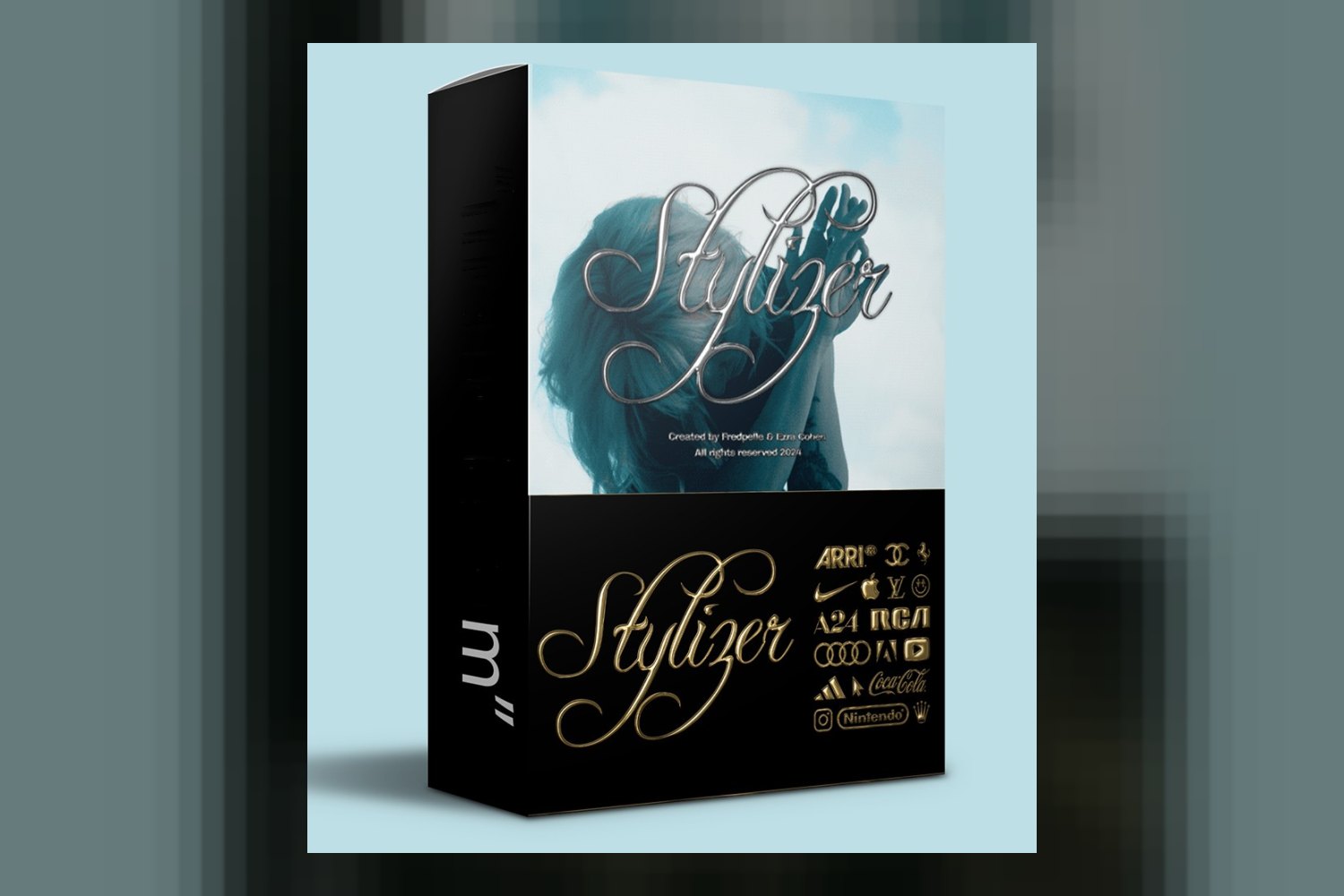
If you’re an editor looking to add some animated chrome flair to text and logos, the product to check out is Chrome Stylizer by Happy Editing. This pack is designed specifically for creators and video editors using Adobe Premiere Pro and After Effects, offering stylized chrome looks for various projects. The main thing to know upfront is that while it covers personal and commercial use, broadcast projects require an extended license.
What You Get With Chrome Stylizer
The creator, Happy Editing, has put together a focused package here. On paper, you’re getting 5 distinct chrome styles. These aren’t just subtle variations; the creator specifies them as chrome, neochrome, onyx, gold, and metal. That’s a good range for different moods and branding.
For actual use, the pack includes 10 .mogrt files, which are your Motion Graphics Templates for Premiere Pro 2024. This means you can drop them right into your Premiere Pro timeline and customize them there. If you’re an After Effects user, you also get 1 After Effects CC 2024 project file. This is where you’d probably dig deeper into the actual animation and effects if you needed to.
All of this is delivered as a digital download. The creator doesn’t publish specific resolution details for these assets, which is something I always like to know for project planning, but often these types of overlays are built to be somewhat resolution-independent or scalable within the software.
What Kind of Projects These Chrome Styles Fit
Judging by what Happy Editing says, Chrome Stylizer is made for a pretty broad range of video work. It’s definitely aimed at creators making title sequences, music videos, social content, and promos. Think about it: animated chrome text is perfect for that flashy, attention-grabbing look that works well on platforms like YouTube, Instagram, or TikTok, especially for music artists or brand launches.
The standout detail for me is that the styles work on alpha channels. This is crucial because it means you can easily combine these chrome effects with your existing footage. You’re not just getting a standalone animated text; you can layer it over a background video or image, which opens up a lot of creative possibilities for smooth integration.
Another strong point is the customization. You’re not stuck with a rigid template. The creator states you can customize the font, spacing, bevel, and color. This means you can adapt the 5 core styles to fit your specific brand or project aesthetic, rather than just using a generic look. If you’re a YouTuber or a music video editor trying to give a track launch a high-gloss title, or a social media manager creating eye-catching promos for Instagram, this pack seems designed to slot right into that workflow.
Plus, the license covers both personal and commercial use, and the creator says it’s pre-cleared for YouTube. That’s a big relief for anyone monetizing their content online; it removes a potential headache right off the bat.
How You’d Use These Chrome Styles in Your Edit
Using Chrome Stylizer seems pretty straightforward, especially if you’re comfortable with Adobe’s ecosystem. The primary compatibility is with Premiere Pro CC 2024+ and After Effects CC 2024+. So, make sure your software is up to date.
For Premiere Pro users, the 10 .mogrt files are the stars. You’d typically import these into your Essential Graphics panel. From there, it’s usually a drag-and-drop operation onto your timeline. Once it’s on your timeline, the customization options – changing the font, adjusting spacing, tweaking the bevel, or picking a new color – are right there in the Essential Graphics panel. This makes for a quick workflow if you need to generate a lot of stylized titles or logos without leaving Premiere.
If you’re an After Effects editor, you’ll open the 1 After Effects CC 2024 project. This gives you deeper control. You can get into the layers, potentially modify keyframes, or even extract elements to combine with other After Effects projects. Using Dynamic Link, you could even bring your After Effects compositions directly into Premiere Pro, maintaining that live connection.
The fact that these work on alpha channels is important here. It means you can place your text or logo, apply one of the 5 chrome styles, and then easily composite it over any footage or background you have in your edit. No need for complex keying or masking just to get the background to show through the animated chrome.
Who Should Skip Chrome Stylizer
While the Chrome Stylizer by Happy Editing offers some attractive features, it’s not for everyone. The most obvious limit comes down to software compatibility. If you’re running an older version of Premiere Pro or After Effects, anything before CC 2024, these files simply won’t work for you. There are no older versions included, so you’d be out of luck until you update your software.
Another clear “skip it if” point is the licensing for broadcast use. The creator explicitly states that broadcast use requires an extended license. So, if you’re an editor working on projects for traditional television, cable, or any other broadcast medium where you need full rights without an additional purchase or negotiation, this pack might introduce an extra step you don’t want to deal with. It’s a key distinction from general commercial use for online content.
Also, if you’re working in a different NLE like DaVinci Resolve, Final Cut Pro, or Avid Media Composer, this product isn’t for you. It’s strictly an Adobe Premiere Pro and After Effects asset pack. There are no universal files like PNG sequences or MOV files with alpha channels that could be used in other software, only .mogrt and .aep files.
My Take on Chrome Stylizer
Overall, Chrome Stylizer by Happy Editing looks like a solid choice for its niche. The strongest part, in my opinion, is the combination of 5 distinct, named chrome styles with the convenience of 10 .mogrt files for Premiere Pro. That makes it quick and easy to get a professional, animated look. If you’re an editor primarily focused on digital platforms, social media, music videos, online promos, or YouTube title sequences, and you’re running CC 2024+ of Premiere Pro or After Effects, this pack seems like a time-saver that delivers on its promise of stylized chrome.
However, if your projects frequently involve broadcast television, or if you’re on older Adobe software or a different editing platform entirely, you’ll want to pass on this one. The extended license requirement for broadcast is a genuine limitation that could complicate things for some professionals.
Questions people ask
What software is compatible with Chrome Stylizer?
Chrome Stylizer is compatible with Premiere Pro CC 2024+ and After Effects CC 2024+.
Can I use these assets for commercial projects?
Yes, the license covers personal and commercial use, and the assets are pre-cleared for YouTube.
What specific chrome styles are included?
The product features 5 distinct chrome styles: chrome, neochrome, onyx, gold, and metal.
What customization options are available?
You can customize the font, spacing, bevel, and color of the chrome styles.
Prefer to buy directly from Happy Editing at full price? See the official page.