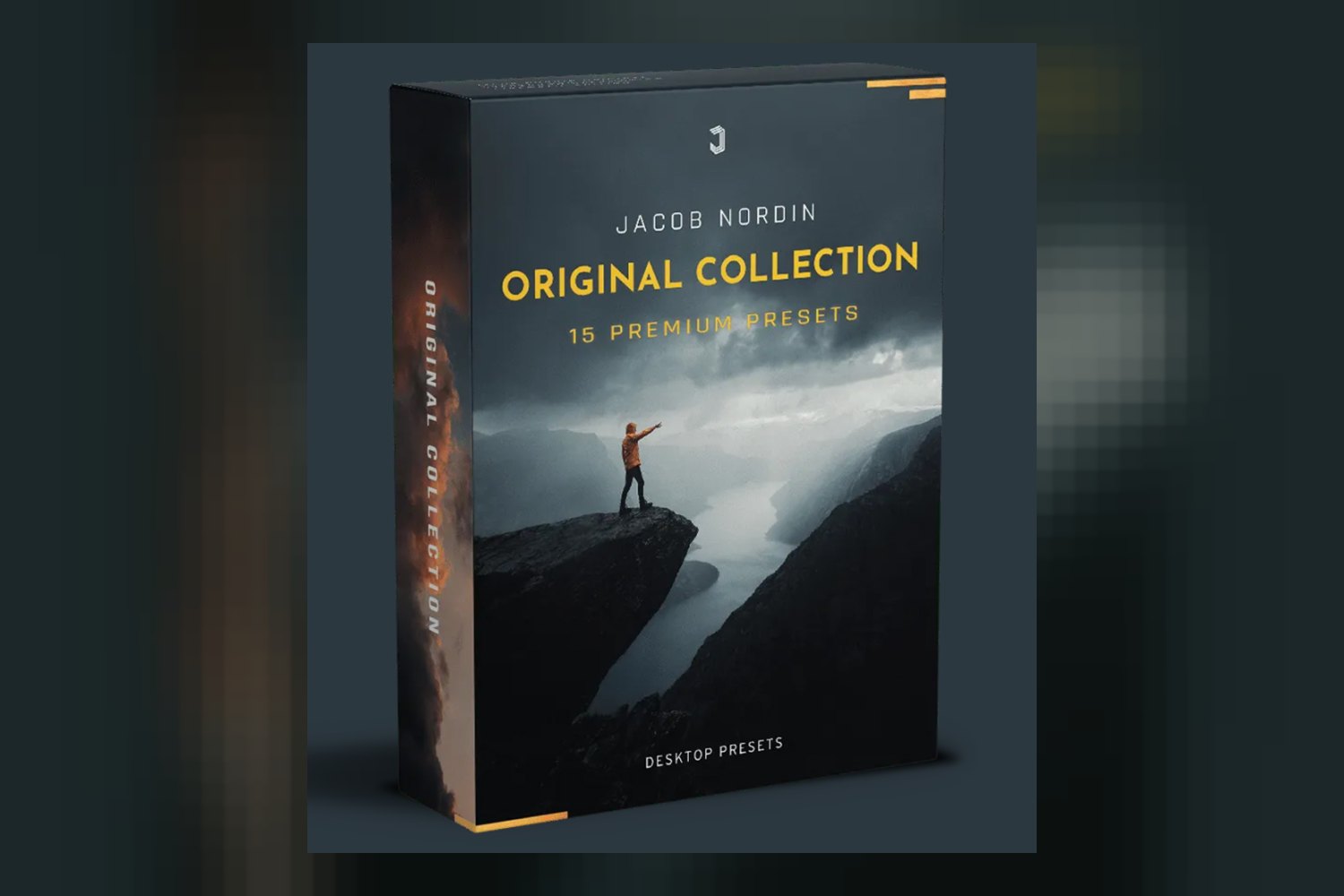
So, you’re looking at The Original Collection Presets by Jacob Nordin. On paper, it’s a set of Lightroom desktop presets built for photo color grading. If you’re a photographer who uses Lightroom Classic CC, posts on Instagram, or delivers work to clients, this product aims to speed up your editing. Just remember upfront: like most digital products, you can’t get a refund once you buy it.
What you get in Jacob Nordin’s preset pack
This isn’t just a handful of filters. The Original Collection Presets by Jacob Nordin includes 15 main premium presets, plus 2 bonus presets, bringing you to a total of 17 distinct looks. That’s a decent starting point for any collection.
What really stands out, though, are the extras. You also get 4 Radial/Graduated filters. These aren’t global presets; they’re local adjustment tools. That means you can apply specific effects, like a subtle vignette, a sun flare, or a targeted color shift, to only a part of your photo without affecting the whole image. For anyone serious about grading, local adjustments are essential for finessing a look.
The creator also packs in a Lightroom Classic color grading tutorial by Jacob Nordin himself, along with a step-by-step installation guide. Jacob Nordin is an acclaimed photographer, and the creator says these are the actual presets he uses for his own Instagram photos and client work. So, on paper, you’re getting a direct insight into his workflow, which is a strong selling point if you admire his style.
All these files come as .XMP files, which is the standard format for modern Lightroom presets. You’ll get a download link via email after purchase, which is pretty standard for digital products.
How these presets fit into your workflow
These presets are built primarily for Lightroom Classic CC desktop users. That’s where you’ll get the full functionality, especially with those Radial/Graduated filters. If you’re working on a desktop, you’ll be able to import the .XMP files directly into your preset panel and start applying them to your photos.
Now, if you’re a Lightroom Mobile user, you can technically use these presets there too, but there’s a catch: you need an active Adobe CC subscription. Without it, the mobile compatibility isn’t there. So, if you’re a mobile-only editor without a subscription, this pack won’t work for you on the go.
In terms of workflow, presets are typically a starting point. You’d usually do your basic image corrections first, things like exposure, white balance, and lens corrections. Then, you’d apply a preset to get a consistent look. The creator does acknowledge that “slight adjustments are almost always necessary as every photo is different,” which is a realistic expectation. No single preset will be perfect for every shot, but they’re designed for efficiency to reduce your overall editing time, which is always a plus.
What kind of photos and moods they’re for
Judging by the creator’s background and the descriptions, these presets are designed for a wide range of photographic styles. Jacob Nordin uses them for his personal Instagram and client work, which implies versatility across different subjects.
The standout details mention that the presets cover “diverse looks including moody, cinematic, and underwater styles.” That’s a pretty broad spectrum. If you shoot portraits and want to give them a consistent moody vibe, or if you’re a landscape photographer looking for a cinematic grade, there should be something in here for you. The “underwater” style is a bit more niche but suggests specific color shifts and tones designed for submerged imagery, which could be great if you do a lot of those kinds of shoots.
For example, if you’re an Instagram user who shoots a mix of travel and lifestyle photos and wants a cohesive, professional-looking feed, having a range of “moody” or “cinematic” presets could help achieve that consistency quickly. For client work, particularly in portraiture or editorial photography, having a go-to set of looks can streamline your delivery process and maintain a signature style.
Camera compatibility and what to expect
The creator doesn’t publish specific camera models or log profiles that these presets are built for. That’s pretty common for photo presets, as they tend to be more general than video LUTs, which often target specific camera gammas like S-Log3 or V-Log.
Since these are Lightroom presets, they’re designed to work with standard RAW and JPEG files from virtually any camera. You shouldn’t expect any major compatibility issues with your camera’s files, whether you shoot Canon, Nikon, Sony, Fuji, or something else. The presets apply color adjustments and tonal curves directly within Lightroom, which is universal to most photo files.
However, because every camera renders colors slightly differently, and every photo has unique lighting, you’ll almost certainly need to make those “slight adjustments” the creator mentions. Don’t expect a one-click perfect solution straight out of the box every time. You’ll still be tweaking white balance, exposure, and possibly individual color channels to get the best result for your specific image. The tutorial included should help guide you on how to make these adjustments effectively.
Limits and who should skip it
The biggest limitation to consider with The Original Collection Presets by Jacob Nordin is that refunds are not available. This is standard for digital products, but it means you really need to be sure about what you’re getting into before you click buy. You can’t try them out and then return them if they’re not quite what you expected.
Another point, which isn’t really a limit but an expectation setter, is that you’ll almost always need to make slight adjustments. If you’re looking for a magical “one-click-and-done” solution for every single photo, you’re going to be disappointed. Presets are powerful tools, but they’re not a substitute for understanding basic photo editing principles. You still need to know how to adjust exposure, white balance, and contrast to get the most out of them.
So, who should skip this? If you’re not a Lightroom Classic CC desktop user, or if you’re a mobile-only editor without an Adobe CC subscription, then these presets won’t work for your setup. Also, if you’re someone who expects a preset to perfectly grade every single photo without any further input from you, then you might find yourself frustrated. And of course, if the “no refunds” policy makes you too nervous, that’s a valid reason to hold off.
Should you get this preset pack?
If you’re a photographer using Lightroom Classic CC, you like Jacob Nordin’s photographic style, and you’re looking for a diverse set of presets with local adjustment tools and a solid tutorial, this pack looks like a strong contender. The inclusion of the actual presets Nordin uses for his client work adds a lot of value. However, if you’re reliant on Lightroom Mobile without an Adobe CC subscription, or if you’re looking for a truly “zero-effort” solution, you might want to look elsewhere.
Questions people ask
Can I use these on Lightroom Mobile?
Yes, you can use these presets on Lightroom Mobile, but you'll need an active Adobe CC subscription for compatibility.
How do I download my files?
After purchasing, you will receive a download link via email to access your .XMP preset files.
Will I get access to updates on this preset pack?
Yes, according to the creator, future updates to the preset pack are emailed to buyers.
Are refunds available for this product?
No, refunds are not available for this product due to its digital nature.
Prefer to buy directly from Jacob Nordin at full price? See the official page.