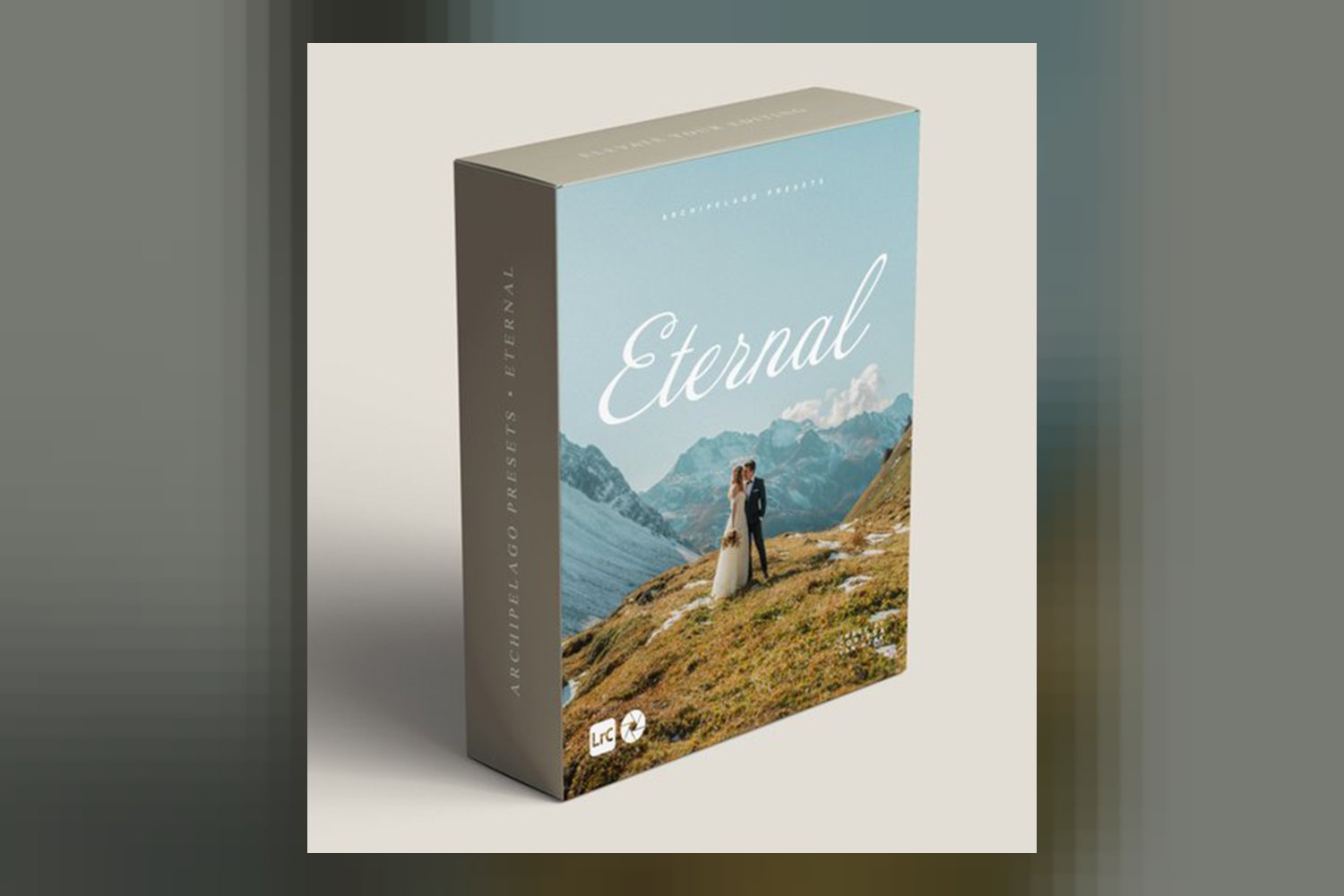

If you’re eyeing the Eternal Lightroom Presets by Archipelago, here’s the rundown. Archipelago pitches this as an expansive wedding workflow, specifically crafted for wedding photographers, professional wedding photographers, and portrait photographers who frequently shoot couples. The main catch right upfront: it’s strictly for desktop versions of Adobe Lightroom, so no mobile editing with these.
What’s inside this Archipelago pack?
From what Archipelago publishes, the Eternal collection isn’t just a handful of presets; it includes over 50 specialized tools. These aren’t just generic looks. They’re designed to cover pretty much any situation a wedding photographer might face, whether that’s the golden-hour glow outdoors or those intimate, tricky indoor moments.
What’s interesting here is the claim of “unparalleled creative freedom.” The creator states these are designed as a “flexible foundation.” This means you start with a thoughtfully curated base color grade, and then you’re supposed to be able to fully customize both the color and the dynamics from there. It’s not a one-click final look, but a starting point that you then sculpt. On paper, that sounds promising, especially if you like to tweak things yourself rather than just slapping on a single filter.
The pack comes in both Lightroom Presets and Lightroom Profiles formats, which is standard for desktop Lightroom. Having both gives you a bit more flexibility in how you apply and interact with the color science, as profiles often allow for intensity adjustments in a way presets don’t.
How Eternal fits in your workflow
If you’re already using Adobe Lightroom on your desktop, these presets and profiles are designed to slot right in. The “flexible foundation” approach suggests you’d apply one of the base grades and then use the additional 50+ specialized tools to refine it. This isn’t like a technical LUT you’d apply at the very beginning of a video workflow to normalize log footage; these are creative tools. So, you’d likely apply them after your basic white balance and exposure corrections, using them to establish the mood and overall aesthetic.
The fact that it provides both “consistency and creative versatility” implies that you can get a cohesive look across an entire wedding album, but still have the freedom to adapt each image. For a professional who delivers hundreds of photos, that balance is critical. I’d expect to use the base preset, then quickly adjust highlights, shadows, and specific color channels with the included tools to nail the final look for each image.
What kind of shoots and vibes Eternal is for
This collection is squarely aimed at the wedding photography market. Archipelago explicitly states it’s for “wedding photographers” and “professional wedding photographers.” If you’re shooting portraits and frequently working with couples, you’re also in the target audience. The “advanced enthusiasts” tag suggests a user who understands color grading basics and isn’t afraid to get their hands dirty with adjustments.
Judging by the creator’s description, you can shape these presets to match a range of styles: cinematic, romantic, film-inspired, or modern. This versatility is a big deal. Instead of being locked into one specific look, the “flexible foundation” allows you to lean into different aesthetics depending on the couple or the specific moments of the day. For example, you could push a more romantic, soft look for bride and groom portraits, then shift to a more modern, clean feel for reception dancing shots, all while maintaining a cohesive base. Each of the 50+ tools is meant to “enrich depth, refine tones, and subtly sculpt mood,” which again points to a fine-tuning approach rather than a broad-brush application.
Which cameras and log profiles it’s built for
The product details don’t mention specific camera models or log profiles. This isn’t uncommon for Lightroom presets, as they generally apply color adjustments on top of standard RAW or JPEG files, rather than being tailored for specific log footage like video LUTs sometimes are. If you’re shooting a modern mirrorless camera, be it Sony, Canon, Nikon, Fuji, etc., and capturing RAW files, these presets should work as intended within Adobe Lightroom.
What matters more here is the quality of your base image. Since these are creative tools, not corrective ones for specific camera profiles, your images should be well-exposed and white-balanced to get the best results. The presets will then apply their color grade and tonal adjustments, which you then customize. The creator doesn’t publish any information about how these presets handle specific camera color science nuances, so expect to do your usual initial color correction before getting into the creative grading with Eternal.
Limits and who should skip it
The most significant limitation of Eternal Lightroom Presets by Archipelago is its compatibility: it’s “Desktop Version Only.” This means if your workflow heavily relies on editing on an iPad or your phone using Lightroom Mobile, these presets won’t work for you. That’s a dealbreaker for many photographers who appreciate the flexibility of mobile editing, especially when on the go or culling quickly. So, if you’re not using the desktop version of Adobe Lightroom, you can skip this one.
Also, while it’s designed for “advanced enthusiasts,” if you’re completely new to Lightroom and color grading, the “over 50 specialized tools” and the idea of a “flexible foundation” might feel overwhelming. If you’re looking for a simpler, one-click solution without much customization, this might be more than you need or want to learn. It clearly asks you to engage with the tools and customize the look.
So, should you get it?
If you’re a professional wedding photographer working exclusively on desktop Lightroom and you’re looking for an extensive, customizable set of creative tools to build consistent yet versatile looks, Eternal Lightroom Presets by Archipelago looks like a strong contender. The promise of starting with a base grade and then finessing it with over 50 tools for different lighting situations is a big plus. However, if mobile editing is non-negotiable for your workflow, or you’re a beginner looking for instant, no-fuss results, then this isn’t for you.
Questions people ask
What software is compatible with Eternal Lightroom Presets?
Eternal Lightroom Presets are compatible with desktop versions of Adobe Lightroom.
How many tools are included in the Eternal collection?
The Eternal collection includes over 50 specialized tools designed for various wedding photography situations.
Can I use these presets on my mobile device?
No, Eternal Lightroom Presets are designed for the desktop version only and are not compatible with mobile versions of Lightroom.
What kind of creative styles can I achieve with these presets?
The presets are designed as a flexible foundation, allowing users to customize and shape styles such as cinematic, romantic, film-inspired, or modern.
Prefer to buy directly from Archipelago at full price? See the official page.