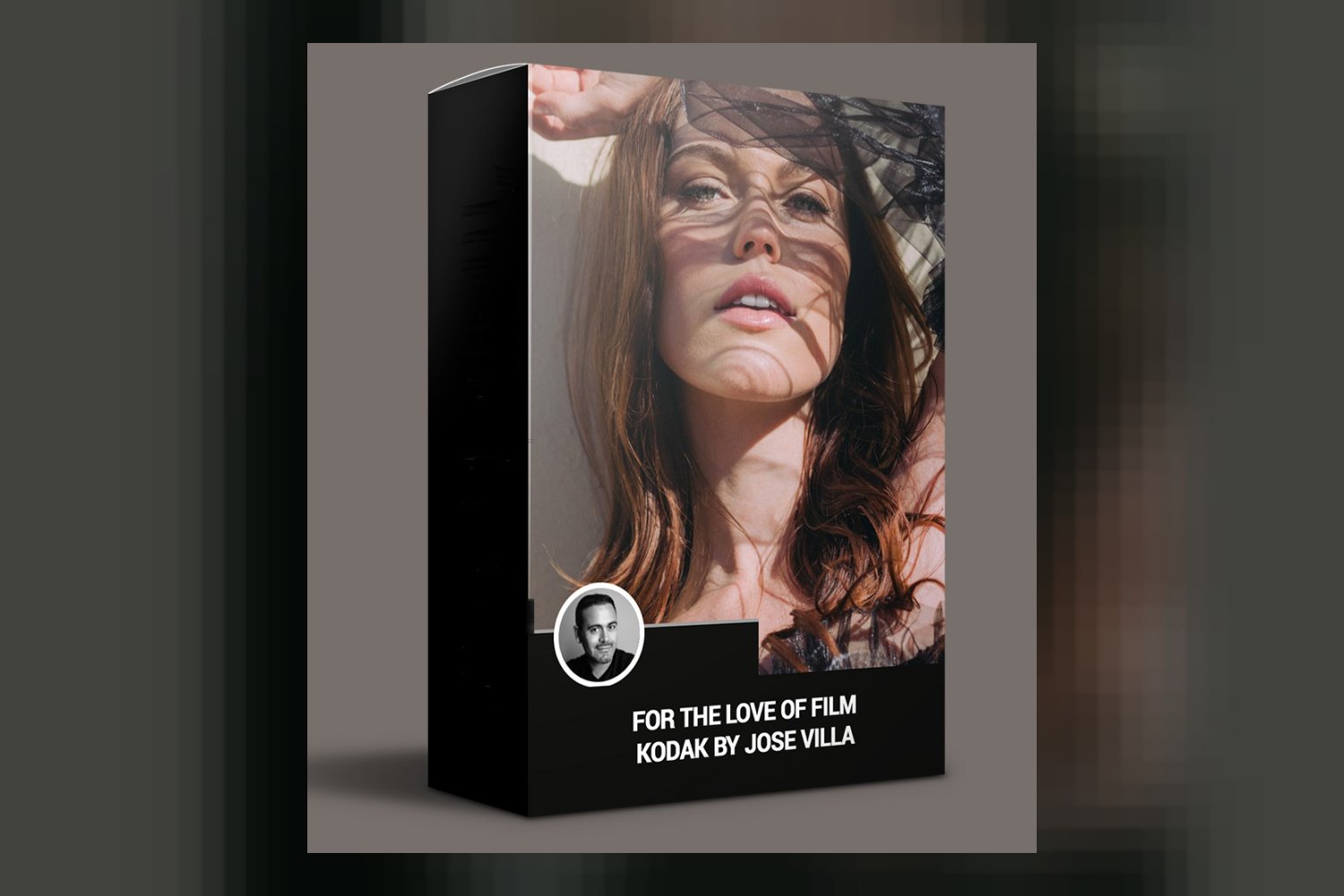
You’re looking at For the Love of Film Kodak by Jose Villa, a preset pack with 18 film emulation presets designed to give your digital photos the classic feel of Kodak Portra film. It’s built for wedding and portrait photographers who want that soft, timeless film aesthetic without shooting film. The main catch? Specific camera compatibility isn’t published, which is always something to consider with these types of profiles.
What’s actually in this pack?
So, what are you getting? On paper, this pack is pretty specific, and that’s a good thing for a colorist like me doing a For the Love of Film Kodak review. You get a total of 18 film emulation presets. These aren’t just generic film looks; they’re designed to emulate three specific Kodak Portra film stocks: Portra 160, Portra 400, and Portra 800. If you know your film, you know these have distinct characteristics, from subtle shifts in color to varying levels of grain and contrast.
Beyond the film stock, the creator, Jose Villa, has also built in emulations for two common film scanner types: Frontier and Noritsu. This is a detail that often gets overlooked in other packs, but it makes a big difference to the final look. Frontier scanners typically give a slightly warmer, punchier look with rich reds, while Noritsu scanners are known for their cooler, cleaner tones and green-magenta shifts.
Then, on top of all that, you get three distinct styling treatments for each film stock and scanner combination:
- Standard: This is your baseline emulation, presumably a clean take on the film and scanner.
- FTLOF: This is the “For the Love of Film” style, which the creator says incorporates Jose Villa’s typical adjustments. What does that mean? It aims to minimize grain, downplay color cast in the shadows, and add a bit more punch to your blacks. That’s a strong specific claim, and if you like his work, it tells you exactly what kind of look to expect.
- Smooth: The name suggests this might be a softer, less contrasty version, perhaps with an even gentler touch on the grain or highlights.
You also get a “Bonus Tools: FTLOF Tool Kit.” From the description of the FTLOF style, I’d guess this kit includes individual adjustments for grain, shadow tint, and black point control, letting you fine-tune the FTLOF look or apply those adjustments separately. That’s a smart addition for flexibility.
For formats, you’re getting Lightroom mobile presets, which is handy if you edit on the go. The pack also uses DVLOP Dual Illuminant Profiles. This is a technical detail that means the presets can respond more intelligently to different lighting conditions (e.g., tungsten vs. daylight), which should lead to more consistent results across varying scenes compared to simpler presets.
Which software and cameras does it play nice with?
Compatibility is straightforward for the software side. These presets are designed to work across the main Adobe platforms:
- Adobe Lightroom Classic 4 or later
- Adobe Camera Raw CS6 or later
- Adobe Lightroom CC Desktop 1.4 or later
- Adobe Lightroom CC Mobile (Non-Classic)
So, whether you’re on an older version of Classic or fully in the cloud with CC, you should be covered. If you plan to use the mobile presets, though, there’s a requirement: you’ll need Lightroom Desktop to sync them over to your mobile device. If you’re a mobile-only editor with no desktop Lightroom access, this pack won’t work for you.
Now, about cameras. This is where the creator’s information is a bit thin. The facts state that “Specific supported camera models are not listed.” That’s a pretty big gap when you’re dealing with DVLOP Dual Illuminant Profiles. While DVLOP’s system is generally solid and aims for consistency, its profiles are often optimized for specific camera models or sensor types. If you shoot with a popular Canon, Nikon, Sony, or Fuji, you’ll probably be fine, but there’s no guarantee. If you’re working with a less common camera or one known for having tricky color science, this lack of clarity is a potential concern.
What kind of look are you getting?
Jose Villa is known for his “soft, timeless imagery captured on film,” and this pack is clearly built to replicate that. The goal is to infuse digital images with the specific qualities of Kodak Portra film. If you’re a wedding or portrait photographer, that means creamy skin tones, often slightly desaturated greens, and a generally flattering, natural palette that avoids harshness.
The choice to emulate Portra 160, 400, and 800 gives you a range to play with. Portra 160 is typically the most neutral and fine-grained, great for clean, bright light. Portra 400 is the workhorse, versatile for many situations, with a bit more punch and grain. Portra 800, as the fastest, would traditionally have more visible grain and a slightly different color rendition, often with more saturation and contrast, good for low-light or dramatic looks. The creator doesn’t detail these differences for the presets, but that’s what those film stocks generally offer.
The Frontier vs. Noritsu options mean you can choose between a warmer, more vibrant look (Frontier) or a cooler, perhaps more subdued and clean aesthetic (Noritsu). This level of detail in film emulation is impressive and shows a deep understanding of the film photography process.
The “FTLOF” style, with its focus on minimizing grain, downplaying shadow colorcast, and punching blacks, sounds like a very specific, refined look. If you’re tired of digital noise, strange color shifts in dark areas, or flat blacks, that particular treatment could be a standout feature. The “Smooth” style likely offers a softer, perhaps more ethereal version of these looks, which could be great for delicate portraits or dreamy wedding shots. This is a pack for someone who wants a consistent, polished film-inspired aesthetic without having to spend hours tweaking.
How it fits your workflow
If you’re already an Adobe Lightroom (Classic or CC) or Camera Raw user, integrating these presets into your workflow should be pretty smooth. Presets, by their nature, are applied early in the grading process, usually after you’ve handled basic white balance and exposure corrections. They provide the “look” or “grade” that you then fine-tune.
The DVLOP Dual Illuminant Profiles are a strong point here. They’re designed to give you more consistent color shifts under different lighting conditions. This means less manual tweaking after applying a preset, which saves time, especially for events like weddings where lighting changes constantly. You apply the preset, and ideally, it adapts better than a standard LUT or preset would.
For me, the strongest part of this pack, judging by the details, is the sheer level of specificity in the emulation: 3 Portra film stocks, 2 scanner types, and 3 distinct styling treatments, especially the FTLOF style with its clear adjustments for grain, shadow cast, and blacks. That’s not just a collection of pretty looks; it’s a systematic approach to film emulation that gives you a lot of control and variation within a consistent aesthetic.
The weakest part, as I mentioned, is the lack of specific camera compatibility. While DVLOP profiles are generally good, not knowing which cameras they’re specifically optimized for means there’s a small element of uncertainty if your camera isn’t a widely used model. You might find you need to do more adjustments than expected to get the profiles to sit perfectly with your specific camera’s raw files.
If you’re interested in other DVLOP presets, you might want to check out this breakdown: DVLOP Mixology by Two Mann Studios Review: Who It’s For and Who Should Skip It.
Who should skip this pack?
There are a couple of clear reasons why this pack might not be for you. First, if you’re a photographer who *only* uses Lightroom Mobile and doesn’t have access to a desktop version of Lightroom, you’ll hit a wall. The creator explicitly states that Lightroom Desktop is required for syncing the mobile presets. So, if your entire workflow is phone-based, skip it.
Second, and this is my biggest “skip it if” point: if you shoot with a camera model that’s less common, or if you’ve had issues getting consistent color with your camera’s raw files using other profiles, you should be cautious. The creator doesn’t list specific supported camera models. While the DVLOP Dual Illuminant Profiles are a good system, they perform best when specifically tuned for a camera’s sensor. Without that explicit list, you’re taking a bit of a gamble. If you shoot a Sony A7S III, for example, and are very particular about your color science, you might want more reassurance about profile compatibility than what’s provided.
Finally, if you’re not aiming for a “soft, timeless imagery captured on film” aesthetic or the specific look of Kodak Portra, then this pack isn’t for you. It’s highly specialized, and if you prefer punchy, modern, or heavily stylized looks that aren’t film-inspired, you’d be better off looking elsewhere.
My take on Jose Villa’s presets
So, should you get it? If you shoot weddings or portraits, already use Lightroom Desktop, and are deeply committed to achieving a specific Kodak Portra film look with granular control over scanner type and specific styling (especially the FTLOF adjustments), this pack looks like a solid fit. However, if you’re exclusively a mobile editor or shoot with a camera model outside the mainstream and need explicit compatibility assurances, you might want to hold off.
Questions people ask
What film stocks are emulated in this pack?
The pack emulates three Kodak Portra film stocks: Portra 160, Portra 400, and Portra 800. It also emulates Frontier and Noritsu scanner types.
What software is compatible with these presets?
The presets are compatible with Adobe Lightroom Classic 4+, Adobe Camera Raw CS6+, Adobe Lightroom CC Desktop 1.4+, and Adobe Lightroom CC Mobile (Non-Classic).
Are there presets for mobile Lightroom?
Yes, Lightroom mobile presets are included, but you need Lightroom Desktop to sync them to your mobile device.
What are the different styling treatments included?
The pack offers three styling treatments: Standard, FTLOF, and Smooth. The FTLOF style includes specific adjustments to minimize grain, downplay colorcast in shadows, and add punch to blacks.
Prefer to buy directly from Jose Villa at full price? See the official page.