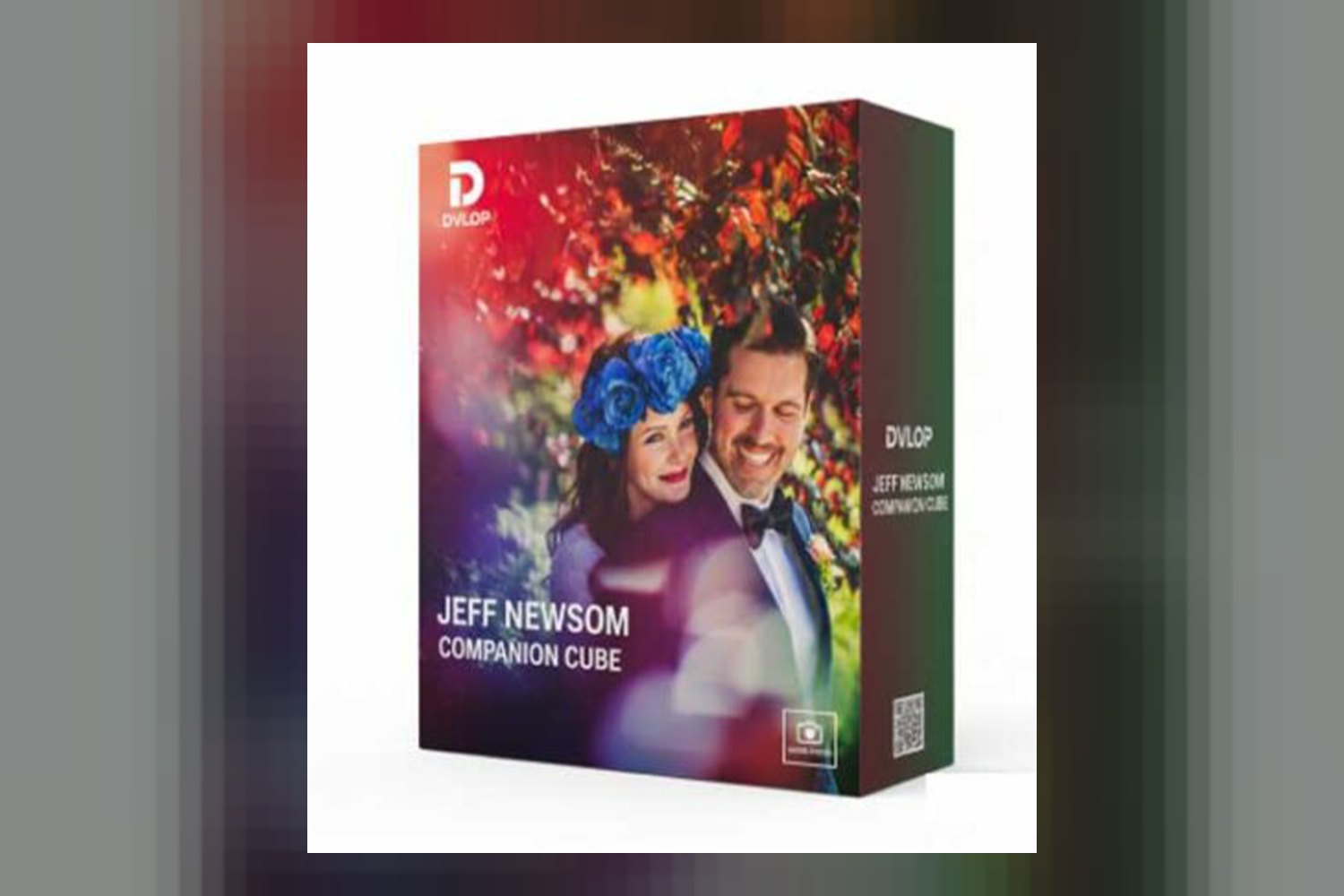
You’re looking at the Dvlop Companion Cube by Jeff Newsome, a collection of Lightroom presets promising a distinctive artistic vision. It’s built for photographers who want consistently warm skin tones, high dynamic range, and bold colors in their work, especially for portraits and weddings. The main thing to note upfront is that while it includes mobile presets, you’ll need Lightroom Desktop to get them working on your phone or tablet.
What’s inside the Dvlop Companion Cube presets
This pack gives you a focused set of tools: 5 core presets and 1 bonus tool. The core presets have some pretty memorable names – “For Science, You Monster,” “Huge Success,” “I’m a Potato,” “The Cake is a Lie,” and “This Was a Triumph.” It’s clear the creator, Jeff Newsome, has a sense of humor, which might suggest a less rigid, more artistic approach to these looks.
On paper, these presets are designed to give you a unique artistic vision, focusing on warm skin tones, a high dynamic range, and bold, natural colors. The creator emphasizes that they achieve this without artificial saturation, which is a good sign if you’re trying to avoid that over-processed look. You also get a specific preset for low available light and high ISO situations, which is a neat detail, plus a one-click solution for direct or off-camera flash party shots. There’s even a black and white preset that’s described as neither stark black nor pure white, aiming for something more nuanced.
The bonus tool, “Purple Uplight of Oblivion,” sounds like it could be a specialized effect for a very particular kind of lighting or mood, though the creator doesn’t detail its specific function beyond the name.
Where Dvlop Companion Cube fits in your workflow
These are Lightroom presets, so they’re designed to slot right into your Adobe Lightroom workflow. According to the creator, the Dvlop Companion Cube by Jeff Newsome presets are compatible with Adobe Lightroom 4 or later (Classic) and Adobe Camera Raw CS6 or later. That covers most modern versions of Lightroom Classic and Photoshop’s Camera Raw filter, which is pretty standard.
From what’s published, these presets are meant to be a one-click starting point for your edits, streamlining your photo editing and accelerating your workflow. This means you’d typically apply a preset first, then fine-tune it to match your specific image and taste. Since they’re aiming for a distinctive artistic vision with warm skin tones and bold colors, I’d say they’re designed to be a “look” or “grade” rather than a technical correction. You’d likely handle any basic exposure or white balance adjustments before applying these, or tweak them immediately after.
The inclusion of Lightroom mobile presets is a big plus for photographers who edit on the go. Just remember the catch: you need Lightroom Desktop to sync them to your mobile device. If you’re primarily a mobile-only editor and don’t own Lightroom Desktop, this isn’t a direct solution for you.
What kind of footage and mood it suits
Jeff Newsome is known as a celebrated photographer with a unique artistic vision, producing images with “incredible life, heartbeat, uncanny beauty, and warmth that speak of the human spirit.” So, it makes sense that these presets are explicitly built to deliver beautiful, warm skin tones that focus on the human element. This makes them a strong contender if you shoot a lot of portraits, engagements, or weddings, especially if you want that consistent, soulful warmth across your images.
The emphasis on high dynamic range and bold, natural colors without artificial saturation tells me these presets are trying to preserve detail in both shadows and highlights while making colors pop in a believable way. This would suit photographers who want punchy images that still feel authentic, rather than overly stylized or flat. If you shoot bright outdoor scenes, the “high dynamic range” claim suggests it’ll handle those tricky bright skies and deep shadows well. The specific presets for low-light/high ISO and flash photography also mean this pack aims to be versatile across a range of shooting conditions.
For example, if you’re a wedding photographer working in varied environments – from a bright outdoor ceremony to a dimly lit reception hall, and then to a flash-heavy dance party – these presets aim to give you consistent results. The creator says there’s a “one-click solution for direct or off-camera flash party shots,” which sounds like a real time-saver for those chaotic moments. If you admire Jeff Newsome’s distinctive artistic style, then, on paper, these presets are designed to help you emulate that.
Which cameras and profiles it is built for
The creator doesn’t list specific camera models or log profiles that these presets are built for. This is a common situation with general-purpose Lightroom presets. They’re usually designed to work across a broad range of RAW files from different camera manufacturers. Because Lightroom processes RAW files in a standardized way, most presets will apply their adjustments regardless of the camera brand.
What this means for you is that while they should technically work with your camera’s RAW files, the exact “look” might vary slightly depending on your camera’s color science and how your RAW files are natively interpreted by Lightroom. You might find you need to do a little more tweaking on images from, say, a Fujifilm X-T5 compared to a Canon R5, just to get it to Jeff Newsome’s exact vision, but that’s typical for any preset pack.
The fact that they support Adobe Camera Raw CS6 or later means they’re not tied to the very latest RAW formats, which is good for older systems. However, without specific camera profiles mentioned, it’s hard to say if they’ve been optimized for a particular brand’s color. My opinion is that if you shoot standard RAW files, they should be a good starting point, but be prepared for minor adjustments specific to your gear.
Limits and who should skip it
The main limitation to be aware of is the requirement for Adobe Lightroom Desktop to sync mobile presets. If your entire workflow is based around editing on your phone or tablet and you don’t own or use Lightroom Desktop, then the mobile aspect of this pack won’t be accessible to you. You’d only be able to use the desktop versions.
Another point is the lack of specific camera model support listed. While this isn’t necessarily a deal-breaker, it means you can’t be sure they’ve been fine-tuned for your exact camera’s RAW files. If you’re someone who needs presets explicitly designed for, say, Sony S-Log3 or specific Fuji film simulations, the Dvlop Companion Cube might require more post-preset adjustment to get the look you want. It seems more geared towards general RAW workflows.
So, you should skip this pack if you:
- Exclusively edit on Lightroom mobile and don’t own Adobe Lightroom Desktop.
- Are looking for presets specifically optimized for a particular camera’s log profile or color science, as the creator doesn’t publish this information.
- Prefer a stark, cool, or desaturated aesthetic. These presets are clearly designed for warmth, high dynamic range, and bold colors.
If you’re after something more neutral or specifically for video, you might want to look at something like Goodlight Presets Video Lut Pack 1 instead, which offers a different approach.
So, should you get it?
If you’re a portrait or wedding photographer who admires Jeff Newsome’s distinctive style and wants consistent, warm skin tones with bold, natural colors, then these presets look like a solid choice. The included solutions for low light and flash photography add a lot of versatility, making it a potentially useful tool for a busy professional. However, if you’re a mobile-only editor without Lightroom Desktop, or you’re specifically seeking presets optimized for a niche camera profile, you might find this pack doesn’t quite fit your needs without extra work.
Questions people ask
What software is compatible with Dvlop Companion Cube presets?
Dvlop Companion Cube presets are compatible with Adobe Lightroom 4 or later (Classic) and Adobe Camera Raw CS6 or later.
Are Lightroom mobile presets included with Dvlop Companion Cube?
Yes, Lightroom mobile presets are included with Dvlop Companion Cube, but Adobe Lightroom Desktop is required for syncing them to your mobile device.
What kind of skin tones do these presets produce?
These presets are designed to produce beautiful, warm skin tones that focus on the human element, delivering images with incredible life and warmth.
How many presets are included in the Dvlop Companion Cube pack?
The Dvlop Companion Cube pack includes 5 core presets and 1 bonus tool, for a total of 6 items.
Prefer to buy directly from Jeff Newsome at full price? See the official page.