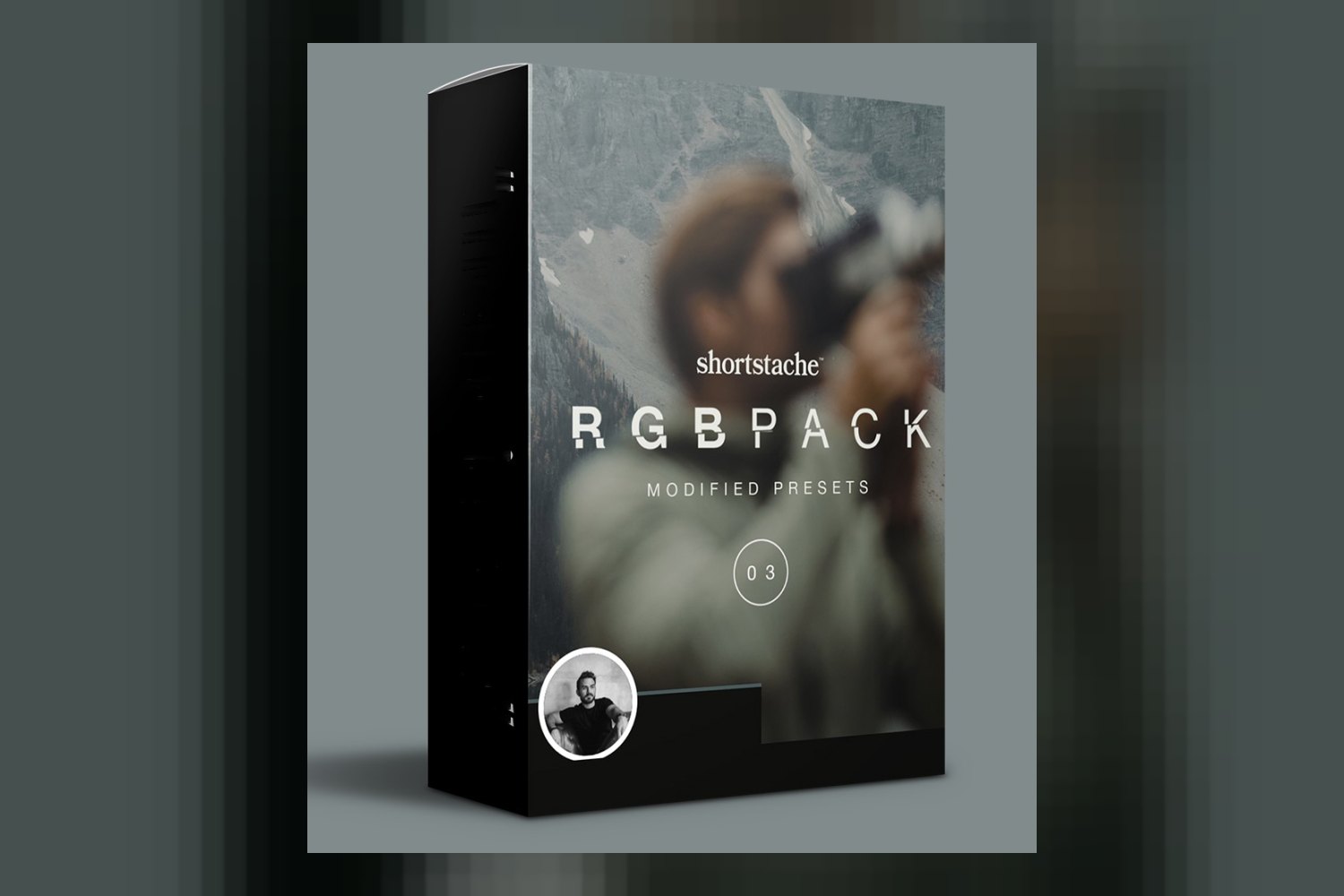
The Dvlop RGB Preset by Shortstache is a collection of Lightroom presets aiming to give your photos a deep cinematic tonal range, perfect for those wanting to nail a cohesive, film-like aesthetic. It’s built for experienced editors and photographers who want a faster workflow, but you’ll need to make sure your software is up to date, and the creator doesn’t specify camera compatibility, which is a big deal when you’re trying to get a specific look.
What’s in the Dvlop RGB Preset Pack
Okay, so you’re getting a set of Lightroom presets here, designed by Shortstache, who’s known for his distinctive visual narratives. The creator breaks these down into three main categories, each focusing on a different color channel or temperature: Coolith, Greenith, and Warmith.
Within these categories, you get specific named presets. For Coolith, there’s “Coolith – Blue Down” and “Coolith – Heat Shift.” These are explicitly made to mess with your blues, either enhancing them, toning them down, or shifting their temperature. If you shoot a lot of cityscapes at twilight or scenes with strong blue elements, these sound like they could be pretty handy for getting some specific looks.
Then you’ve got the Greenith presets: “Greenith – Pine” and “Greenith – Sage.” These are all about manipulating greens – their vibrancy, how dark they are, and their hue. Anyone shooting landscapes, nature, or even portraits in leafy environments knows how tricky greens can be to get right without looking sickly or overly vibrant. This specialized focus is a good sign, showing the creator put thought into specific color problems.
Finally, the Warmith presets include “Warmith-less” and “Warmither.” On paper, these aim for rich hues and warmer undertones, going for a “vintage yet modern sleek look.” This suggests a classic filmic warmth, which can be great for portraits, golden hour shots, or scenes where you want that nostalgic vibe.
The creator lists “Coolith presets,” “Greenith presets,” and “Warmith presets” as separate items from the individual named ones. It’s not clear if those are umbrella terms or additional, more general presets. Counting the distinct named items, you’re looking at 9 specific presets, plus the possibility of more general presets under the category names. This might sound like a small number compared to some packs, but if they’re well-tuned, quality often beats quantity.
These are all Adobe Lightroom presets. They aren’t LUTs or PowerGrades, so you’re working within the Lightroom ecosystem.
Where the Presets Fit in Your Grading Workflow
These are Lightroom presets, so they’re designed to be applied early in your photo editing process, typically after you’ve handled basic exposure and white balance corrections. From what the creator publishes, the inclusion of DVLOP Dual Illuminant Profiles and DVLOP ISO Adaptive Presets is a really strong point here. What that means is the presets are built to respond intelligently to different lighting conditions and ISO settings.
For me, that’s crucial. A generic preset often falls apart if your scene isn’t perfectly exposed or lit. Dual Illuminant Profiles help the preset adapt its color science based on whether you’re shooting under daylight or artificial light, which can prevent weird color shifts. ISO Adaptive Presets mean that the preset’s effect on grain or noise might change depending on your camera’s ISO, aiming for a more natural look across your gallery. This suggests a more solid and flexible starting point than many one-size-fits-all presets.
You’ll need Adobe Lightroom Classic 7.3 or later or Adobe Camera Raw 10.4 or later. For mobile editing, you can use Lightroom mobile presets, but you’ll need Lightroom Desktop to sync them over. So, if you’re an iPad-only editor, you’ll still need that desktop version of Lightroom installed somewhere to get these working on your mobile device.
What Kind of Footage and Mood These Presets Suit
The Dvlop RGB Preset by Shortstache is tailor-made for specific color environments, promising a “deep cinematic tonal range.” The creator states they’re “tailored to thrive within warmer (red), neutral and green, and cooler (blue) scenes.” This is where the Coolith, Greenith, and Warmith categories come into play, offering targeted control for those dominant color casts.
If you’re a photographer constantly dealing with tricky greens in forests or city parks, or trying to nail the perfect blue hour look, the specific focus of the Coolith and Greenith sets could be a big time-saver. The Warmith presets, aiming for “rich hues and warmer undertones,” seem ideal for that popular vintage-meets-modern film aesthetic. Think golden hour portraits, cozy interiors, or anything where you want a bit of a nostalgic, yet polished, feel.
Judging by Garrett King’s background – storytelling, compelling visual narratives, and a distinctive color aesthetic – I’d expect these presets to lean towards moodier, more stylized looks rather than purely natural ones. They’re definitely for photographers who want to achieve a cohesive, *stylized* look across their gallery, not just a clean correction. If you’re into replicating a film aesthetic digitally, this product is squarely aimed at you.
This pack offers “flexibility and multi-functionality for stylizing photos.” That means these aren’t just one-click wonders; they’re meant to be a foundation that you might tweak further to get your exact vision. If you’re already an experienced editor looking to refine your look, this kind of starting point can really speed things up.
Which Cameras and Log Profiles it’s Built For
This is where things get a bit vague, and for me, it’s the weakest part of the product description. The creator doesn’t specify which cameras or log profiles these presets are built for. Presets, especially those promising a “cinematic” look, can interact very differently with raw files from various camera brands. A look developed on a Canon sensor might need significant tweaking to look right on a Sony or Fuji, even with raw files.
The inclusion of DVLOP Dual Illuminant Profiles and ISO Adaptive Presets helps mitigate some of the generic issues, but it doesn’t replace knowing if the underlying color science of the presets was built with, say, Fujifilm’s film simulations in mind, or if it’s more geared towards a neutral Sony or Canon output. This is a common gap with many preset packs, but it’s a crucial detail if you’re particular about color. If you’re a photographer who shoots with a specific camera system, say a Fuji X-T4, and you’re hoping for presets that specifically complement its color science, you’re flying blind here.
Without knowing the intended camera profile, you’re relying on the flexibility of raw files and your own editing skills to make it work. For an experienced editor, that might be fine, but it means you’re still doing some of the heavy lifting that a truly tailored preset might avoid. This is less of an issue for general “looks” but more so for achieving a consistent “cinematic” grade that feels organic to your camera’s output.
Limits and Who Should Skip It
The main limitation is the lack of information on supported cameras or log profiles. If you’re a photographer who demands presets specifically optimized for your camera’s color science, or if you primarily shoot in a very specific log profile (though presets are generally for stills, not video log footage), you might find yourself doing more work than you expected to get a consistent look. It might mean a lot of trial and error to see if the presets play well with your specific raw files.
Another point: while the categories sound great, the specific number of presets isn’t explicitly stated beyond the named ones. If you’re someone who expects a huge library of dozens or hundreds of presets for every conceivable situation, this might feel a bit slim. The focus here is clearly on quality and specific color manipulation rather than sheer quantity.
You should probably skip this if you’re not an Adobe Lightroom user. These are presets for Lightroom Classic, Camera Raw, and Lightroom mobile. If you’re primarily editing in Capture One, Affinity Photo, or another RAW editor, these won’t work for you. Also, if you don’t have Lightroom Classic 7.3 or later, or Camera Raw 10.4 or later, you’ll need to update your software first.
Finally, if you’re a beginner editor still grappling with basic exposure and white balance, these “deep cinematic tonal range” presets might be a bit much. They’re designed for experienced editors looking to *refine* their look, not necessarily build it from scratch. For a broader look at cinematic presets, you might find CinePrint16 Stylized Film Looks by tombolles Review helpful as well.
So, Should You Get It?
If you’re an experienced Lightroom user who understands color theory and wants a solid set of presets to achieve a cohesive, cinematic, and film-like aesthetic, especially across varying light and ISO, the Dvlop RGB Preset by Shortstache looks like a strong contender. The specific control over blues, greens, and warm tones, combined with the adaptive profiles, is a definite plus. However, if you need explicit camera compatibility before you buy, or if you’re working outside the Adobe Lightroom ecosystem, you should probably look elsewhere or be prepared to do some extra tweaking to get these to sing with your specific gear.
Questions people ask
What specific presets are included in the RGB pack?
The pack includes Coolith – Blue Down, Coolith – Heat Shift, Greenith – Pine, Greenith – Sage, Warmith-less, and Warmither, along with general Coolith, Greenith, and Warmith presets.
What software versions are compatible with these presets?
The presets are compatible with Adobe Lightroom Classic 7.3 or later and Adobe Camera Raw 10.4 or later.
Are there presets for Lightroom mobile?
Yes, Lightroom mobile presets are included, but you'll need Lightroom Desktop to sync them to your mobile device.
What kind of scenes are these presets best suited for?
They are tailored to thrive within warmer (red), neutral and green, and cooler (blue) scenes, offering flexibility for a deep cinematic tonal range.
Prefer to buy directly from Shortstache at full price? See the official page.