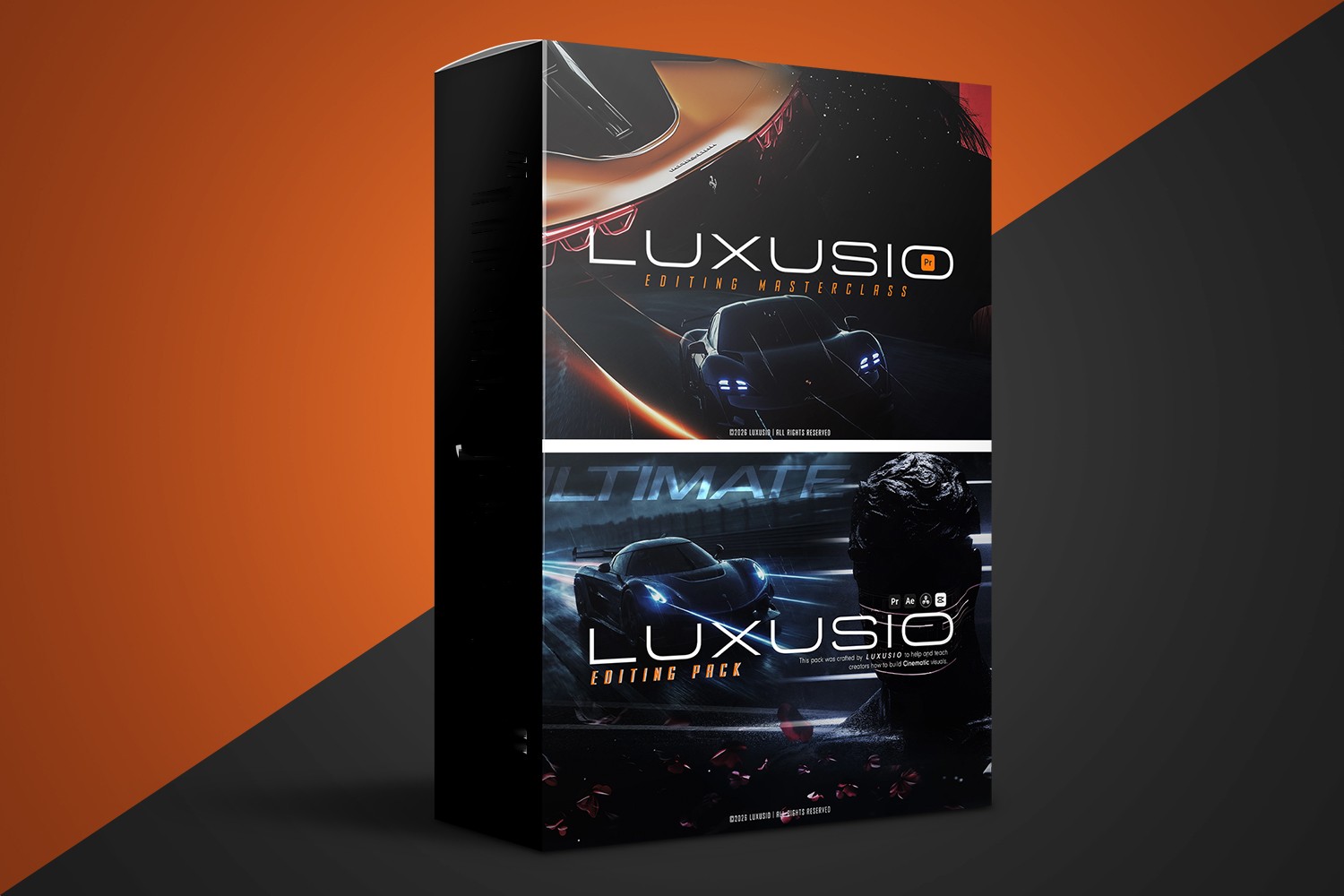
The Editing MasterClass by Luxusio is presented as a thorough program for creators who want to produce premium, cinematic video content consistently. It’s aimed at ambitious individuals looking to improve their visual storytelling, but be aware that, as a digital product, refunds are generally not available.
What You Get Inside the Editing MasterClass
This program packs quite a lot, making it more than just a standard video course. On paper, it looks like a full toolkit for someone serious about cinematic editing.
- Complete Editing MasterClass: This is the core instruction, though the creator doesn’t say how many lessons or hours of video it contains. It’s positioned as the foundational learning for producing high-quality video.
- Luxusio’s Complete Editing Style (A–Z): This sounds like a deep get into Andrew’s personal workflow and aesthetic, from start to finish. If you’re looking to replicate or learn from a specific, successful style, this is where that happens.
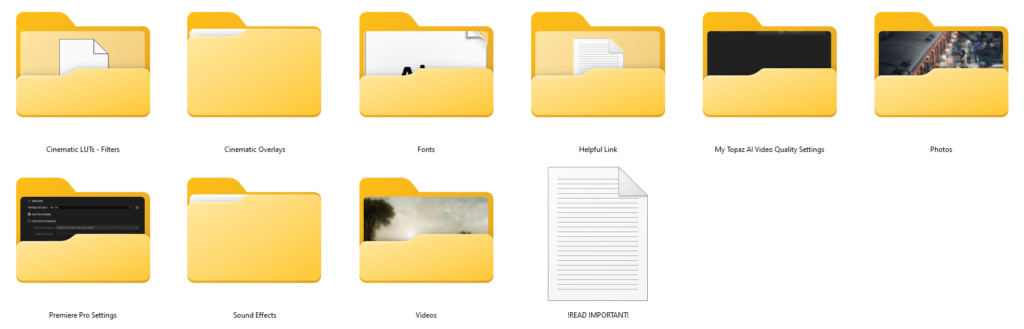
- Private Daily Workflow Resources: You’re getting a curated library of assets here. This includes videos, sound effects (SFX), overlays, and other essential assets. The idea is to give you professional-grade tools to work with immediately, which is a big plus.
- Premiere Pro 2026 – Fully Unlocked Setup: This is a really specific and interesting inclusion. It’s an optimized Adobe Premiere Pro setup with all necessary plugins pre-configured. If you’re a Premiere Pro 2026 user, this could save you a ton of time setting things up and ensuring you have the right tools.
- Professional Video Upscaling Program: Luxusio includes a program he uses himself for video upscaling. This suggests a focus on maintaining or improving video quality, which is crucial for cinematic content.
- Personal Transitions & VFX Presets: You’ll get a custom-designed collection of transitions and visual effects presets. These are often time-savers and can help achieve a consistent look faster.
- Private Telegram Channel (lifetime access): This is your access point to the community and, importantly, to Luxusio himself. Lifetime access means ongoing support and connection, which is valuable for learning and staying updated.
I think the strongest part of this package is the combination of the “Premiere Pro 2026 – Fully Unlocked Setup” with pre-configured plugins and the “Private Daily Workflow Resources.” Getting a ready-to-go environment and a library of assets instantly removes a lot of friction for new and even intermediate editors.
What’s Not Clear from the Product Description
While the package is substantial, there are a few things the creator doesn’t publish, which makes it harder to fully gauge the offering:
- No specific runtime or duration: You won’t know how long the “Complete Editing MasterClass” actually is in terms of video hours or total lessons. This is a common oversight in course descriptions, but it makes it hard to plan your learning time.
- No specific numbers for assets: The “Private Daily Workflow Resources” sound great, but there’s no mention of *how many* videos, sound effects, overlays, or other assets are included. The same goes for the “Personal Transitions & VFX Presets.” Knowing if it’s 10 or 100 of each makes a big difference in perceived value.
- Refunds are generally not available: Due to the digital nature of the product, the creator states that refunds are generally not available. This is something you absolutely need to be aware of before buying; make sure you’re committed.
For me, the lack of specific numbers for the assets is the weakest point in the description. It’s hard to tell if the asset libraries are thorough or just a starter pack without those details.
What You Need Before You Start
This program has a pretty clear requirement for software:
- Adobe Premiere Pro 2026: The “Premiere Pro 2026 – Fully Unlocked Setup” and compatibility notes make it clear you need this specific version of Premiere Pro. If you’re on an older version or use a different editing software (like DaVinci Resolve or Final Cut Pro), this program won’t be compatible with the included setup and presets. You’d need to upgrade or switch.
Beyond the software, judging by the “made for” section, you’ll need a certain drive and ambition. It’s not explicitly stated, but producing “premium, intentional, and consistently cinematic video content” suggests you should have a camera capable of capturing decent footage. The program focuses on *editing*, but good editing can only do so much with poor source material.
Who This Program is For, and the Level It Assumes
Luxusio is pretty direct about who should get this. It’s for:
- Ambitious creators: People who aren’t content with “average” and want to push their boundaries.
- Aspiring filmmakers: Individuals looking to learn the craft of cinematic storytelling through editing.
- Content creators aiming for Instagram growth: If you want to stand out with visually strong posts and attract more followers, the focus on cinematic visuals is key.
- Entrepreneurs building a social media business through video: This implies using high-quality video as a core part of your brand and marketing.
The course content, with its “A-Z” editing style and “Complete Editing MasterClass,” suggests it could cater to a range of skill levels, from beginners with ambition to intermediate editors looking to refine their cinematic approach. Since no prior skill level is explicitly mentioned, and it’s an “A-Z system,” I’d lean towards it being accessible to motivated beginners who are comfortable with the idea of learning Premiere Pro 2026 from the ground up, as well as those with some experience looking to formalize their cinematic skills.
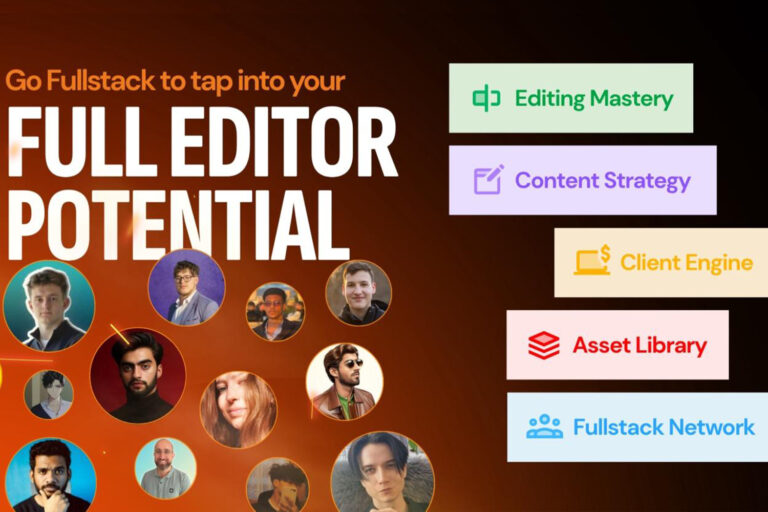
If you’re already producing video but feel your work lacks that “cinematic” polish, or you’re struggling to create consistent, high-quality visuals for your social media, this program is designed for you. It’s less about client acquisition strategies and more about the craft itself. For something more focused on the business side of editing, you might look at something like the Fullstack Editor Club by Tom Lulofs Review.
Who Made It and Why That Matters
The creator is Luxusio, also known as Andrew. He’s described as having years of expertise in video editing, which he distills into actionable, step-by-step lessons. What really stands out is his reputation for “exceptional guidance and 24/7 availability for support.”
This matters a lot. Learning a complex skill like cinematic video editing can be frustrating, and having a creator who offers round-the-clock support is a huge advantage. It means you’re less likely to get stuck and more likely to get personalized help when you need it. His expertise in video editing suggests that the “Complete Editing Style (A–Z)” and the “Personal Transitions & VFX Presets” are coming from someone with a proven track record, not just theory.
Who Should Skip This Program
Despite its strengths, the Editing MasterClass by Luxusio won’t be for everyone:
- If you don’t use Adobe Premiere Pro 2026: This is a hard requirement. If you’re committed to DaVinci Resolve, Final Cut Pro, or an older version of Premiere Pro, the “Fully Unlocked Setup” and presets won’t work for you. You’d be paying for tools you can’t use.
- If you’re looking for a refund policy: The “no refunds generally” policy means you need to be very sure about your purchase. If you’re on the fence or might change your mind, this isn’t the right fit.
- If you primarily need client acquisition or business strategies: While it aims to help entrepreneurs build a social media business through video, its core focus is on the *editing craft* itself. If your main struggle is finding clients or scaling your video business, rather than improving your actual editing output, this might not be the most direct solution.
- If you need exact numbers on course duration or asset count: If you’re the kind of person who needs to know exactly how many hours of content you’re getting, or precisely how many SFX are in the library before you buy, the lack of these details might be a dealbreaker for you.
So, Should You Get It?
If you’re an ambitious creator dedicated to mastering cinematic video editing with Adobe Premiere Pro 2026, and you value direct, 24/7 support from an experienced editor, the Editing MasterClass by Luxusio looks like a strong contender. However, if you’re not a Premiere Pro user, need a flexible refund policy, or prioritize business growth over editing technique, you should probably look elsewhere.
Questions people ask
What specific topics are covered in the Complete Editing MasterClass?
The creator describes the core as a "Complete Editing MasterClass" and "Luxusio's Complete Editing Style (A–Z)" for cinematic content, but doesn't publish a detailed module breakdown or specific topic list.
What kind of assets are included in the Private Daily Workflow Resources?
The Private Daily Workflow Resources include a curated library of videos, sound effects (SFX), overlays, and other essential assets. However, the creator doesn't specify the exact number of each type of asset.
Are the Premiere Pro plugins included with the setup compatible with older versions?
The included "Premiere Pro 2026 – Fully Unlocked Setup" is optimized for Adobe Premiere Pro 2026. The creator doesn't mention compatibility with older versions, implying Premiere Pro 2026 is required.
What is the name of the professional video upscaling program?
The creator includes a "Professional Video Upscaling Program" used by Luxusio, but doesn't publish the specific name of that program.
Prefer to buy directly from Luxusio at full price? See the official page.