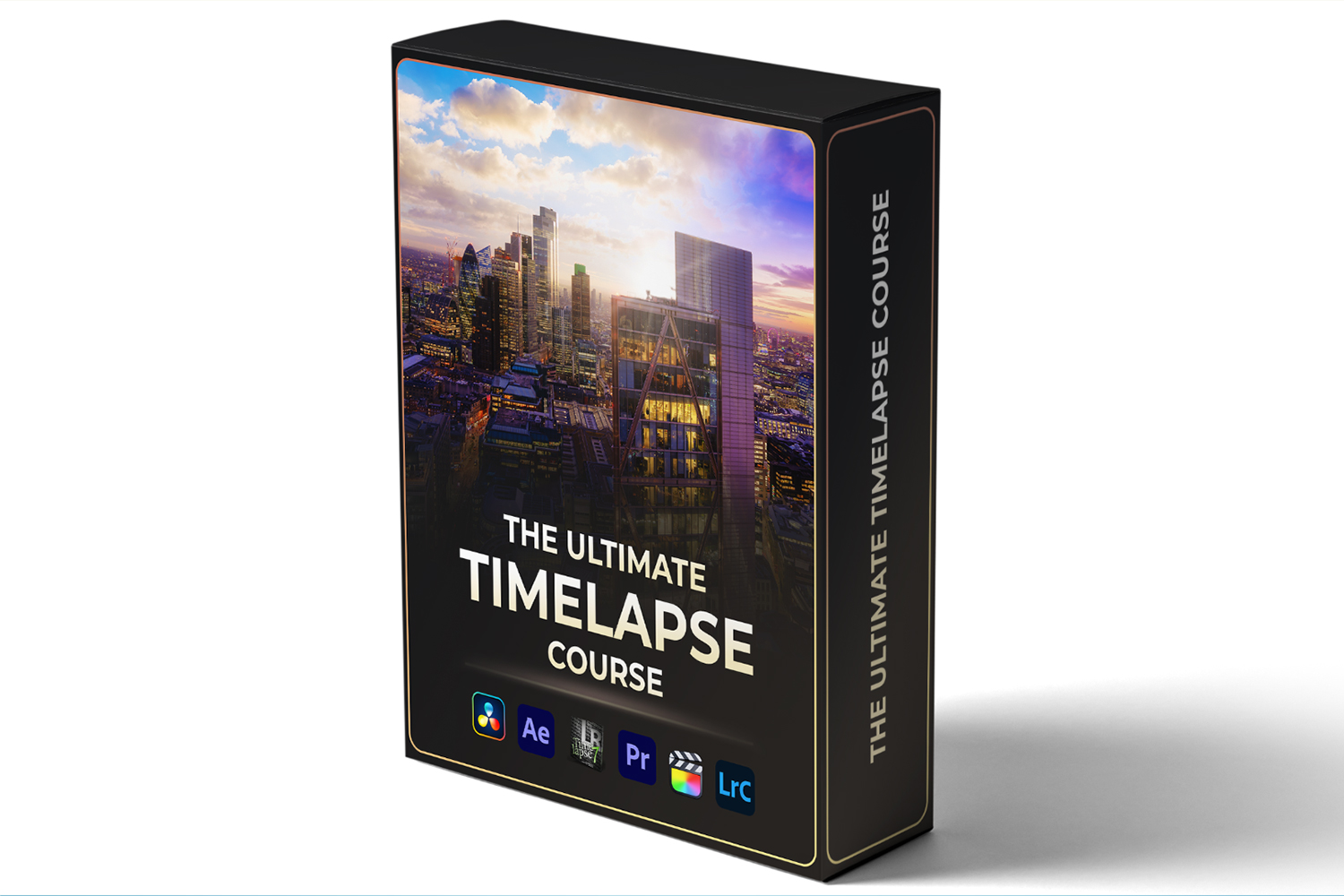

If you’re looking to get into timelapse or hyperlapse photography, or even level up your existing skills, The Ultimate Timelapse Course by Matthew Vandeputte is an online video course that promises to teach you how to create world-class footage. It’s built for pretty much anyone, from absolute beginners to seasoned professionals in photography and videography, aiming to take you from zero to monetizing your work. The main catch, on paper, is the sheer volume: 135 videos and nearly 10 hours of content, plus an e-book and a bunch of extras.
What you get in this course
The course is structured into 16 distinct modules, and it’s clearly designed to be thorough. You’re looking at almost 10 hours of educational video content spread across 135 videos, and the creator says that number is “and counting,” so expect more over time. The videos cover the core instruction, but you also get a lot of supplementary materials that could be really useful.
For instance, there’s a 142-page e-book called The Ultimate Timelapse Guide. That’s a significant resource you can keep handy for on-location reference, which is smarter than trying to stream a video tutorial when you’re out shooting. You also get a collection of Timelapse Presets & LUTs, which are essentially color grading tools to help speed up your workflow and get a specific look.
Beyond the instructional content, Matthew Vandeputte includes a Pro Timelapse Template for file management. This sounds like a lifesaver if you’ve ever wrestled with organizing hundreds or thousands of timelapse frames. Plus, you get downloadable RAW and project files, which means you can follow along with his exact footage and practice the techniques yourself, rather than just watching. Both RAW and JPEG sequences are provided, along with project files for the software covered.
A big standout detail, from what the creator publishes, is that you get lifetime access to all current and future content. This is great for a course that explicitly states more content is “coming soon.” You also get exclusive discount codes, though for what products, the creator doesn’t specify. Finally, there’s access to a members-only forum, which is always good for getting questions answered and connecting with other students.
Where the curriculum is thin or unclear
While the course offers a lot, there are a couple of specific areas that the creator lists as “coming soon.” If you’re specifically looking to learn about HDR (High Dynamic Range) timelapse videos from RAW sequences, you’ll have to wait. The same goes for long-term timelapse using the Enlaps Tikee system. If these are critical for your current projects, you might find yourself needing to seek out additional resources until they’re added.
Another point is that the facts mention “Bonus Content” without specifying what that entails. It’s a nice extra, but it’s hard to judge its value without more detail. Similarly, while the course lists compatibility with GoPro, full-frame, and mirrorless cameras, it doesn’t specify if it looks at camera-specific settings or just general principles that apply across the board. If you’re hoping for deep gets into your specific camera model, the published facts don’t confirm that.
I also can’t tell you the names of the 16 course modules, because the creator doesn’t publish that information in the facts provided. So while I know there are 16, I can’t walk you through them by specific topics beyond what’s stated, like “content licensing and monetization strategies.”
What you need before you dive in
One of the most appealing things about The Ultimate Timelapse Course, from what Matthew Vandeputte states, is that you don’t need to buy new, expensive equipment or software to get started. That’s a huge plus for beginners or those on a budget. The course covers both free and paid software solutions, which means you have options regardless of your current setup.
However, you will need some tools for post-production. The course explicitly covers Lightroom Classic, LRTimelapse, After Effects, and DaVinci Resolve. So, while you don’t need *all* of them, you’ll likely need access to at least one of the listed editing suites that support timelapse workflows. If you’re already familiar with one of these, you’re ahead of the game. If not, the fact that it covers free options like DaVinci Resolve is a solid entry point.
As for cameras, you’ll need a camera, obviously. The course is compatible with GoPro cameras, full-frame cameras, and mirrorless cameras. This broad compatibility suggests that whatever modern camera you have, you should be able to apply the lessons learned.
Who this course is for, and what it assumes
This course aims to be incredibly broad, stating its made for “aspiring videographers, seasoned photographers, beginners, enthusiasts, [and] professionals.” The skill level is listed as “beginner to professional,” which means it likely starts with the absolute basics of timelapse and builds up from there. If you’ve never shot a timelapse in your life, it sounds like you won’t be left behind.
If you’re a seasoned photographer looking to expand into motion or a videographer wanting to add a new visual tool to your arsenal, the course seems tailored to integrate these techniques. The inclusion of monetization strategies also makes it suitable for professionals who want to license their work, making it more than just a technical how-to.
I think this course would be particularly good for a wedding videographer who wants to add unique timelapse sequences to their highlight reels, using existing gear like a mirrorless camera. Or, if you’re an outdoor enthusiast with a GoPro, this could teach you how to capture those epic changing landscapes in a compelling way.
Who made this course and why that matters
The creator behind The Ultimate Timelapse Course is Matthew Vandeputte. His background is pretty impressive and directly relevant to the course content. His work has been featured on Netflix and National Geographic, which tells you he operates at a high level. Fstoppers.com recognizes him for being at the forefront of commercial timelapse and hyperlapse photography, and his expertise has been acclaimed by DIYPHOTOGRAPHY.NET and TheGuardian.com.
This kind of credential matters because it suggests you’re learning from someone who not only knows the craft inside and out but also understands the demands of high-end commercial work. When the course teaches content licensing and monetization strategies, you’re likely getting advice from someone who has successfully done that themselves, rather than just theoretical knowledge. I’d say this is probably the strongest aspect of the course on paper: learning from a recognized expert with real-world, high-profile experience.
It means you’re not just learning techniques, but potentially insights into the industry and best practices for creating work that meets professional standards.
Who should skip The Ultimate Timelapse Course
You should probably hold off on this course if your primary interest right now is advanced HDR timelapse from RAW sequences or long-term timelapse specifically using the Enlaps Tikee system. Since the creator explicitly states these are “coming soon,” you’d be buying something incomplete in those specific areas. If those are your immediate needs, you might get frustrated waiting for content that isn’t there yet.
Also, while the course covers various software, if you’re exclusively using a less common editing suite not listed (like HitFilm Express for example, though the course does cover free options like DaVinci Resolve), you might find the specific workflow instructions don’t directly apply. The course says “no expensive software needed,” but you’ll still need one of the compatible programs it teaches, even if it’s a free one.
Finally, if you have absolutely zero interest in licensing or monetizing your timelapse work, some parts of the course might not be as relevant to you. While the core technical skills are there, a portion of the advanced content is geared towards professional application.
Is this the right timelapse course for you?
If you’re ready to dive deep into timelapse and hyperlapse, from the ground up to professional monetization, and you don’t mind waiting for some of the more niche, advanced topics like HDR from RAW, then The Ultimate Timelapse Course by Matthew Vandeputte looks like a solid investment. But if you specifically need those “coming soon” features right now, you might want to explore other options for those particular techniques until they’re released.
For those looking for a broader foundation and workflow from an industry veteran, this course seems to deliver a significant amount of value with its extensive video library, e-book, and project files. The 30-day money-back guarantee also means you can check it out with less risk if you’re on the fence.
Questions people ask
What software is covered in the course?
The course covers workflows using Lightroom Classic, LRTimelapse, After Effects, and DaVinci Resolve, offering both free and paid software solutions.
Do I need specific camera equipment for this course?
No new equipment is needed. The course is compatible with GoPro cameras, full-frame cameras, and mirrorless cameras, so you can use what you already have.
What is included in the course materials?
You get 135 videos (almost 10 hours), a 142-page e-book, Timelapse Presets & LUTs, a Pro Timelapse Template, downloadable RAW & project files, and access to a members-only forum.
Is there a community or support forum?
Yes, the course includes access to an exclusive members-only forum where you can connect with other students and get support.
Prefer to buy directly from Matthew Vandeputte at full price? See the official page.