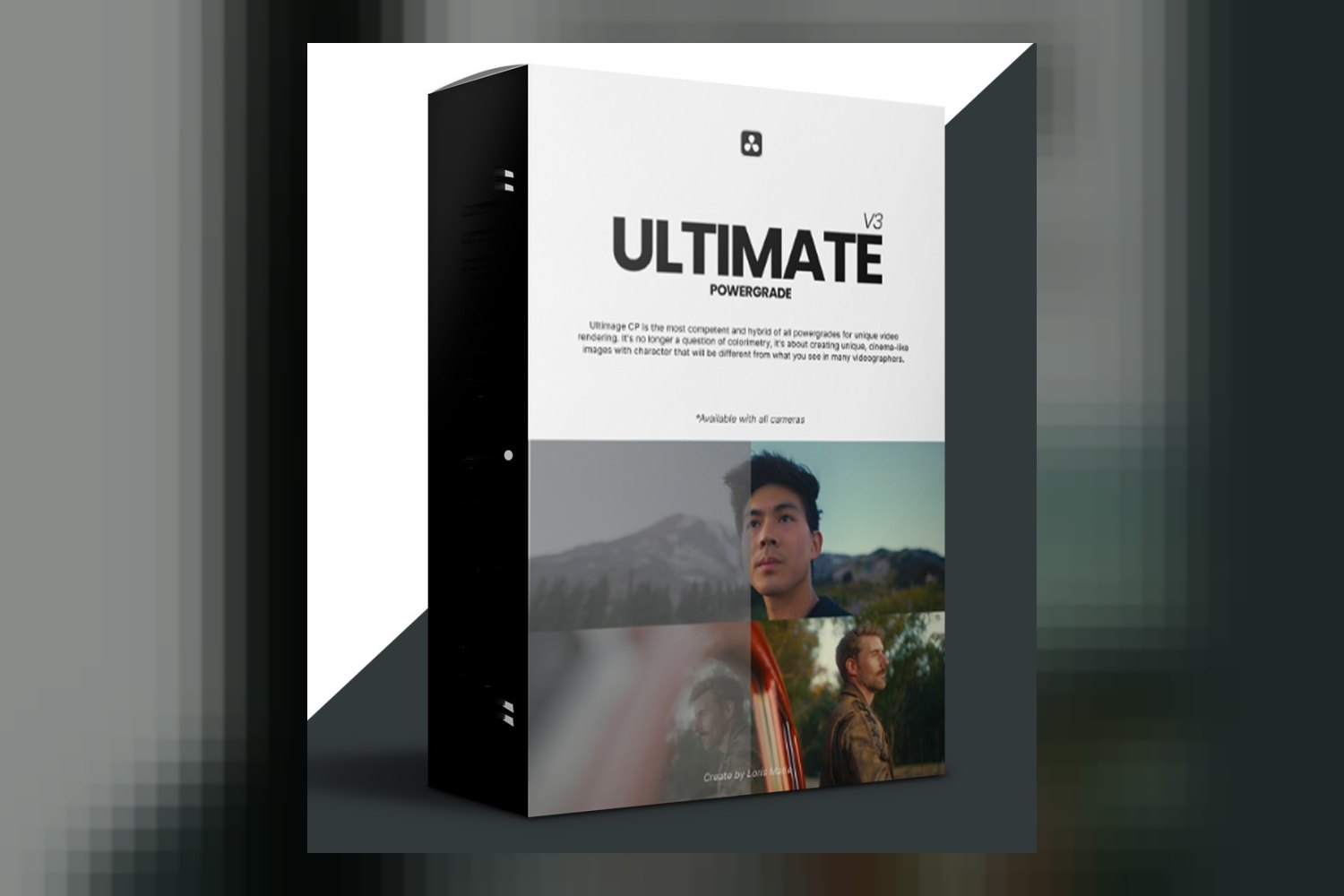

Alright, so you’re looking at the Ultimate Powergrade Davinci Resolve by Loris Marie and wondering if it’s the real deal. On paper, it’s a thorough Powergrade system built for DaVinci Resolve, aiming to get your footage looking professional with efficiency. It’s pitched at filmmakers, video editors, colorists, and even photographers getting into video, but the main catch you need to know upfront is that it’s strictly a DaVinci Resolve tool.
For this Ultimate Powergrade Davinci Resolve review, I’m just going off the facts the creator, Loris Marie, publishes about the product. I haven’t used it myself, but I can tell you what stands out and what raises questions from a colorist’s perspective.
What this Powergrade Pack Is and Isn’t
So, what exactly are you getting here? The creator, Loris Marie, is an esteemed expert in post-production, which gives some weight to the claims. This isn’t just a bunch of traditional LUTs or simple presets. It’s a Powergrade. If you’ve been around DaVinci Resolve for a bit, you know that means it’s a lot more powerful and flexible.
What makes it different? It leverages Resolve’s node-based workflow. That means it’s non-destructive, which is a huge plus for any serious colorist. You can apply complex, professional-grade looks with a single click, but then you’re not stuck with them. You can dive in and customize everything. The creator highlights an advanced, meticulously organized node tree structure. That’s key because a messy node tree can slow you down and make adjustments a nightmare. Knowing it’s built on a solid understanding of color science also suggests a solid foundation.
You get customizable parameters for saturation, contrast, highlights, shadows, and hues. That’s the kind of control you want, allowing you to adapt the look to your specific footage rather than forcing your footage into a rigid box. They also say it’s designed for optimal performance, which is good to hear because heavy Powergrades can sometimes bog down your system. What isn’t published is the actual number of Powergrades or specific “looks” included in the package. That’s a detail I’d typically want to see.
Which Cameras and Log Profiles? The Creator Doesn’t Say
This is where things get a bit fuzzy for me. When you’re buying a grading tool, especially one built on “color science,” you usually want to know what it’s calibrated for. Are we talking Sony S-Log, Canon C-Log, Panasonic V-Log, ARRI LogC, REDlogFilm? The product facts don’t specify any particular camera systems or log profiles this Powergrade is built to handle. That’s a pretty significant gap for me, as a working colorist.
If you’re shooting on a modern mirrorless like a Sony A7S III or a Canon R5, you’re likely recording in a log format. A good Powergrade system is often tailored to specific log gammas and color spaces to give you the best starting point. Without that information, it’s hard to tell if this will give you a clean, accurate conversion or if you’ll have to do a lot of heavy lifting yourself to get to a neutral base before applying the Powergrade. While the “solid understanding of color science” suggests a universal approach, the lack of specifics means you’ll probably need to test it thoroughly with your own camera’s footage to see how well it plays.
What Kind of Footage and Mood Does It Suit?
The product is described as a way to “improve footage with professional quality and efficiency.” Beyond that, the creator doesn’t publish specific examples of the moods or visual styles it aims for. Does it lean towards cinematic drama, natural documentary, vibrant commercials, or something else?
Given the emphasis on “industry-standard techniques” and “professional quality,” I’d infer it’s geared towards clean, polished, and perhaps versatile looks rather than highly stylized or niche aesthetics. The ability to customize saturation, contrast, and hues suggests you can push it in various directions, but the core looks themselves are not detailed. It’s safe to assume it’s aiming for a broad appeal of professional-looking results, suitable for various projects that require a high-end finish, rather than, say, a specific “vintage film” or “sci-fi” look out of the box. Again, without seeing examples or a list of included “looks,” it’s tough to be more specific here.
Where It Fits in Your DaVinci Resolve Workflow
This is where the Ultimate Powergrade Davinci Resolve by Loris Marie really shines, judging by the details. Since it’s a Powergrade and not just a LUT, it slots right into Resolve’s node-based workflow. Typically, you’d do your basic technical corrections, exposure, white balance, noise reduction, on earlier nodes. Then, you’d bring in a Powergrade on later nodes to establish your primary creative look.
The fact that it’s non-destructive and highly customizable means you can drop it in as a base, then tweak it to perfection without baking anything in. The “single click” application gets you to a strong starting point quickly. For experienced colorists, this is a time-saver. For aspiring filmmakers or those new to color, it offers a rapid learning curve and “encourages a deeper comprehension of professional colorist approaches.” That’s a big deal. You’re not just applying a look; you’re seeing *how* a professional node tree is structured and can reverse-engineer it to understand the process. This aspect looks like its strongest point: a tool that improves your efficiency while also teaching you fundamental grading concepts within Resolve.
Limits and Who Should Skip It
Alright, let’s talk about the downsides and who this isn’t for. The biggest limitation is its exclusivity to DaVinci Resolve. If you’re editing and grading in Premiere Pro, Final Cut Pro, or any other software, this product simply won’t work for you. It’s a Resolve-only party. So, if your primary workflow isn’t centered around DaVinci Resolve, you should absolutely skip this.
Another point to consider is that the product “does not include specific tutorials, though it mentions ‘Loris Marie tutorials’ are clear.” This implies that while the creator might have tutorials available elsewhere, they aren’t bundled directly with this Powergrade system. If you’re someone who needs detailed, step-by-step guidance baked into the product itself to understand how to apply and customize it, this might feel like a gap. You’d need to be comfortable finding or using external resources, or figuring things out through experimentation within Resolve’s node tree structure.
Essentially, if you’re a DaVinci Resolve user and you’re comfortable with nodes, then you’re the target audience. If not, or if you need a product that holds your hand through the entire process, you might find yourself wanting more.
So, should you get it?
If you’re a DaVinci Resolve user looking for a professional, flexible system to speed up your grading and learn some advanced colorist techniques, this Powergrade by Loris Marie looks like a strong contender. The customizable, non-destructive node-based workflow is a big plus. However, if you don’t use Resolve, or if you’re looking for something that explicitly spells out camera compatibility and includes dedicated step-by-step tutorials within the package, then this might not be the right fit for you.
Questions people ask
What is a Powergrade and how is it different from LUTs?
A Powergrade is a reusable node tree structure within DaVinci Resolve that offers a non-destructive and highly customizable grading framework. Unlike traditional LUTs (Look Up Tables) which are fixed color transformations, a Powergrade allows for full control over individual parameters like saturation, contrast, highlights, shadows, and hues.
Is this Powergrade compatible with my version of DaVinci Resolve?
The product is compatible with DaVinci Resolve. The creator doesn't specify if there are minimum version requirements, so it's best to check with the creator for specific version compatibility.
Can I customize the looks provided by the Powergrade?
Yes, this Powergrade leverages DaVinci Resolve's node-based workflow for a non-destructive and highly customizable framework. It offers customizable parameters for saturation, contrast, highlights, shadows, and hues, allowing you to tailor the looks to your footage.
Do I need prior experience with DaVinci Resolve to use this Powergrade?
While the Powergrade is designed to foster a rapid learning curve and encourages a deeper comprehension of professional colorist approaches, it does not include specific tutorials within the product. You would need to be comfortable working within DaVinci Resolve.
Prefer to buy directly from Loris Marie at full price? See the official page.