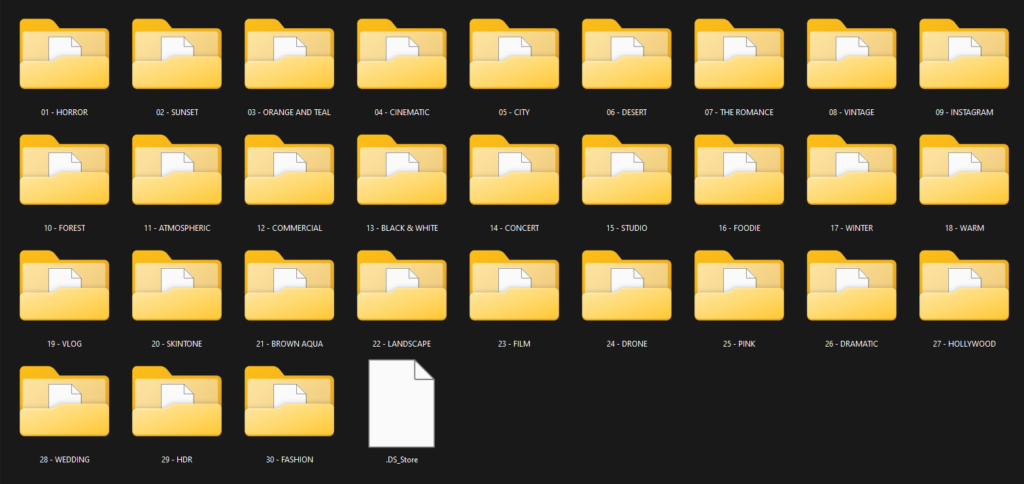
Alright, so you’re looking at the Super Pack Cinematic LUT Collection by Presetcurator. On paper, it’s a massive bundle of 550 stylized LUTs in .cube format, designed to give your footage that high-quality motion picture film look with a single click. It’s pitched for literally everyone who shoots video, from wedding videographers to narrative filmmakers, but here’s the kicker: the creator doesn’t tell you what kind of footage these 550 LUTs are specifically built for. This is a crucial detail for anyone serious about color.
In this Super Pack Cinematic LUT Collection review, I’m going to break down what Presetcurator offers based on their published information, and tell you what I think that means for your workflow.
What you get with this pack: count, looks, file formats
The core of this collection is its sheer volume: 550 unique stylized LUTs. Presetcurator says these are crafted by experts and designed to replicate the aesthetics of high-quality motion picture film. That’s a big promise, especially across such a large number of looks. They also state that each LUT is fine-tuned to balance highlights and shadows and is optimally calibrated for superior cinematic color grading. That sounds good, but “optimally calibrated” for what exactly? We’ll get to that.
All these LUTs come in the industry-standard .cube format, which means they’re widely compatible across different software. You get instant download access right after purchase, and once you have them, you have lifetime access. That’s pretty standard and exactly what you’d expect from a digital product like this.
So, you’re getting a lot of looks in a usable format, with the creator claiming they’re all professionally tuned for a cinematic feel. That’s the headline.
How these LUTs fit into a grading workflow
Compatibility is a big strong point here. Presetcurator lists support for all major video editing software that handles .cube LUTs, specifically calling out Adobe Premiere Pro, DaVinci Resolve, Final Cut Pro, Avid Media Composer, and Vegas Pro. That covers pretty much every professional and semi-professional editor out there. If your software supports .cube files, these should work.
Now, about workflow: the creator says these LUTs allow the application of “complex color grades in a single click” and provide “a foundation for further fine-tuning.” This tells me they’re intended as creative LUTs, not technical conversion LUTs. What does that mean for you?
Typically, a creative LUT like these would be applied fairly late in your color grading chain. First, you’d handle your technical corrections: white balance, exposure, and any major color shifts to get your footage looking neutral and properly exposed. If you’re shooting in a log profile (like S-Log3, V-Log, C-Log), you’d also apply a technical LUT or color space transform to convert your log footage into a standard Rec.709 color space before applying one of these stylized LUTs. If you skip that step with log footage, you’re likely to get crushed blacks, blown-out highlights, and generally wonky colors.
Since Presetcurator explicitly states “all levels” and doesn’t mention specific camera profiles or log footage, I’m going to assume these 550 LUTs are largely designed for footage that’s already in (or close to) Rec.709. If you’re a beginner shooting in standard profiles, you might be able to drop these on and get a decent starting point. If you’re working with log footage, you’ll definitely need to perform your log-to-Rec.709 conversion first. The “foundation for further fine-tuning” part is key here, don’t expect a perfect one-click solution every time without any adjustments.
What kind of footage and mood these LUTs suit
The collection’s entire purpose is to provide “cinematic color grading” and “replicate the aesthetics of high-quality motion picture film.” That’s a pretty broad artistic goal, but it does give you a direction. The “made for” list is also extensive: filmmakers, videographers, content creators, music videos, narrative films, documentaries, weddings & events, vlogs & YouTube content, commercials & promos, and “all types of video edits.”
This wide range suggests the LUTs probably cover a spectrum of looks within the “cinematic” umbrella, from moody and desaturated to vibrant and punchy, all aiming for that polished filmic quality. If you’re shooting a wedding and want a subtle, elegant film look, there’s likely something in there. If you’re cutting a music video and need a more stylized, aggressive grade, you’ll probably find options too. The sheer number, 550, means you’re not locked into one specific “cinematic” style, which is a definite plus. For example, if you’re working on a documentary and need a slightly gritty, realistic film look, you’d likely find something different than if you were going for a high-gloss commercial aesthetic. The “stylized” aspect confirms these are about creative expression rather than pure accuracy.
Which cameras and log profiles these LUTs are built for, and what happens if yours isn’t on the list
This is where things get a bit opaque. The creator says “all levels” and “all types of video edits,” but they don’t specify any particular camera systems, log profiles, or color spaces that these LUTs are optimized for. This is the weakest point of the offering, from my perspective as a colorist.
Most high-quality, professional LUT packs are designed with specific camera manufacturers (like Sony, Canon, Panasonic, RED, ARRI) and their respective log profiles (S-Log3, C-Log, V-Log, REDWideGamutRGB, ARRI Log C) in mind. This allows the LUTs to accurately transform the broad dynamic range and color information from that specific camera into a consistent, stylized look. Without this specificity, a LUT collection can be a bit of a mixed bag.
So, what does this mean for you? If you’re shooting standard Rec.709 footage, maybe on a DSLR, mirrorless camera in a non-log profile, or even a smartphone, these LUTs are likely designed to be applied directly, possibly after basic exposure and white balance adjustments. You might get decent results with minimal tweaking. However, if you’re shooting in a flat or log profile, which is common for professional work to maximize dynamic range, you’ll need to do some work upfront. You’ll have to convert your log footage to Rec.709 first, and then apply these creative LUTs. Expect to do more fine-tuning afterwards to correct for potential color shifts or contrast issues, as these LUTs haven’t been “tuned” for your specific log gamma or color space. For a deep get into log LUTs for a specific camera, you might find this Sony LUT Pack by Jacob Nordin Review useful as a comparison of what specific optimization looks like.
The fact that Presetcurator doesn’t list any requirements beyond having software that supports .cube files is telling. It suggests these are more generic creative tools rather than precise calibration tools for specific camera systems.
Limits and who should skip it
The main limitation, as I’ve already pointed out, is the lack of specific camera or log profile optimization. This is a common characteristic of very large, generic LUT packs. While it makes them broadly compatible, it also means they might not perform optimally out-of-the-box with every type of footage.
So, you should probably skip this collection if:
- You primarily shoot in a specific log profile (e.g., S-Log3, V-Log, C-Log) and are looking for LUTs that are precisely designed for that footage, offering a “one-click” solution after your initial log conversion without needing much further adjustment. You’ll likely find yourself doing a lot of corrective work after applying these.
- You need technical LUTs for color space transformations or display calibration; these are clearly stylized creative LUTs.
- You prefer to build your grades from scratch and just need a few high-quality, versatile base LUTs rather than hundreds of options. The sheer volume might be overwhelming if you’re looking for surgical precision over broad variety.
The “all levels” claim is generally true in the sense that anyone can drop a .cube file onto a clip. But getting truly professional, consistent results with this many generic LUTs, especially on challenging footage, will still require a solid understanding of color grading fundamentals. The claim that they are “fine-tuned to balance highlights and shadows” is good, but without knowing the input color space, it’s hard to judge how effectively that fine-tuning will translate to your specific footage.
So, should you get it?
If you’re a content creator, videographer, or filmmaker who shoots mostly in Rec.709 or is comfortable with pre-grading log footage, and you want a massive library of diverse cinematic looks to experiment with, then the Super Pack Cinematic LUT Collection by Presetcurator could be a good starting point. You’ll get a lot of creative options for your money, and the lifetime access is a plus. However, if you’re a seasoned colorist working with specific log profiles and demanding precise, tailored results with minimal fuss, you might find these 550 generic LUTs require more finessing than you’d prefer.
Questions people ask
What file format are the LUTs in?
The LUTs are provided in the .cube format, which is widely compatible with major video editing software.
How many LUTs are included in the collection?
The collection includes 550 unique stylized LUTs.
What software is compatible with these LUTs?
These LUTs are compatible with all major video editing software that supports .cube LUTs, including Adobe Premiere Pro, DaVinci Resolve, Final Cut Pro, Avid Media Composer, and Vegas Pro.
Are these LUTs suitable for beginners?
Yes, Presetcurator states the collection is suitable for "all levels" and allows application of complex color grades in a single click.
Prefer to buy directly from Presetcurator at full price? See the official page.