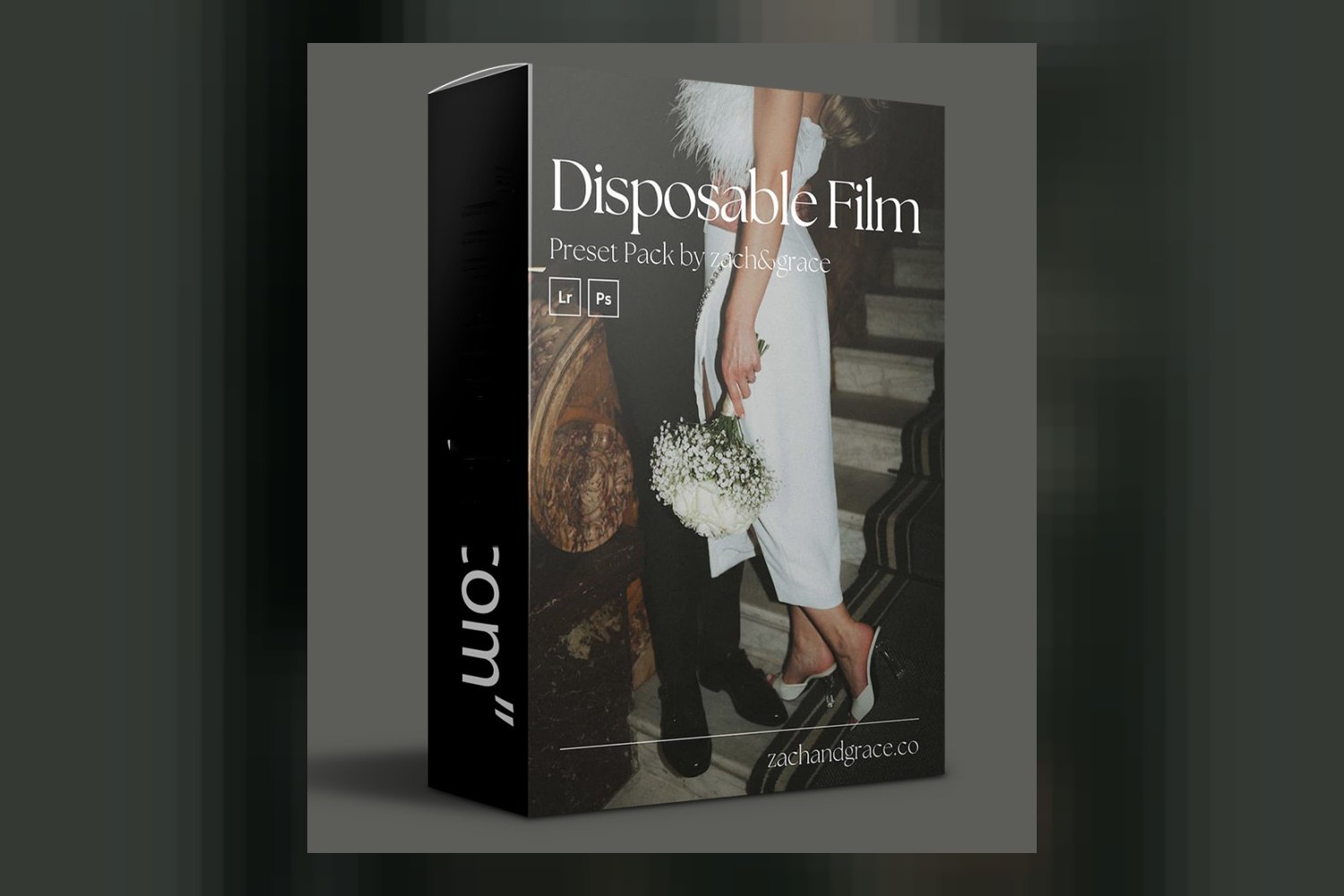
If you’re looking for a quick way to get a nostalgic film look for your digital images, The Disposable Film Preset Pack by Zach&Grace aims to do just that. It’s a collection of presets designed for photographers, particularly wedding photographers and other creatives, who want that vintage film aesthetic without the hassle and cost of actual film. The main catch, on paper, is that you’ll need to shoot in RAW to get the full benefits, and if you’re a heavy Lightroom Mobile user, the grain tools won’t work for you.
What’s in the pack: count, looks, file formats
The Disposable Film Preset Pack by Zach&Grace comes with a total of 9 unique Lightroom presets. Six of these are for color images, and three are dedicated black and white looks. The color presets offer a range of specific moods:
- 1.1 Disposable | Classic
- 1.2 Disposable | Crushed
- 1.3 Disposable | Washed Out
- 1.4 Disposable | Forest Green
- 1.5 Disposable | Golden Brown
- 1.6 Disposable | Pastel Pink
For black and white, you get three variations:
- 1.7 Disposable | Classic B&W
- 1.8 Disposable | Crushed B&W
- 1.9 Disposable | Washed Out B&W
Beyond the primary color transformations, the pack also includes 3 specialized grain tools: 2.1 Disposable | 400 Grain, 2.2 Disposable | 800 Grain, and 2.3 Disposable | 3200 Grain. These are clearly intended to layer on top of your images to further replicate the texture of film. There’s also a User Guide included, which is always a good sign for installation and initial use.
All of this comes in the form of Lightroom Presets, delivered as a digital download. The specific names for each preset are a nice touch; they give you a clear idea of the intended vibe before you even apply them. The fact that the grain tools are separate is smart, giving you more control over the final look, which I appreciate as someone who grades client work.
Where it fits in a grading workflow
From what Zach&Grace publish, these presets are designed to be applied within several common editing environments. You can use them in Lightroom, Lightroom Classic, Adobe Camera RAW, and Photoshop (which uses ACR). For those on the go, they’re also compatible with Lightroom Mobile on iOS devices.
The creator states that the presets are compatible with the intensity slider in the Develop console. This is a crucial detail for any colorist. It means these aren’t just “on or off” looks; you can dial back or push the effect to better suit each individual image. This flexibility is important because a preset is rarely a one-size-fits-all solution. The fact that “some tweaking may still be needed after applying presets for perfectly finished edits” confirms this – think of them as a strong starting point for a specific aesthetic, not a magic bullet.
Given the recommendation to use RAW image files for the “best effect,” I’d place these presets fairly early in your workflow, likely after initial exposure and white balance corrections, but before any detailed retouching or local adjustments. The creator also specifically notes that the “full benefits of the presets are not seen when used with JPEG files.” This isn’t surprising; RAW files contain much more data, allowing the presets to manipulate color and tone with greater fidelity and less risk of destructive edits.
What kind of footage and mood it suits
The entire premise of this pack is to deliver a “nostalgic film look without the high costs and unreliability of actual film.” The “Disposable Film” name itself hints at a specific kind of vintage vibe – likely leaning towards a slightly less polished, perhaps more candid or raw aesthetic, reminiscent of point-and-shoot film cameras. The color presets like “Crushed,” “Washed Out,” and “Pastel Pink” further suggest a desaturated, softened, or stylized color palette rather than vibrant, true-to-life reproduction.
Zach&Grace, the creators, are renowned editorial wedding photographers who’ve worked for Vogue and shot at exclusive venues. This background is significant. It tells me these presets are likely built to work well with the diverse lighting conditions and emotional range found in wedding photography, but with their signature modern, editorial style filtered through a vintage lens. If you’re a wedding photographer shooting on a Canon or Sony and aiming for a stylish, slightly dreamy, and timeless feel that stands apart from overly clean digital looks, these could be a strong fit.
The pack is also part of their broader ‘Feels Like Film’ range, which is “trusted by thousands of photographers.” The creator specifies that The Disposable Film Preset Pack offers a “more intense vintage film look” compared to the original ‘Feels Like Film’ pack. This tells you it’s for someone who really wants to lean into that vintage aesthetic, perhaps even pushing it further than a subtle film emulation. If you’re going for a strong retro vibe, this is a distinct offering.
Which cameras and log profiles it is built for, and what happens if yours is not on the list
The compatibility list for cameras is quite broad, which is good to see. The presets are designed to work with files from Canon, Sony, Nikon, Leica, Fuji, and Lumix cameras. This covers the vast majority of professional and enthusiast photographers currently in the market.
What’s not specified, however, is compatibility with specific log profiles (like S-Log3, C-Log, V-Log, etc.) or flat profiles. Most presets are designed with standard or neutral camera profiles in mind. If you shoot in a log profile, you’d typically need to apply a basic conversion LUT or correction first to bring the image to a more ‘normal’ contrast and color space before applying stylistic presets like these. The creator doesn’t publish any details about this, so my assumption is they’re intended for standard camera profiles.
If your camera brand isn’t on the list, like say, Hasselblad, it doesn’t necessarily mean the presets won’t work at all. Lightroom presets are essentially a set of editing adjustments (color, tone, contrast, curves, etc.) that can be applied to any RAW or JPEG file. However, different camera manufacturers render colors and tones slightly differently by default. Presets are often fine-tuned to look best on files from specific brands. So, if your camera isn’t listed, you might find that the presets require more significant tweaking to achieve the desired look, especially in terms of color accuracy and skin tones.
The strongest part of this section is the wide camera compatibility, which means most photographers won’t have to worry about their main gear. The weakest part is the lack of information regarding log profiles, which might leave some advanced users with questions about their specific workflow.
Limits and who should skip it
Every product has its limitations, and The Disposable Film Preset Pack is no different. The most significant limit, as I’ve touched on, is the recommendation to use RAW image files. If you primarily shoot JPEGs – perhaps because of storage constraints, a quicker workflow, or specific camera settings – you won’t get the “full benefits.” While the presets will still apply, you’ll likely see less flexibility in pushing the tones and colors, and you might encounter banding or less pleasing transitions in gradients.
Another key limitation is for users who rely heavily on mobile editing: the 3 specialized grain tools are “not compatible with Lightroom Mobile.” This means if you’re editing exclusively on your iPhone or iPad, you’ll miss out on a core component of achieving that authentic film texture. You’d be limited to just the 9 color and black and white presets.
Finally, Zach&Grace state that “some tweaking may still be needed after applying presets for perfectly finished edits.” This isn’t necessarily a downside for experienced editors, but if you’re looking for a true one-click solution that requires zero further adjustment, this pack might not meet that expectation. It’s designed to give you a strong foundation, not necessarily the final polish.
So, you should probably skip this pack if:
- You only shoot in JPEG format and aren’t willing or able to switch to RAW.
- You exclusively edit on Lightroom Mobile and the film grain texture is a crucial part of the look you’re chasing.
- You expect presets to do 100% of the work without any need for further adjustments.
For more on how presets fit into a workflow, you might find Is Dvlop Cine Presets by India Earl Worth It? A Colorist’s Breakdown useful, as it discusses similar considerations.
So, should you get it?
If you’re a wedding photographer or creative who shoots in RAW on a supported camera, and you’re actively seeking an “intense vintage film look” that still has an editorial edge, The Disposable Film Preset Pack by Zach&Grace looks like a solid starting point. The separate grain tools and intensity slider compatibility give you good control. However, if you’re a JPEG shooter or a mobile-only editor wanting the full film experience, you might find yourself hitting some walls.
Questions people ask
Are these presets easy to install?
The pack includes a User Guide, which typically provides installation instructions. The creator doesn't explicitly state the ease of installation beyond that.
What's the difference between Disposable Film and Feels Like Film?
According to the creator, The Disposable Film Preset Pack offers a "more intense vintage film look" compared to their 'Feels Like Film' pack.
Will these presets work with my camera files?
Yes, they are compatible with files from Canon, Sony, Nikon, Leica, Fuji, and Lumix cameras.
Do I need to shoot RAW for these presets to work?
RAW image files are recommended for the best effect, as the full benefits of the presets are not seen when used with JPEG files.
Prefer to buy directly from Zach&Grace at full price? See the official page.