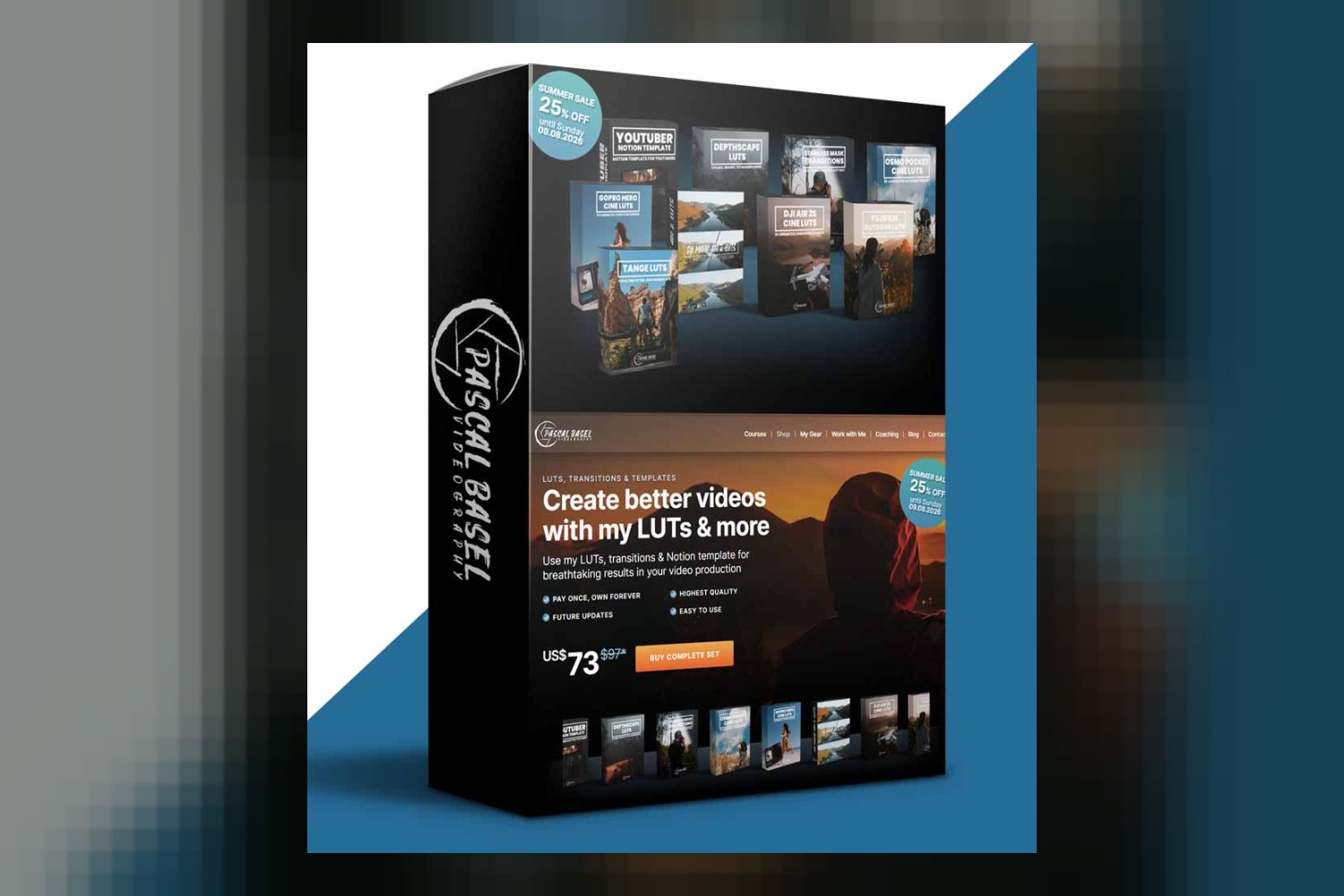
The All Products Bundle by Pascal Basel is a big collection of digital assets for video production, designed to help you make cinematic visuals and streamline your workflow. It’s built for anyone from YouTubers to independent filmmakers, and it includes the exact tools renowned videographer Pascal Basel uses himself. The main catch? It’s heavily focused on specific camera models and log profiles, so check your gear first.
What’s Included in the All Products Bundle?
On paper, this bundle is packed. You get a huge library of Look Up Tables (LUTs), a pack of transitions, and a Notion template. Pascal Basel consolidated his entire library of sought-after digital products into this one-time purchase, and the creator guarantees continuous future updates.
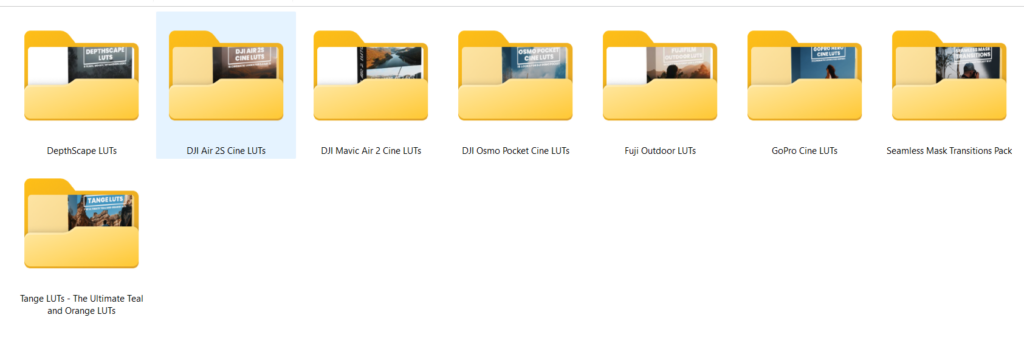
Here’s a breakdown of the included assets:
- DepthScape LUTs: You get 8 high-quality finishing LUTs, each coming in 3 different versions, making for 24 options right there.
- GoPro Cine LUTs: If you shoot with a GoPro, you’ll find 16 looks specifically for Hero models 7 through 13. These are meant for GoPro flat profiles.
- Osmo Pocket Cine LUTs: There are 15 cinematic looks for Osmo Pocket footage, along with a D-Cinelike conversion LUT.
- DJI Mavic Air 2 Cine LUTs: Drone pilots using the Mavic Air 2 get 30 different looks, designed for both D-Cinelike and HDR profiles.
- DJI Air 2S Cine LUTs: For the Air 2S, there are 16 high-quality looks specifically for D-LOG footage.
- Fuji Outdoor LUTs: Fujifilm shooters are covered with 60 cinematic LUTs for F-LOG and ETERNA picture profiles. That’s a lot of options.
- TANGE LUT Pack: This pack includes 39 unique orange and teal LUTs, which also have adjustable green tones. Plus, you get extra LUTs designed for combining looks and fine-tuning S-curves and blue shadows.
- Seamless Mask Transitions Pack: This isn’t just LUTs. You also get 20 drag-and-drop ProRes 444 transitions to use in your edits.
- YouTuber Notion Template: Beyond the visual assets, there’s a Notion template to help organize your YouTube workflow.
All the LUTs are standard Look Up Table files. The transitions are ProRes 444 files, which are high quality. The Notion template requires a free Notion account to use.
Who This Bundle Suits Best
This bundle is made for a wide range of creators, listed as YouTubers and Vloggers, Drone Pilots and Action Camera Enthusiasts, Independent Filmmakers and Videographers, and Editors. The skill level is listed as “All Skill Levels,” which means you don’t need to be a seasoned colorist to start using these.
If you’re an editor working with footage from a variety of cameras, especially those mentioned, GoPro Hero 7-13, Osmo Pocket, DJI Mavic Air 2, DJI Air 2S, or Fujifilm cameras, then this bundle is clearly targeting you. The extensive collection of camera-specific LUTs for D-Cinelike, HDR, D-LOG, F-LOG, ETERNA, and GoPro flat profiles means you’re getting tools tailored to specific camera outputs.
The fact that Pascal Basel, a renowned videographer, meticulously crafted these assets and uses them in his own highly acclaimed video production workflow suggests they’re built for professional results. So, if you’re aiming for a cinematic look and use any of the supported cameras, this bundle looks like a strong fit.
How You’d Use These Tools Day to Day
In your daily video production, you’d integrate the LUTs directly into your editing software. Compatibility is broad, covering major applications like DaVinci Resolve, Final Cut Pro, Adobe Premiere Pro, Filmora, LumaFusion, and CapCut. You’d apply the appropriate LUT based on your camera footage (e.g., a DJI Air 2S D-LOG LUT for your drone shots) to quickly achieve a cinematic grade.
The ProRes 444 transitions are drag-and-drop files, so you’d import them into “any major editing application” and place them between your clips for quick, professional-looking cuts. This helps streamline the editing process, especially for fast-paced content like vlogs or action sequences.
The YouTuber Notion Template would be your organizational hub. You’d use it to plan videos, track progress, or manage ideas, keeping your content creation workflow structured. Since it just needs a free Notion account, it’s easy to get started with.
Essentially, you’re getting a toolbox that Pascal Basel himself relies on. This means you’re not just getting generic assets, but specific, high-quality tools that are tried and tested in real-world professional video production.
Limits and Who Should Skip It
While this bundle is extensive, it’s not for everyone. The biggest limitation is that it “does not include audio assets.” If you’re looking for sound effects, music, or other audio tools, you’ll need to look elsewhere. This bundle is strictly for visuals and workflow organization.
Another point to consider is the heavy focus on specific camera models and log profiles. If you primarily shoot on cameras not listed, for example, Sony S-Log3, Canon C-Log, or Panasonic V-Log, then a large portion of the camera-specific LUTs might not be directly applicable to your footage. While some LUTs (like the DepthScape or TANGE packs) might be more general, the bulk of the bundle is tailored. You could try to adapt them, but they aren’t designed for your specific camera’s log profile.
The creator also doesn’t specify particular software versions needed, nor does he mention operating system or hardware requirements. This isn’t necessarily a dealbreaker, as most modern editing systems should handle LUTs and ProRes files, but it’s an detail to note if you’re running older software or hardware.
So, you should skip this if you need audio assets, don’t use the supported camera brands/log profiles, or are looking for a bundle that addresses specific software version or hardware needs not covered here.
So, Should You Get It?
If you’re a videographer or editor who regularly shoots with GoPros, DJI drones (Mavic Air 2, Air 2S), or Fujifilm cameras and wants to achieve a cinematic look with minimal effort, this bundle seems like a solid choice. The “Pay once, own forever” model with continuous updates is a plus. However, if your primary camera systems aren’t listed, or if you’re in dire need of audio assets, you might find a significant portion of the bundle less useful for your specific workflow.
Questions people ask
What software is compatible with the LUTs and transitions?
The LUTs are compatible with DaVinci Resolve, Final Cut Pro, Adobe Premiere Pro, Filmora, LumaFusion, and CapCut. The transitions work with any major editing application.
What cameras and log profiles are supported by the LUTs?
The LUTs support GoPro Hero 7-13 (flat profiles), Osmo Pocket (D-Cinelike), DJI Mavic Air 2 (D-Cinelike & HDR profiles), DJI Air 2S (D-LOG), and Fujifilm (F-LOG and ETERNA picture profiles).
Does the bundle include free updates?
Yes, the creator guarantees continuous future updates for the bundle.
Is a Notion subscription required to use the template?
No, only a free Notion account is required to use the YouTuber Notion Template.
Prefer to buy directly from Pascal Basel at full price? See the official page.