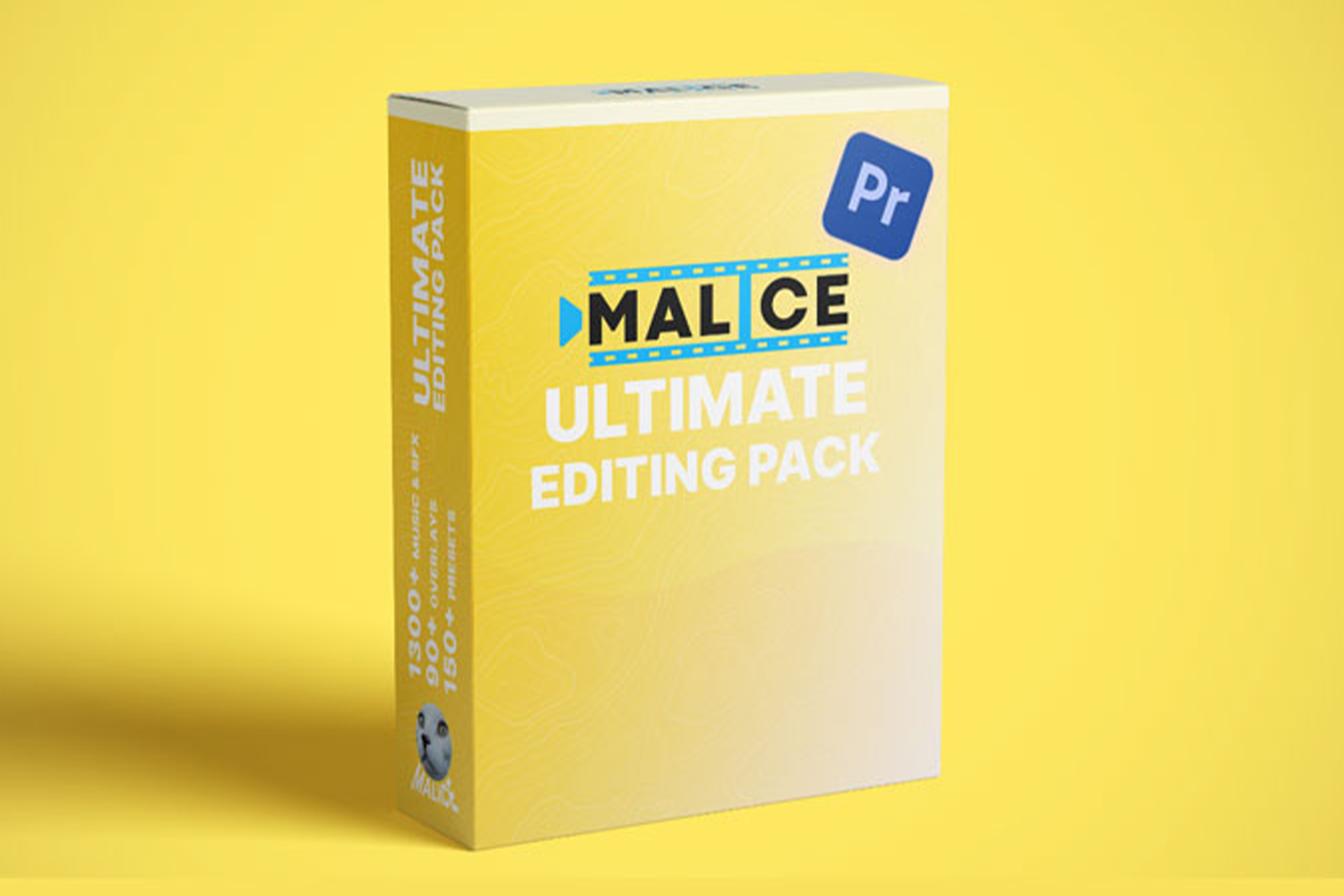

The ULTIMATE Editing Pack by VFX Malice is a thorough collection of video editing presets, resources, and coaching sessions. It’s built for Premiere Pro editors who have big goals for their work and want to make their edits instantly smoother. The main catch? You’ll need Premiere Pro, and for some presets, you’ll also need to own and install the Sapphire, BCC, and Universe plugins.
What’s inside this ULTIMATE Editing Pack
On paper, this pack is quite extensive. It’s definitely not just a small set of assets. Here’s a breakdown of what the creator says you get:
- 150+ High-Quality Presets: These are the core of the pack, designed for Premiere Pro. The creator states these include Smooth Zooms and Slides, Unique Transitions, PNG Animations, and Dynamic Shakes. These aren’t just generic effects; the creator highlights that these are the exact effects used on some of the largest channels in the world. So, if you’re aiming for that high-tier, polished look, that’s what’s promised.
- Subtitles: While not specified how many or their style, this implies ready-to-use subtitle assets to speed up your workflow.
- FULL HYPEREDIT PROJECT FILE: This is a big one. You get the complete Hyperedit Project File for Sona’s video, which reportedly contains over 3500+ effects. This isn’t just a few presets; it’s an entire, complex project to deconstruct. For anyone looking to truly understand how high-level edits are constructed, having a full project file like this is usually a goldmine.
- Huge Music Packs: You get two entire folders of music. One is categorized as Epidemic Sounds, and the other as Royalty Free music. This is a smart move by VFX Malice, as it directly addresses copyright concerns that editors constantly face. The creator also mentions that these are tracks they’ve personally used in channels with over 80 million total subscribers. That’s a pretty strong claim about their quality and effectiveness.
- Exclusive Discord Chats: This is less about assets and more about community. Access to a private Discord server suggests a place for networking, asking questions, and potentially getting direct support or insights.
- 10+ Hours Advanced Coaching: Again, this isn’t just assets. The creator provides over 10 hours of advanced coaching sessions. This implies a significant amount of instruction to help you not just use the tools, but understand the principles behind them.
- STEP-BY-STEP PACK WALKTHROUGH: To make sure you can actually use everything, a detailed walkthrough is included. This is crucial for a pack with so many elements, especially if it’s meant to be drag-and-drop easy.
The most unique components here are definitely the full Hyperedit Project File and the extensive coaching. The music packs also stand out because the creator explicitly addresses copyright, which is a common headache for video editors.
How you’d use this pack in your daily editing
From what’s published, this pack is designed to streamline your Premiere Pro workflow significantly. You’d primarily use the 150+ presets for immediate visual enhancements. Think about needing a smooth zoom, a dynamic shake, or a specific transition; instead of building it from scratch or fiddling with keyframes, you’d just drag and drop one of these presets onto your footage. This is exactly what the creator means by making editing “as easy as drag and drop.”
The PNG animations would probably be used for quick graphic overlays or visual flourishes. The subtitles could be dropped in for quick text elements. The music packs would slot directly into your audio tracks, giving you a library of pre-vetted, high-quality tracks that the creator has already used successfully on massive channels.
The Hyperedit Project File isn’t something you’d use daily for every edit, but it’s invaluable for learning. You could open it up, dissect how VFX Malice achieves certain looks with over 3500 effects, and then apply those learnings to your own projects. The 10+ hours of advanced coaching would complement this, teaching you the ‘why’ behind the ‘how’, likely improving your overall editing philosophy rather than just giving you a new tool.
If you’re constantly trying to replicate those buttery smooth zooms and stylish transitions you see on big YouTube channels or high-end client videos, this pack aims to give you those exact tools and the knowledge to implement them quickly.
Who this pack suits
The ULTIMATE Editing Pack by VFX Malice is clearly for a specific type of editor. It’s made for:
- Video editors using Premiere Pro: This is non-negotiable. If you’re on DaVinci Resolve, Final Cut Pro, or anything else, this pack isn’t for you.
- Editors with big goals and aspiring professionals: The creator explicitly targets “video editors with big goals for their editing” and “aspiring professionals with ambitious goals for their editing careers.” If you’re just dabbling or editing for fun without much ambition for client work, it might be overkill.
- Those aiming for a smooth, high-paying client style: A major promise is helping editors “attract and retain high-paying clients by delivering an exceptional smooth editing style.” The fact that the creator, VFX Malice, is an industry expert who has used these exact music tracks and effects on channels with over 80 million total subscribers lends a lot of weight to this claim. They host coaching sessions and have years of experience, so they know what high-paying clients look for.
- Editors who want to save time and boost productivity: If you desire a “streamlined, drag-and-drop workflow to save countless hours and boost productivity,” this pack is built for that. It’s designed to make complex effects simple.
- Dedicated Premiere Pro editors ready to take their skills further: This isn’t for beginners just learning the interface, but for those who already know Premiere Pro and want to improve their craft significantly.
In short, if you’re a Premiere Pro editor who’s serious about improving your efficiency, attracting better clients, and achieving a polished, professional look quickly, this pack seems to be right up your alley. If you shoot corporate videos, commercials, or YouTube content where smooth, dynamic editing is key, the presets and the accompanying coaching could be a solid investment.
Limits and who should skip it
This pack isn’t for everyone, and it has some pretty clear boundaries:
- Not for non-video editors or non-Premiere Pro users: This is a hard stop. If you don’t edit videos, or if you use any other editing software, this product simply won’t work for you.
- Not for those resistant to change or learning a new style: The creator states it’s “not for those who do not want to change anything about their editing” or “not for those who do not want to learn a new style.” This implies the pack offers a distinct aesthetic or workflow that you need to be open to adopting.
- Not for those who prefer to figure everything out themselves: If you’d rather “spend years figuring things out themselves,” then this pack, which offers shortcuts and coaching, isn’t for your workflow.
- No refunds or returns: This is a digital product, so once you buy it, it’s yours. This is standard for many digital assets, but it means you need to be confident in your purchase decision upfront.
- Requires additional plugins for some presets: This is a pretty significant detail. While the pack includes 150+ presets, some of them require you to separately own and install the Sapphire, BCC, and Universe plugins. These are not free plugins, and acquiring them represents an additional cost and installation effort beyond the pack itself. You won’t get the full benefit of all presets without these.
So, if you’re happy with your current editing style, don’t use Premiere Pro, or aren’t willing to potentially invest in additional third-party plugins, then you should definitely skip this one. The requirement for those specific plugins is probably the biggest practical limit here, as they’re not always cheap or necessary for every editor.
My thoughts on getting the ULTIMATE Editing Pack
Looking at the facts, the ULTIMATE Editing Pack by VFX Malice seems like a strong contender for dedicated Premiere Pro editors who are serious about attracting high-paying clients and speeding up their workflow. The inclusion of the full Hyperedit Project File and 10+ hours of advanced coaching makes it more than just a preset pack; it’s a learning opportunity. The music packs addressing copyright is also a thoughtful touch.
However, you absolutely need to use Premiere Pro, and you need to be aware that some of the presets depend on you owning separate Sapphire, BCC, and Universe plugins. If you’re okay with those requirements and you’re actively seeking to improve your editing style to match what’s seen on massive channels, then this pack looks like it could deliver on its promises. If those plugin requirements are a deal-breaker, or you’re not a Premiere Pro user, then it’s a clear pass.
Questions people ask
How easy is it to use the editing packs?
The creator emphasizes that the pack is designed to make editing "as easy as drag and drop," suggesting a streamlined workflow for applying effects and resources. A step-by-step pack walkthrough is also included to ensure full utilization.
What software do I need to use the pack?
You need Adobe Premiere Pro to use the ULTIMATE Editing Pack. Some presets also require separate installation of Sapphire, BCC, and Universe plugins.
Are refunds or returns available?
No, due to the digital nature of the product, refunds or returns are not available.
What plugins are required for some presets?
For some presets within the pack, you will need to separately install the Sapphire, BCC, and Universe plugins.
Prefer to buy directly from VFX Malice at full price? See the official page.