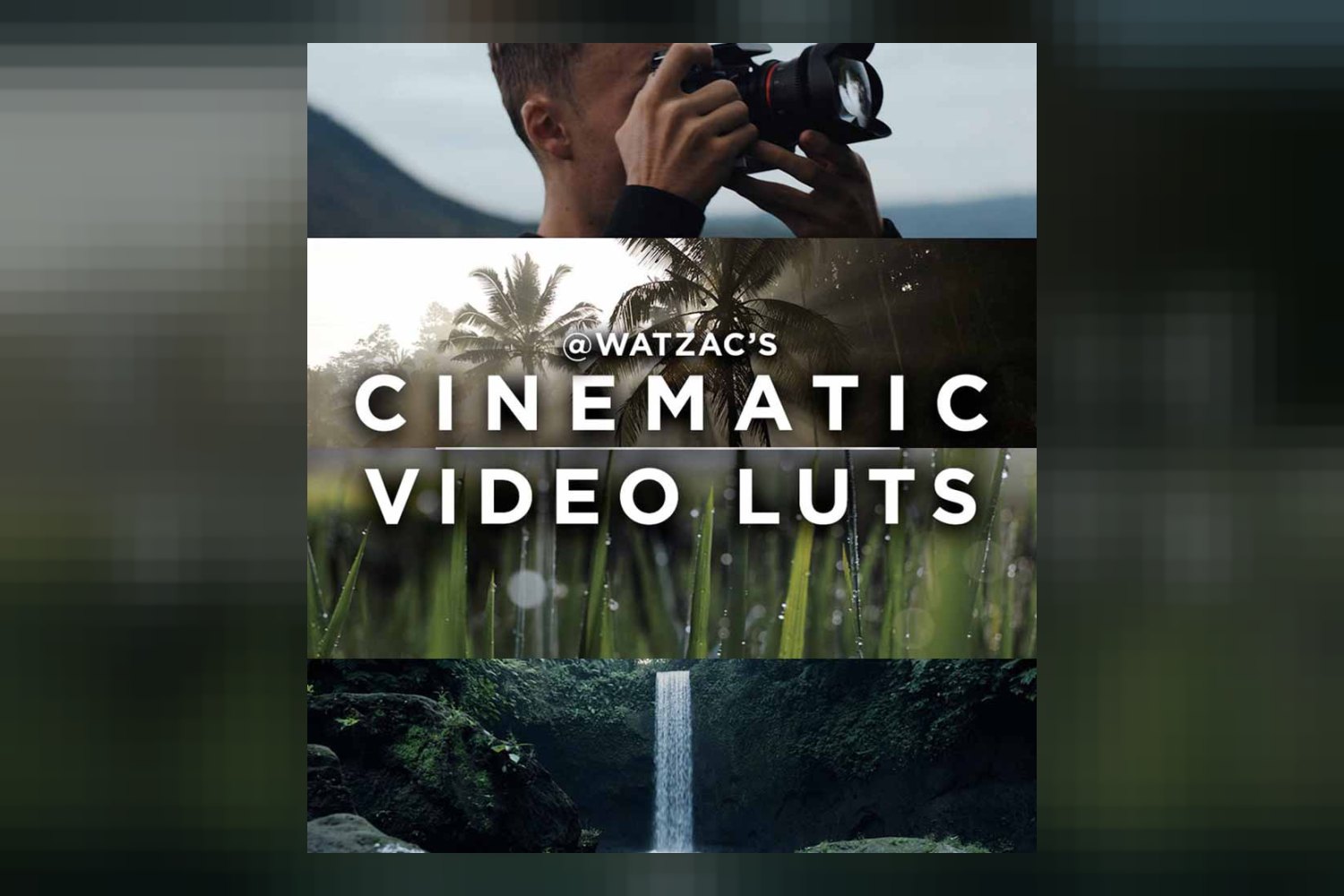
You’re looking at the Cinematic Video LUTs by Watzac, a collection designed to give your videos that film-like aesthetic. On paper, it’s built for filmmakers, videographers, and content creators who want to transform their footage with ready-made looks. The main catch, like with any LUT pack, is making sure it fits your specific camera and software workflow without becoming a headache.
What’s in Watzac’s LUT pack: count, looks, file formats
So, what exactly do you get when you pick up these Cinematic Video LUTs by Watzac? The core of the pack is a solid collection of 76 Professional Cinematic LUTs. That’s a decent number, giving you plenty of options to experiment with different film-like aesthetics.
The creator breaks these down into several specialized categories, which is a smart move. You’ll find:
- 19 Canon LUTs
- 19 Sony LUTs
- 7 DJI LUTs
- 8 Panasonic LUTs
- 13 Universal LUTs
Beyond the stylistic looks, there are also 5 Custom Cinematic Conversion LUTs. These are important because they’re designed to help you handle Log footage, which needs a conversion to a standard color space before you apply any creative looks. Then you get 5 Essential Tone Grading LUTs, which sound like utility LUTs for basic adjustments.
Watzac also includes a few extras: a Color Grading Essentials Course, a Video Installation Guide, complimentary lifetime updates, and lifetime support. The course and ongoing support are strong points; it’s always good when a creator backs their product with some education and help. Everything comes in the industry-standard .CUBE file type, and it’s an instant download, so you can get started right away.
Which cameras and log profiles Watzac’s LUTs are built for
This is where the rubber meets the road for many videographers. Watzac explicitly states tailored profiles for Canon, Sony, DJI, and Panasonic cameras. If you shoot on one of these brands, especially if you’re using their Log profiles, then the 19 Canon LUTs, 19 Sony LUTs, 7 DJI LUTs, and 8 Panasonic LUTs are likely where you’ll spend most of your time. From what the creator publishes, these are designed to work well with your specific camera’s color science.
The product also claims compatibility with “all major camera brands,” but if your camera isn’t Canon, Sony, DJI, or Panasonic, you’ll be relying on the 13 Universal LUTs. These universal options are fine for many situations, but they might require more finessing in your editing software compared to a LUT specifically designed for your camera’s sensor. If you’re a Sony shooter looking for even more specialized options, you might want to check out a different pack that’s entirely focused on Sony, like the Sony LUT Pack by Jacob Nordin Review, but these Watzac LUTs still give you a good starting point.
The 5 Custom Cinematic Conversion LUTs are specifically for Log footage. This is a big deal if you shoot in a flat profile like S-Log3, C-Log, V-Log, or D-Log, because Log footage looks washed out until it’s converted. The creator doesn’t specify *which* Log profiles these conversion LUTs are designed for. So, while it’s great they’re included, you might need to test them to see how well they handle your camera’s specific Log gamma curve. Ideally, a product would list which Log profiles (e.g., S-Log3, V-Log L, Canon Log 3) they’re built for. Without that detail, it’s a bit of a “try it and see” situation.
What kind of footage and mood these LUTs suit
The name itself, “Cinematic Video LUTs,” tells you a lot about the intended vibe. These aren’t for bright, poppy, overly saturated looks. They’re designed to give your footage that “film-like aesthetic.” I’d expect desaturated tones, deep blacks, possibly some crushed shadows, and a generally moodier, more stylized feel. Think dramatic narratives, short films, music videos, or even stylized vlogs where you want to evoke a particular emotional tone.
Judging by the focus on specific camera profiles and Log conversion, these LUTs are likely built for footage shot with an intention to be graded, rather than just quick, run-and-gun clips that need a basic color boost. If you’re shooting weddings on a Panasonic GH5 in V-Log and want to give your highlight reel a moody, cinematic finish, this pack could be a good fit. Similarly, if you’re a content creator making short films on a Canon R5, these could help you achieve a consistent, professional look.
If your goal is a vibrant, natural, or documentary-style look, then a pack focused on “cinematic” might not be your first choice. These are about transforming, not just enhancing. The “film-like aesthetic” usually implies a departure from realism in favor of a specific mood.
Where these LUTs fit in your grading workflow
The Watzac Cinematic Video LUTs come as .CUBE files, which is excellent because it’s the industry standard for LUTs. This means they should slot into pretty much any professional (and even some amateur) editing software you’re using. The compatibility list is extensive:
- Adobe Premiere Pro CC
- Adobe After Effects CC
- Apple Final Cut Pro
- Blackmagic DaVinci Resolve
- VN Editor
- Adobe Speedgrade
- Adobe Photoshop
- Sony Vegas 13+
- AVID Media Composer
- Filmora
- LumaFusion
That’s a wide net, including mobile editing software like VN Editor and LumaFusion, which is a strong standout point. It means you’re not tied to a desktop workstation to get a cinematic look.
In a typical grading workflow, you’d usually apply your conversion LUT (if you shot Log) first, then do your primary corrections (exposure, white balance, contrast), and *then* apply a creative LUT like those in this pack. The 5 Custom Cinematic Conversion LUTs suggest that Watzac expects you to shoot Log footage and use their tools to bring it to a neutral state before applying the creative looks. This is the correct order of operations for a professional workflow.
The inclusion of a Color Grading Essentials Course is a huge plus here. It suggests Watzac isn’t just selling LUTs, but also trying to teach you *how* to use them effectively within a proper grading workflow. For someone who’s new to color grading or wants to understand how to best integrate LUTs, this course could be the strongest part of the entire package, even if the creator doesn’t detail its specific modules or length.
Limits and who should skip these LUTs
Every product has its limitations, and the Watzac Cinematic Video LUTs are no exception. The main “skip it if” point comes down to your shooting style and software. While compatibility is broad, the core requirement is “editing software that supports .CUBE files.” If your software doesn’t, then these LUTs are a non-starter.
Another point to consider is the “cinematic” aesthetic itself. If you’re consistently aiming for a bright, clean, natural, or documentary-style look, then a pack focused on film-like aesthetics might lead you astray. You’ll likely spend more time undoing the LUT’s effect than finding a quick, pleasing result. Similarly, if you prefer to build your grades from scratch or have a very specific, unique look in mind that isn’t represented by these 76 options, then pre-made LUTs might feel restrictive.
The creator doesn’t publish details on the specific Log profiles the 5 Custom Cinematic Conversion LUTs are designed for. If you shoot an uncommon Log profile or one that’s known to be tricky, you might find these conversion LUTs don’t perfectly map your footage. You’d then need to find a separate conversion LUT or manually correct your Log footage before applying Watzac’s creative LUTs. This isn’t a dealbreaker, but it adds an extra step. The lack of detailed information on the Color Grading Essentials Course content is also a minor gap; it’s hard to judge how thorough it really is without a module list.
So, should you get it?
If you’re a filmmaker, videographer, or content creator who consistently aims for a film-like aesthetic and shoots primarily on Canon, Sony, DJI, or Panasonic cameras (especially in Log), then the Watzac Cinematic Video LUTs look like a solid investment. The combination of tailored LUTs, Log conversion tools, broad software compatibility (including mobile), and a bonus grading course makes it a strong contender. However, if you rarely shoot Log, use a camera outside the explicitly supported brands, or prefer a non-cinematic look, you might find yourself only using a fraction of the pack, or needing to do more work to adapt the looks to your specific needs.
Questions people ask
What specific camera brands are supported?
The Cinematic Video LUTs by Watzac include tailored profiles for Canon, Sony, DJI, and Panasonic cameras, and are also compatible with all major camera brands.
Can these LUTs be used for mobile editing?
Yes, these LUTs are compatible with mobile editing software like VN Editor and LumaFusion, in addition to desktop applications.
What software programs are compatible with these LUTs?
These LUTs are compatible with a wide range of software, including Adobe Premiere Pro CC, Adobe After Effects CC, Apple Final Cut Pro, Blackmagic DaVinci Resolve, Adobe Photoshop, and Sony Vegas 13+, among others.
Are there any ongoing costs or subscriptions?
No, the Cinematic Video LUTs by Watzac come with complimentary lifetime updates and lifetime support, with no mention of ongoing costs or subscriptions.
Prefer to buy directly from Watzac at full price? See the official page.