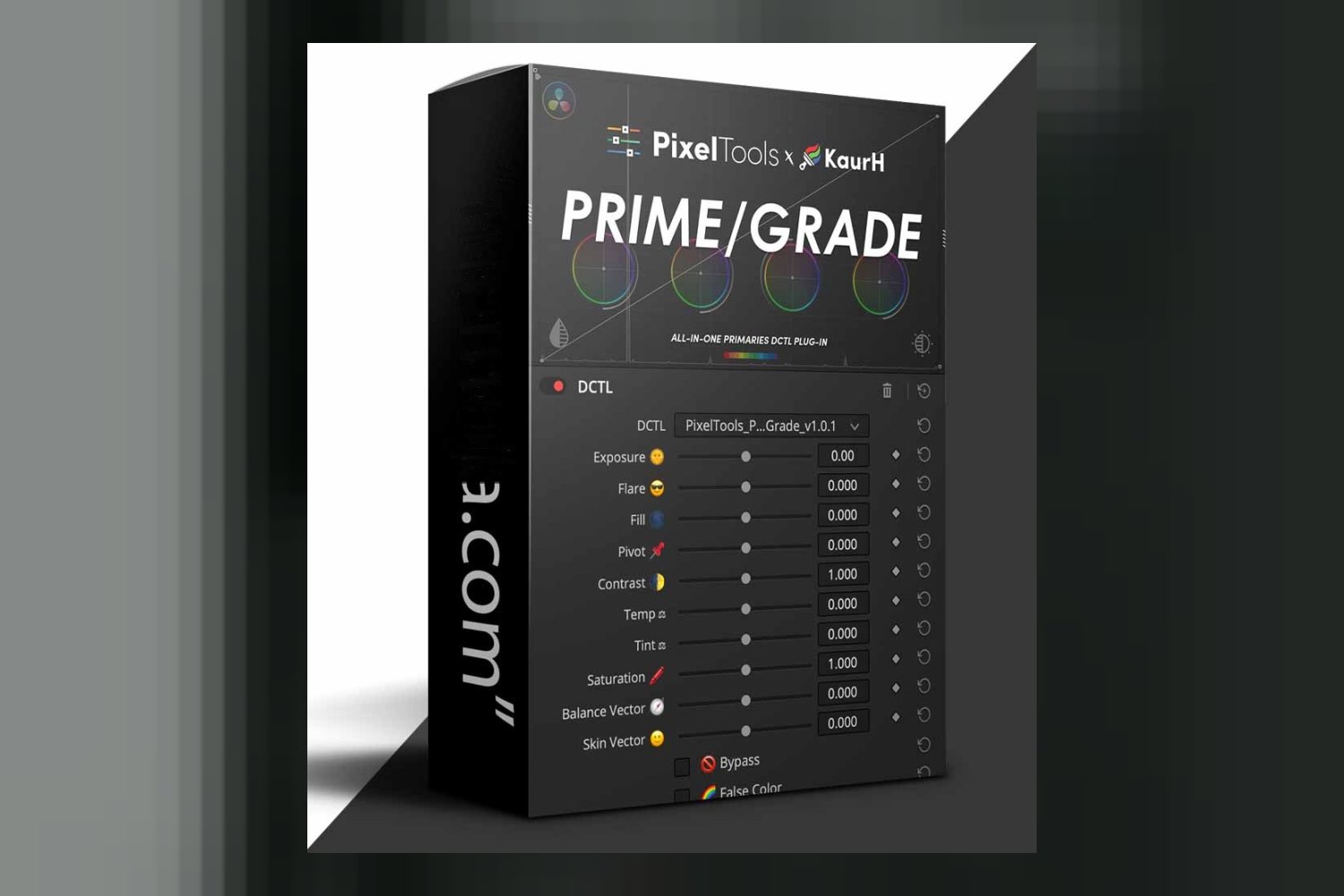
The Prime Grade DCTL Plugin by pixel tools is an all-in-one primary grading DCTL plugin for DaVinci Resolve, built to streamline color correction by putting a lot of essential adjustments into a single interface. It’s clearly made for serious professionals in post-production, but the biggest thing to know right off the bat is that it requires DaVinci Resolve Studio 19.1 or newer.
What this plugin does, in plain terms
At its core, the Prime Grade DCTL Plugin by pixel tools is designed to consolidate your primary color grading workflow. If you’re familiar with DaVinci Resolve, you know grading often involves building up a complex ‘node tree’, a series of adjustments, one after another, each on its own node. This plugin aims to ditch a lot of that complexity by putting all your essential primary grading tools into one place, within a single DCTL.
What that means is, instead of creating separate nodes for things like contrast, saturation, lift, gamma, and gain, you get a unified control panel. The creator says this eliminates the need for those complex node trees, which can make your project timeline cleaner and potentially speed up your workflow. It integrates adjustments you’d typically find across several different tools in Resolve. On paper, that sounds like a significant efficiency boost for anyone who spends a lot of time on primary correction.
One of the strongest features, judging from the facts, is the integration of five different checker tools directly into the DCTL. You don’t have to jump to separate scopes or plugins to check your work. These include:
- Stop-based False Color: This gives you a visual representation of exposure, with a ±5 stop range. Useful for quickly seeing if your highlights are blown or shadows are crushed.
- Skin Tone Checker: Helps you ensure skin tones are natural and consistent.
- White Balance Checker: For confirming your white balance is accurate.
- Middle Gray Checker: A quick way to check your mid-tone exposure.
- Negative Checker: I’d guess this is for checking negative film emulation or possibly identifying areas that are out of gamut. The creator doesn’t publish more detail on this one.
These checkers are built right into the plugin, so you can make adjustments and see the immediate impact on your technical readouts without leaving your primary grading interface. That’s a clever way to keep your eyes on the image and your hands on the controls.
Recent updates to the plugin also added controls for Specular and Specular Range, which suggests a more refined way to handle highlights, particularly in reflective surfaces. They’ve also tweaked the temperature slider for better response and expanded transfer function support to include DJI D-Log, Apple Log 2, and JPLog2 – a big deal if you work with those specific camera formats.
Who gets the most out of it
This plugin is squarely aimed at professionals. The creator, pixel tools, co-developed this with KaurH and brought in insights from professional colorists. They also state it’s trusted by thousands of pros and used to develop Show LUTs for platforms like Netflix, Amazon, and AppleTV. That’s a pretty strong pedigree, suggesting this isn’t a beginner’s tool or a casual preset pack.
Specifically, it’s made for:
- Professional Colorists: Obviously, as it streamlines a core part of their daily work. If you’re grading high-end content, the efficiency and precision offered by an all-in-one DCTL could be a significant time-saver.
- Directors of Photography (DoPs): For DoPs who are also involved in the initial color pass or want to ensure their footage translates accurately. The checker tools, especially False Color, are invaluable for exposure analysis.
- Editors: Especially those who handle a lot of the initial color correction before a dedicated colorist steps in, or who are responsible for the full post-production on smaller projects.
If you’re routinely working with footage from ARRI, RED (IPP2), Sony, Canon, Panasonic, Blackmagic, Apple Log, or DJI, this plugin has you covered on the input side. It also supports wide color management systems like DaVinci Wide Gamut (DWG) and ACES, which are standard in high-end workflows. If your projects demand precision and you’re juggling different camera formats and color spaces, this broad compatibility is a serious plus.
The part of the workflow it replaces or speeds up
The Prime Grade DCTL Plugin by pixel tools primarily speeds up and simplifies the ‘primary grading’ phase of color correction. This is where you make your initial, broad adjustments to exposure, contrast, white balance, and color balance across the entire image. Instead of doing these steps across multiple serial nodes, or even parallel nodes, it consolidates them. This means less navigating through your node graph and more direct control.
Think about it: if you’re currently building a node tree that looks something like ‘CST Input > Primary Balance > Primary Contrast > Saturation > CST Output’, this plugin aims to replace those middle nodes with one, more thorough DCTL. The integrated checker tools mean you’re not toggling between your scopes and your grading panel; you get visual feedback directly within the plugin’s interface. This kind of integration is critical for maintaining flow and making quicker, more informed decisions.
Another significant speed-up comes from its optimization for Blackmagic Mini and Advanced Control Surfaces. If you’re a professional colorist, you’re likely working with one of these. The fact that the plugin is designed for smooth integration means you can map its controls directly to your physical surface, allowing for tactile, responsive adjustments without needing to touch your mouse. This hands-on approach is much faster and more intuitive for experienced users.
Compatibility: host apps, versions, operating systems
To run the Prime Grade DCTL Plugin by pixel tools, you’ll need Blackmagic DaVinci Resolve Studio 19.1 or newer. This is a crucial detail, as it means the free version of DaVinci Resolve won’t work. It’s compatible with both MacOS and Windows operating systems, so no worries there whether you’re on a Mac Studio or a high-end Windows workstation.
In terms of footage, it has broad support:
- ARRI footage
- RED (IPP2) footage
- Sony footage
- Canon footage
- Panasonic footage
- Blackmagic footage
- Apple Log footage (including Apple Log 2)
- DJI footage (including DJI D-Log)
- JPLog2
This wide array of supported camera formats means you’re likely covered no matter what professional camera system you’re working with. It also handles industry-standard color management workflows like DaVinci Wide Gamut (DWG) and ACES, which confirms its professional-grade capabilities.
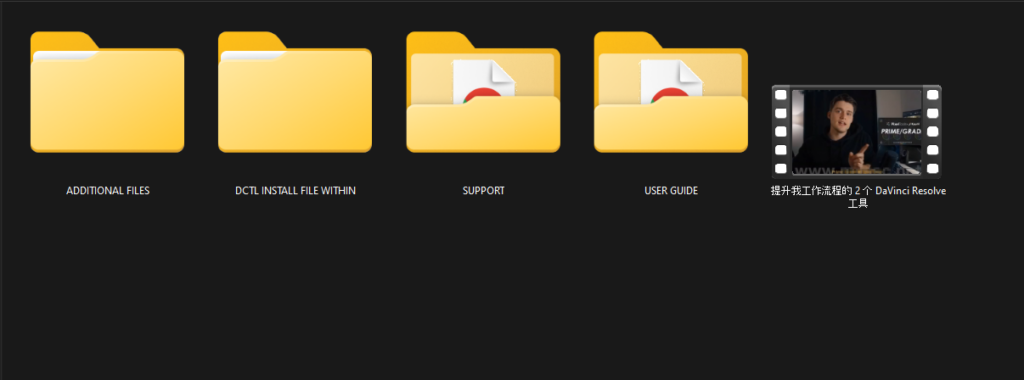
The plugin comes as one custom .DCTLe plug-in file, along with an alternate “No Icon” version (for those who prefer a cleaner UI, I’d guess), a PowerGrade .DRX File, and a detailed User Guide PDF. The PowerGrade file is a nice bonus, as it means you can quickly import a pre-built node structure that uses the DCTL, giving you a good starting point.
Limits and who should skip it
The biggest, most unavoidable limit here is that DCTLs, and by extension, this plugin, require the Studio version of DaVinci Resolve. It is not compatible with the free version. If you’re an editor or a filmmaker on a budget who relies on the free version of Resolve, you simply can’t use this plugin.
So, you should definitely skip the Prime Grade DCTL Plugin by pixel tools if:
- You’re using the free version of DaVinci Resolve. Period.
- You’re happy with your current primary grading workflow and don’t feel the need to consolidate tools or simplify node trees. If you’ve got a system that works for you and you’re not facing efficiency bottlenecks, this might not be a necessary investment.
- You’re a beginner just starting with color correction. While it simplifies the interface, understanding why you’re making certain primary adjustments is key, and an all-in-one solution might be too much too soon if you haven’t grasped the basics.
While the hassle-free licensing (one-time payment, lifetime ownership, no subscriptions, free future updates) is a huge plus, it doesn’t get around the core software requirement. You’re still looking at an investment in DaVinci Resolve Studio itself, if you don’t already have it.
So, should you get it?
If you’re a professional colorist, DoP, or editor working with DaVinci Resolve Studio 19.1+ on a variety of camera footage, and you’re looking to streamline your primary grading workflow, then the Prime Grade DCTL Plugin by pixel tools looks like a solid tool. The integrated checker tools and broad compatibility are particularly strong. However, if you’re on the free version of Resolve or are just starting out, this plugin isn’t for you.
Questions people ask
What software is required to use this plugin?
You need Blackmagic DaVinci Resolve Studio 19.1+ to use the Prime Grade DCTL Plugin by pixel tools.
Is this plugin compatible with the free version of DaVinci Resolve?
No, DCTLs like this one require the Studio version of DaVinci Resolve and are not compatible with the free version.
What camera footage does this plugin support?
It supports a broad range of camera footage including ARRI, RED (IPP2), Sony, Canon, Panasonic, Blackmagic, Apple Log (including Apple Log 2), DJI (including DJI D-Log), and JPLog2.
What is included with the purchase of the plugin?
The purchase includes one custom .DCTLe plug-in file, an alternate "No Icon" .DCTLe plug-in file, one PowerGrade .DRX File, and a detailed User Guide PDF.
Prefer to buy directly from pixel tools at full price? See the official page.