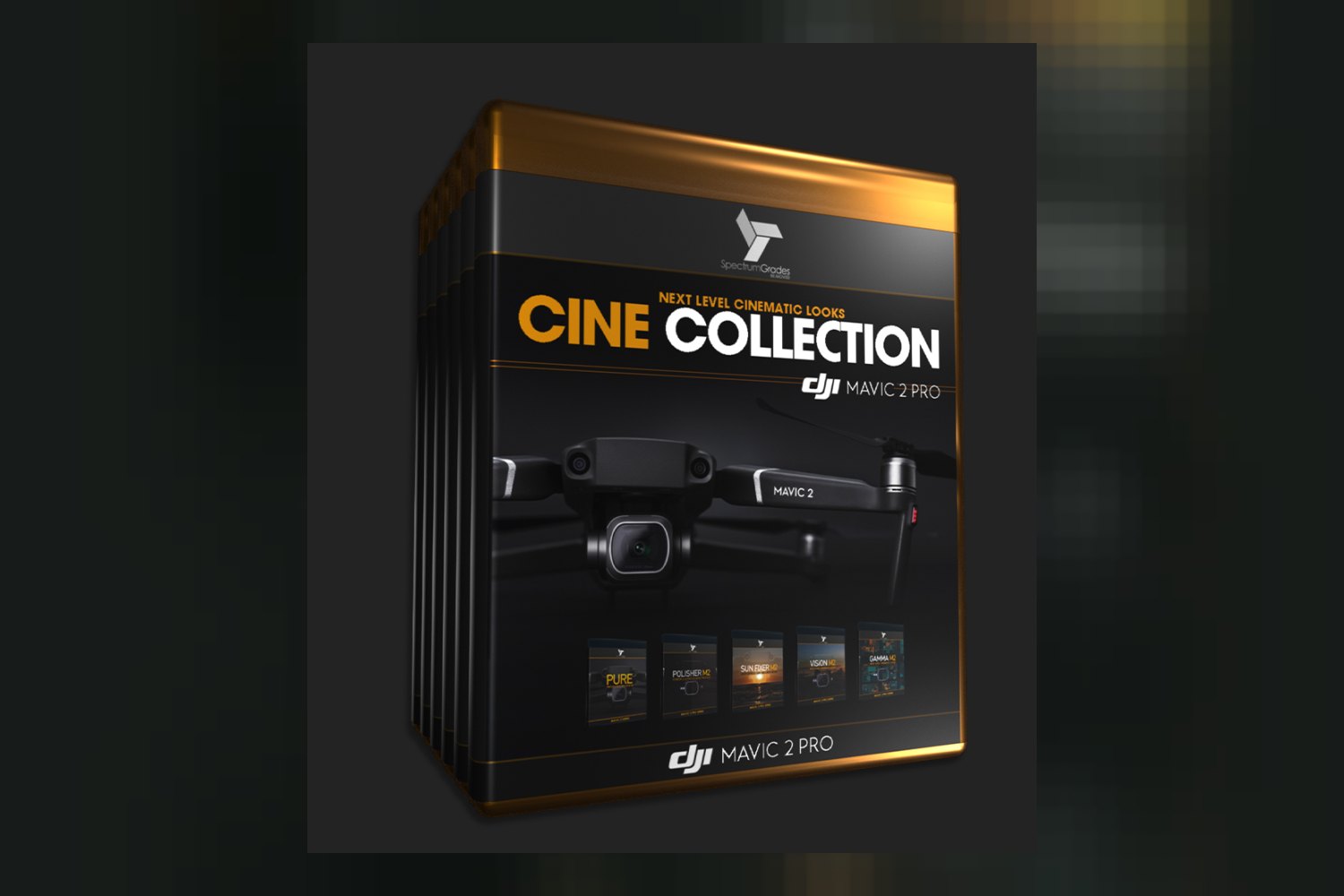

So, you’re looking at the Cine Collection DJI Mavic 2 Pro LUTs & Tools Pack by SpectrumGrades. On paper, it’s a bundle of cinematic color grading solutions and enhancement tools. If you shoot with a DJI Mavic 2 Pro and use its D-Log M profile, this collection aims to get you polished drone content. But there’s a catch: you’ll need a specific third-party plugin for the full noise reduction features.
What is in this Cine Collection pack?
This product isn’t just a handful of LUTs. The creator, SpectrumGrades, has put together a thorough bundle, featuring five distinct packs within the main collection. You get 30 Cinematic Color & Corrective 3D LUTs. These come from four of the five packs: GAMMA M2, VISiON M2, PURE, and SUN FIXER M2. These LUTs are delivered in the standard .cube format, sized at 32x32x32, which is pretty standard for professional grading.
Beyond the LUTs, the pack includes a significant noise reduction component from the POLISHER M2 pack. You’ll find 42 meticulously crafted noise profiles and 5 specialized noise profile settings, all in .dpn and .nfp formats, respectively. This part of the bundle is clearly designed to tackle common drone footage issues.
SpectrumGrades also includes some practical stuff: essential pre-flight setup information, valuable tips for shooting, and detailed installation documentation. That’s always a good sign; it shows the creator is thinking about the whole workflow, not just the final look.
Which camera and log profiles it works with
This is where the specificity of this pack really shines, and it’s also your biggest “read the fine print” moment. The creator makes it crystal clear: this collection is designed specifically for the DJI Mavic 2 Pro camera sensor and its unique image output. More importantly, it’s engineered to integrate smoothly with the Mavic 2 Pro’s D-Log M color profile. Every single one of the 30 LUTs is formatted for D-Log M.
What does this mean for you? If you’re shooting with a DJI Mavic 2 Pro in D-Log M, this pack is built precisely for your footage. SpectrumGrades understands the nuances of drone photography, and they’ve tailored these tools to that specific camera and log profile. That’s a huge plus if you’re in that niche, as you’re getting tools that aren’t just generic.
However, if you shoot with a different drone – say, a DJI Mini 3 Pro, or a Mavic 3, or even a different camera like a Sony A7S III – and you’re using a different log profile (like D-Cinelike, HLG, or S-Log3), then these LUTs are not for you. While you might technically be able to apply a D-Log M LUT to different footage, the results would likely be unpredictable and require a lot of manual correction. The creator doesn’t publish any information about compatibility with other drones or log profiles, so I’d assume the results would be poor outside of its intended use. If you’re looking for broader log conversion tools, you might find something like the iPhone Apple Log Film Conversion LUT & Power Grade by Kirk Mihelakos to be more suitable for Apple Log footage, for example, but it wouldn’t help with other drones either.
What kind of footage and mood it suits
Judging by the names of the distinct packs, SpectrumGrades is aiming for a cinematic and polished aesthetic. The “Cinematic Color” description implies professional-grade looks rather than quick, punchy social media filters. With packs like GAMMA M2 and VISiON M2, I’d expect a range of filmic, perhaps slightly desaturated or richly toned looks that are common in high-end drone videography.
The PURE pack sounds like it might offer more natural, clean grades, possibly as a base for further creative work or for content that needs a more documentary feel. The most interesting, and to me, strongest part of this collection in terms of specific problem-solving, is the SUN FIXER M2 pack. The creator says this pack specifically repairs blown-out highlights and problematic yellow sun flares. Anyone who’s ever shot a drone sunset knows how tricky those can be, so having a dedicated tool for that is a significant advantage. It suggests a focus on common, challenging drone lighting scenarios.
Then there’s POLISHER M2, which is all about noise reduction. Drone footage, especially in lower light or when pushed in post, can often show noise, so having 42 noise profiles and 5 settings tailored for the Mavic 2 Pro sounds like a solid way to clean up your shots. This tells me the overall mood it suits is clean, refined, and professional, with a strong emphasis on overcoming technical challenges inherent in drone capture.
Where it fits in a grading workflow
This collection is designed to be versatile in your editing workflow, whether you’re working on a powerful desktop rig or editing on a mobile device. The LUTs (in .cube format) are compatible with a huge range of desktop software. This includes industry staples like Adobe Premiere Pro, After Effects, DaVinci Resolve, and Final Cut Pro X, which covers most professional editors. It also extends to Nuke, Adobe Photoshop CC, Sony Vegas, Wondershare Filmora, Avid Media Composer, Assimilate Scratch, Edius, and CyberLink ColorDirector. That’s a seriously broad list, so odds are, whatever you’re using on your computer, these LUTs will drop right in.
For mobile editors, which is a growing segment, the compatibility is also impressive. You can use these LUTs with LumaFusion, Video LUT, and CapCut on iOS. This means you can maintain a consistent look across platforms, which is great if you’re an enthusiast editing on the go or need to make quick mobile edits. The fact that it supports Mac, Windows, and iOS operating systems covers pretty much all bases.
In terms of workflow, these are D-Log M LUTs. This typically means you’d apply them after your initial technical corrections (exposure, white balance, contrast adjustments) but before any heavy creative grading or stylization, unless the LUT itself is designed as a creative look. The “Corrective 3D LUTs” part suggests some might even help with base corrections, but generally, a log conversion LUT sets your colorspace, and then creative LUTs or manual grading refines the look. The noise profiles from POLISHER M2 would usually come into play once your image is relatively stable, often as one of the last steps before final output, to ensure a clean image.
Limits and who should skip it
Here’s the most important limitation to consider for the Cine Collection DJI Mavic 2 Pro LUTs & Tools Pack by SpectrumGrades. While the color LUTs are broadly compatible, the advanced noise reduction profiles from the POLISHER M2 pack come with a specific requirement: you need the most recent Neat Video Plugin on your desktop computer to use them. This isn’t a small detail. Neat Video is a powerful, industry-standard noise reduction tool, but it’s a separate purchase. If you don’t already own it, you’ll need to factor in that additional cost and installation. The creator doesn’t mention any alternative way to use the noise profiles without Neat Video.
So, who should skip this? If you don’t own a DJI Mavic 2 Pro and don’t shoot in D-Log M, this pack isn’t for you. It’s purpose-built for that specific camera and profile. Also, if you’re not willing to invest in or already own the Neat Video Plugin for desktop, you won’t be able to leverage the full power of the POLISHER M2 pack’s noise reduction. While the LUTs are still valuable, the noise reduction is a significant component of this bundle, especially for drone footage. If you’re purely a mobile editor and don’t plan on using desktop software with Neat Video, a big chunk of the ‘tools’ aspect is lost to you.
My thoughts on this collection
This is a highly specialized product, and that’s both its biggest strength and its biggest limitation. The fact that SpectrumGrades has engineered it specifically for the DJI Mavic 2 Pro and its D-Log M profile tells me they’ve focused on quality and precision for that particular niche. The SUN FIXER M2 pack sounds like a standout feature to me – targeting specific, common drone issues like blown-out highlights and yellow flares is smart and genuinely helpful.
However, the requirement for the Neat Video Plugin for the POLISHER M2 pack is a real consideration. For professionals who already use Neat Video, it’s a non-issue, but for others, it’s an extra expense and installation step. If you’re a discerning drone pilot who primarily uses a DJI Mavic 2 Pro in D-Log M and you’re serious about polished content, especially if you already have Neat Video or are willing to get it, this pack looks like a solid fit. If your drone isn’t a Mavic 2 Pro, or you’re not keen on buying extra plugins, then I’d pass on this one.
Questions people ask
What specific cameras and drones are these LUTs compatible with?
This pack is designed specifically for the DJI Mavic 2 Pro camera sensor. It is engineered to integrate with the Mavic 2 Pro's D-Log M color profile.
What software and operating systems are supported by this pack?
The pack supports desktop software like Adobe Premiere Pro, After Effects, DaVinci Resolve, Final Cut Pro X, and more, across Mac and Windows. For mobile, it's compatible with LumaFusion, Video LUT, and CapCut on iOS.
Are there any additional plugins or software required to use all features?
Yes, the most recent Neat Video Plugin is required on desktop computers to fully use the POLISHER M2 pack's digital noise reduction profiles.
What kind of color profiles do these LUTs work with?
All LUTs in this pack are specifically formatted for the DJI Mavic 2 Pro's D-Log M color profile.
Prefer to buy directly from SpectrumGrades at full price? See the official page.