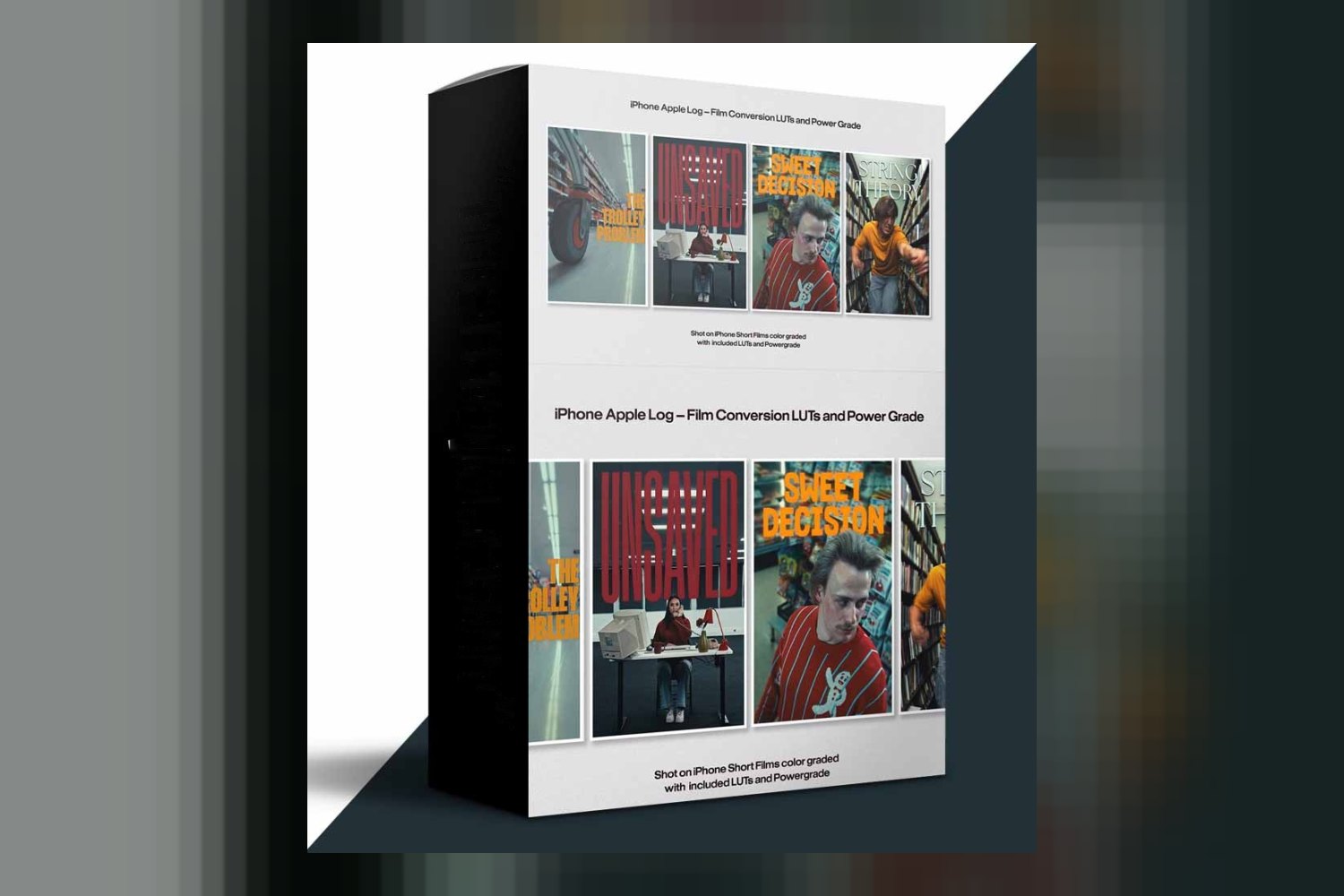
You’re looking at the Iphone Apple Log Film Conversion LUT & Power Grade by Kirk Mihelakos, a toolset designed to give your iPhone footage that coveted cinematic look. It’s built for anyone shooting Apple Log on their iPhone who wants film emulation and a professional aesthetic, but be aware: the creator doesn’t publish the exact number of LUTs or Power Grades you’re getting.
What you get in the pack, and what’s missing
This product is a collection of LUTs (Lookup Tables) and Power Grades, crafted by industry expert Kirk Mihelakos. The idea is to take your flat Apple Log footage and apply a film-like conversion, giving it a polished, professional video aesthetic. The creator highlights features like “film emulation replicating the look and feel of high-end cinema cameras and film stocks” and the ability to simplify color grading for a polished look “with a few clicks.”
However, if you’re like me, you want to know specifics about what you’re actually downloading. Here’s the main hurdle: the creator doesn’t publish an exact count of the LUTs or Power Grades included in this pack. That’s a pretty big detail to leave out, especially when you’re trying to gauge the value and versatility of a grading toolset. Similarly, the specific file formats for these tools aren’t listed. Most LUTs are .cube files, but without confirmation, you’re left guessing.
Built for iPhone Apple Log, and nothing else
This is where the product is crystal clear, and it’s also its biggest limitation if you’re not an iPhone shooter. The tools are “specifically engineered to work smoothly with iPhone video captured in Apple Log.” This means if you’re shooting on an iPhone 15 Pro (or any future iPhone that supports Apple Log), this pack is designed for your workflow.
On the flip side, the creator doesn’t mention compatibility with footage from any other camera system or other log profiles. So, if you shoot S-Log3 on a Sony, C-Log on a Canon, or V-Log on a Panasonic, you shouldn’t expect these LUTs or Power Grades to work correctly, if at all. My experience tells me that log conversions are very specific; a LUT built for Apple Log won’t translate well to another camera’s log curve. If you’re a multi-camera shooter, or primarily use a dedicated cinema camera, this pack probably isn’t for you. It’s laser-focused on the iPhone ecosystem.
The look and mood you can expect
Judging by the creator’s description, this pack is all about achieving a “cinematic look” and “film emulation.” It’s not just about making your footage look good; it’s about making it look like it came from a high-end cinema camera or classic film stock. This means you can expect looks that likely feature rich colors, pleasing skin tones, and a certain depth often associated with film. The emphasis on “maximizing dynamic range of Log footage, recovering details in highlights and shadows” suggests these tools aren’t just cosmetic. They’re also built to handle the technical aspects of log footage, ensuring you get the most out of your iPhone’s sensor.
So, if you’re a content creator, vlogger, or even an aspiring filmmaker using an iPhone, and you’re tired of your Apple Log footage looking flat or “video-ish,” this pack aims to solve that. It’s for those who want a professional, polished aesthetic without necessarily diving deep into complex color grading theory themselves.
Fitting this into your grading workflow
The creator states this pack offers “cross-platform compatibility with industry-standard video editing software.” Specifically, it’s compatible with Final Cut Pro X and DaVinci Resolve. Kirk Mihelakos designed these tools to simplify your color grading process, delivering a professional look “with a few clicks.” This implies they’re intended to be a foundational step in your grade, likely applied early in the process to convert your log footage and establish a filmic base.
For those using DaVinci Resolve, a Power Grade offers more flexibility than a simple LUT. Power Grades are essentially node trees saved as presets, meaning you can often tweak individual nodes within the grade to fine-tune the look, exposure, or white balance. This gives you more control than a static LUT. For Final Cut Pro X users, a LUT would typically be applied as an effect.
What’s missing here is compatibility with other popular NLEs. The creator doesn’t mention Adobe Premiere Pro, for example. While many LUTs are universal .cube files and *might* work in Premiere, there’s no official word on it. If Premiere Pro is your primary editing software, you’re taking a gamble here without explicit confirmation.
Limits and who should skip it
The biggest limits come from the information the creator doesn’t provide. As I mentioned, the lack of specific numbers for LUTs/Power Grades and their file formats is a concern. You’re buying a tool without knowing exactly how many options you’ll have or the precise format. My strongest opinion here is that this kind of detail should be standard for any product like this.
You should definitely skip this product if:
- You don’t shoot on an iPhone in Apple Log: This is a non-negotiable requirement. These tools are tailored for that specific log profile.
- Your primary editing software isn’t Final Cut Pro X or DaVinci Resolve: While LUTs can be somewhat universal, there’s no guarantee of optimal performance or compatibility with other NLEs like Adobe Premiere Pro.
- You need a wide variety of film looks or creative LUTs: Without knowing the count, you can’t be sure about the breadth of options within the pack. If you’re looking for a massive library, this might not be it.
- You need tools for non-log footage: These are for log conversion. Applying them to standard REC.709 footage will likely give you undesirable results.
The strongest part of this product, on paper, is its specific engineering for Apple Log. The weakest is the lack of transparency regarding the exact contents.
So, is it for you?
If you’re an iPhone filmmaker or content creator who consistently shoots in Apple Log and uses Final Cut Pro X or DaVinci Resolve, this pack looks like a solid fit to streamline your grading and achieve a professional, cinematic aesthetic. However, if you use other cameras, other NLEs, or need to know the exact number of looks you’re getting, you might want to hold off until Kirk Mihelakos publishes more details.
Questions people ask
How many LUTs and Power Grades are in the pack?
The creator does not specify the exact number of LUTs or Power Grades included in the pack. This information is not published.
What specific file formats are included?
The creator does not specify the file formats for the LUTs or Power Grades.
Is this compatible with Adobe Premiere Pro?
The creator only mentions compatibility with Final Cut Pro X and DaVinci Resolve. Compatibility with Adobe Premiere Pro or other video editing software is not mentioned.
Can I use this with footage not shot on an iPhone?
No, the product is specifically engineered to work smoothly with iPhone video captured in Apple Log. Compatibility with non-iPhone footage or other log profiles is not mentioned.
Prefer to buy directly from Kirk Mihelakos at full price? See the official page.