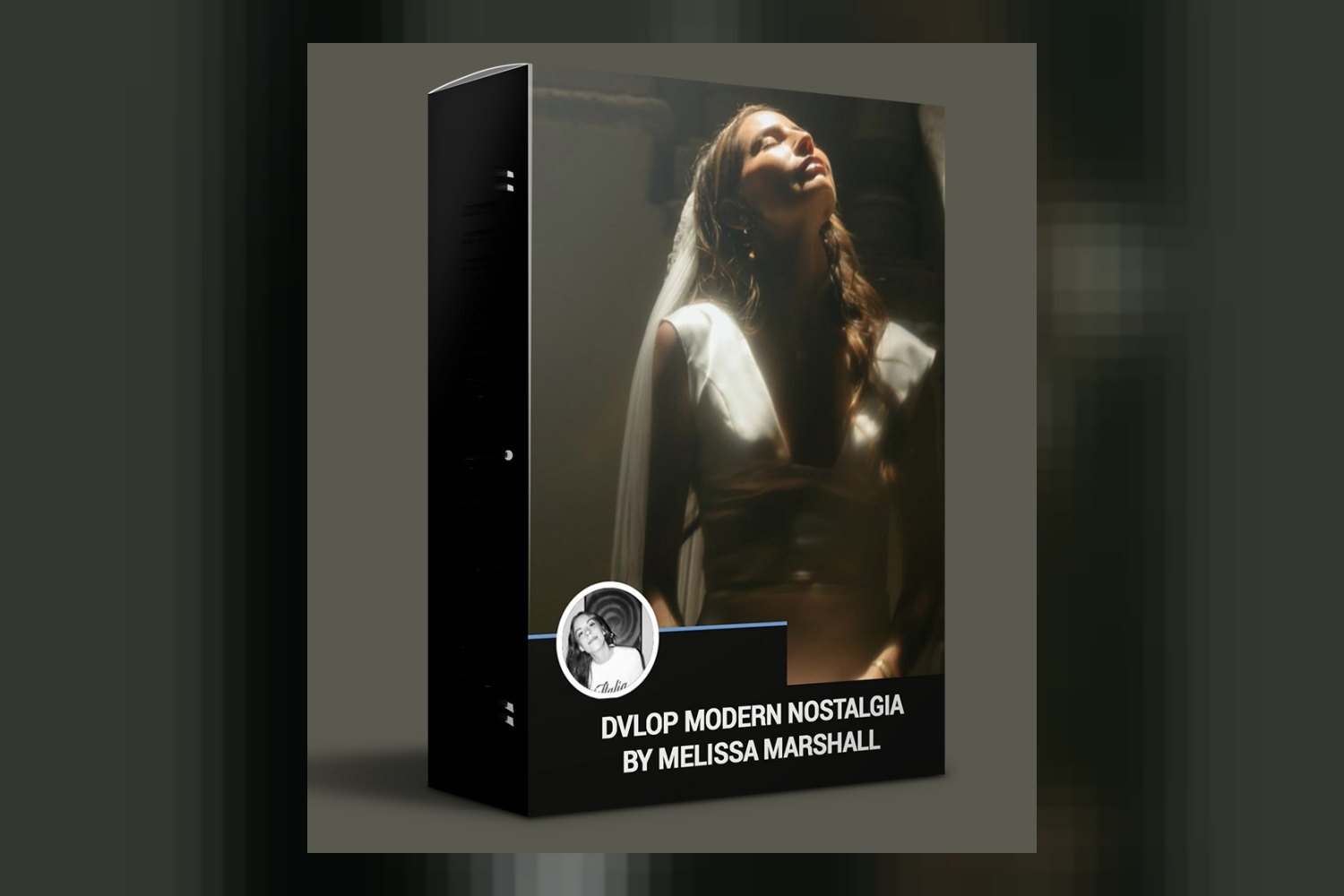
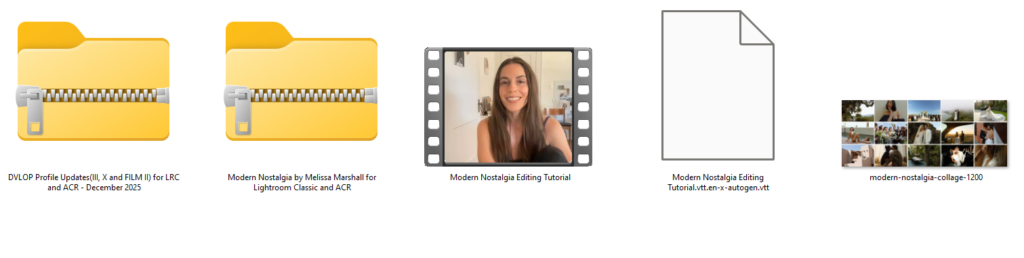
You’re looking into Dvlop Modern Nostalgia by Melissa Marshall, and you want to know what you’re actually getting. Fair enough. This product is a collection of presets designed to give your images cinematic depth and nostalgic tones, aiming for an intuitive workflow. It’s built for photographers, artists, and professionals, especially for weddings, portraits, and outdoor adventures, but you’ll need specific versions of Adobe Lightroom or Camera Raw to get the full benefit.
What’s included in this preset pack
So, you’re getting a decent spread here, judging by the contents list. There are 6 Modern Nostalgia Color Presets: Nostalgia, Blue Crush, Track 11, Cloudy Haze, Film Girl, and Disposable. Those names alone give you a pretty good idea of the vibe Melissa Marshall is going for. Then you’ve got 3 Modern Nostalgia BW Presets: Palo Santo, Modern Chrome, and Vintage Vogue, which is a solid base for black and white work.
Beyond the main presets, the pack includes 10 Modern Nostalgia Modifiers. These are things like Soft Film, Flash, Bluer, Greener, Less Yellow, Skin Toner, Grainy, Hazy, Punch It, and Filmy. If you’ve used presets before, you know these modifiers are where you fine-tune the look without messing with the core preset. They’re built to layer on top, which is a smart workflow. You also get 4 Modern Nostalgia Tone Curves (TC – DETAIL, TC – FLAT, TC – LIFT, TC – MUTE) and 5 Modern Nostalgia AI Modifiers (AI – SMOOTH SKIN, AI – TONE SKIN – OLIVE+, AI – TONE SKIN – PINK+, AI – BRIGHTEN SKY, AI – SUNSET SKY). Those AI modifiers are a newer thing and, on paper, they look like they could save you a bunch of time in specific situations, especially if you’re dealing with portraits or landscape shots.
The creator also includes a Modern Nostalgia Tutorial. From what the creator publishes, Melissa Marshall explains her editing process in it, how to use each preset, adapt them to different lighting, and layer those modifiers. That’s a strong point, because a good tutorial makes all the difference in understanding how to actually use a pack effectively, rather than just clicking through presets hoping for the best. And yes, Lightroom Mobile Presets are part of the deal too, which is handy for editing on the go, though there’s a catch we’ll get to.
Which software and camera profiles it’s built for
This pack is pretty specific about its software compatibility, so pay attention here. You need Adobe Lightroom Classic 7.3 or later, or Adobe Camera Raw 10.4 or later. If you’re using an older version of Lightroom Classic, say 7.2 or earlier, then these presets just won’t work for you. Same goes for ACR if you’re stuck on an older version.
Now, about camera profiles: this is where DVLOP products often stand out. The Dvlop Modern Nostalgia by Melissa Marshall pack includes DVLOP Dual Illuminant Profiles. These are designed to help with color consistency across different lighting conditions, which can be a huge time-saver. However, these Dual Illuminant profiles are only for Lightroom Classic and Adobe Camera Raw. If you’re primarily using other software, you won’t benefit from that particular feature.
There are also DVLOP ISO Adaptive Presets, which are a nice touch for managing noise and maintaining consistency across a range of ISOs. But, you need Lightroom Classic 9.3 or later to use them. So, if you’re on Classic 7.3, you can use the main presets, but you’ll miss out on the ISO Adaptive ones. The creator doesn’t publish details about specific camera models or log profiles it’s built for, but DVLOP presets generally work best with standard RAW files from most major camera brands.
What kind of footage and mood it suits
Melissa Marshall is known for emotive storytelling and creative artistry, and this pack reflects that. The creator states these presets are designed to give images cinematic depth and nostalgic tones. Think about those slightly faded, rich, film-like looks that evoke a sense of memory or a story. The names of the color presets like “Nostalgia,” “Film Girl,” and “Disposable” really lean into that feeling.
The pack is explicitly “made for” weddings, portraits, and outdoor adventures. This makes sense. For weddings, that consistent, high-end, emotive look is always in demand. For portraits, the focus on natural light and preserving true-to-life skin tones, as the creator claims, is crucial. And for outdoor adventures, the cinematic depth and nostalgic tones can really improve landscapes and travel photography, making them feel more epic or timeless.
From what the creator publishes, the presets are designed to enhance natural light and are adaptable for all lighting conditions. This suggests they’re not just for perfectly lit scenes but can be a good starting point even in trickier situations. If you’re shooting a wedding in varied lighting, or portraits at different times of day, the modifiers and the tutorial on adapting presets should help you maintain a cohesive style.
Where it fits in your grading workflow
This collection is primarily a Lightroom and Adobe Camera Raw product, so that’s your workflow environment. It’s meant to be a starting point for your image editing, giving you that base “cinematic depth” and “nostalgic tone” right out of the gate. Given the inclusion of modifiers and tone curves, it’s clear this isn’t just a one-click-and-done solution, but a system designed for refinement.
You’d typically apply a main color or black and white preset first. Then, you’d layer on the modifiers like “Soft Film” or “Grainy” to tweak the texture or mood. The tone curves (TC – DETAIL, TC – FLAT, TC – LIFT, TC – MUTE) give you more control over contrast and dynamic range, letting you adjust the overall feel of the image without touching the core color grade. And the AI modifiers, like “AI – SMOOTH SKIN” or “AI – BRIGHTEN SKY,” would come in handy for quick, targeted adjustments without needing to mask manually.
The tutorial is probably the most valuable part here for workflow integration. Melissa Marshall explains how to use each preset, adapt them to different lighting, and layer modifiers. This means you’re getting a system, not just a bunch of files. If you shoot weddings on a Sony A7 IV and deliver in Lightroom, this pack seems built to streamline that process, aiming for a consistent high-end look without starting from scratch every time.
Limits and who should skip it
Alright, let’s talk about the downsides and who might want to pass on this. The biggest limitation, which I’ve touched on, is the software requirements. If you’re not on Adobe Lightroom Classic 7.3+ or Adobe Camera Raw 10.4+, you simply can’t use the core presets. And if you want the DVLOP ISO Adaptive Presets, you need Lightroom Classic 9.3 or later. That’s a pretty specific barrier to entry.
Also, the DVLOP Dual Illuminant Profiles, which are a strong feature for color consistency, are only available for LR Classic and ACR. If you work primarily in Capture One, Affinity Photo, or another RAW editor, those specific camera profiles won’t do you any good. You’ll still get the general presets, but you’ll miss out on a key technical advantage.
And finally, while Lightroom mobile presets are included, they require Lightroom Desktop for syncing. So, if you’re a mobile-only editor without a desktop Lightroom subscription, you won’t be able to get these onto your phone. This isn’t a huge deal for most professionals, but it’s a definite “skip it if” point for mobile-first enthusiasts.
So, should you get it?
If you’re a photographer or artist working in Lightroom Classic 9.3 or later, especially in weddings, portraits, or outdoor genres, and you want to achieve cinematic, nostalgic looks with built-in workflow efficiencies, then this pack looks pretty solid. The combination of main presets, specific modifiers, and the detailed tutorial from Melissa Marshall herself seems like a strong offering. But if you’re on older software, don’t use Lightroom Classic/ACR, or need mobile-only editing without a desktop companion, you’ll run into limitations and might be better off looking elsewhere.
Questions people ask
What software is compatible with Dvlop Modern Nostalgia?
Dvlop Modern Nostalgia is compatible with Adobe Lightroom Classic 7.3 or later and Adobe Camera Raw 10.4 or later. For DVLOP ISO Adaptive Presets, you need Lightroom Classic 9.3 or later.
What is included in the Modern Nostalgia pack?
The pack includes 6 Modern Nostalgia Color Presets, 3 Modern Nostalgia BW Presets, 10 Modern Nostalgia Modifiers, 4 Modern Nostalgia Tone Curves, 5 Modern Nostalgia AI Modifiers, a Modern Nostalgia Tutorial, and Lightroom Mobile Presets.
Does Modern Nostalgia include a tutorial?
Yes, the Modern Nostalgia pack includes a tutorial where Melissa Marshall explains her editing process, how to use each preset, adapt them to different lighting, and layer modifiers.
Are there black and white presets in this pack?
Yes, the pack includes 3 Modern Nostalgia BW Presets: Palo Santo, Modern Chrome, and Vintage Vogue.
Prefer to buy directly from Melissa Marshall at full price? See the official page.