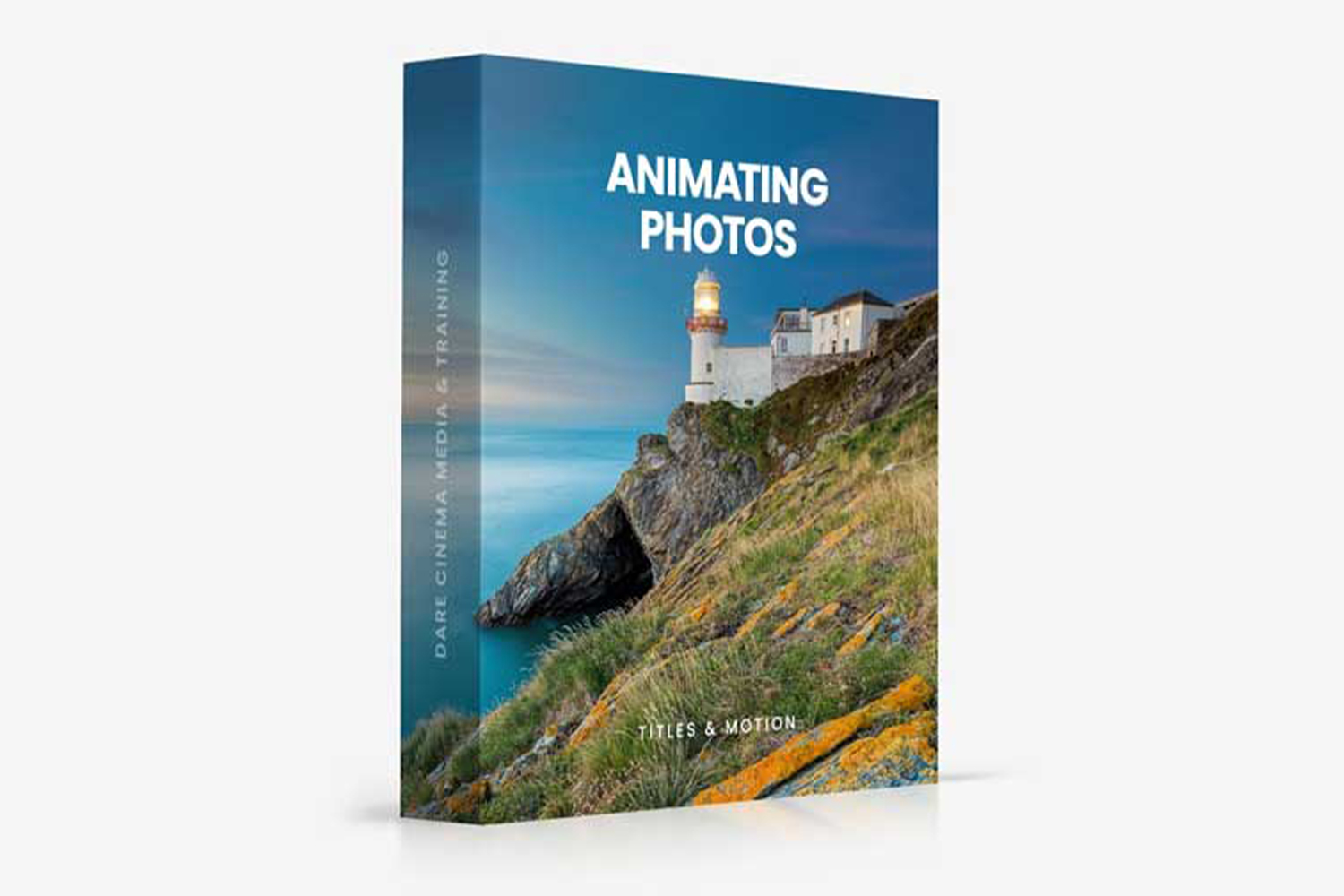
The Animating Still Photos by Dare Cinema course teaches a specific technique to bring still images to life using After Effects and Photoshop. It’s designed for anyone from photographers to marketers looking to add dynamic movement to their visuals. Just be aware, judging by the details, you won’t be able to download the lesson videos for offline access.
What the Course Teaches You, Step by Step
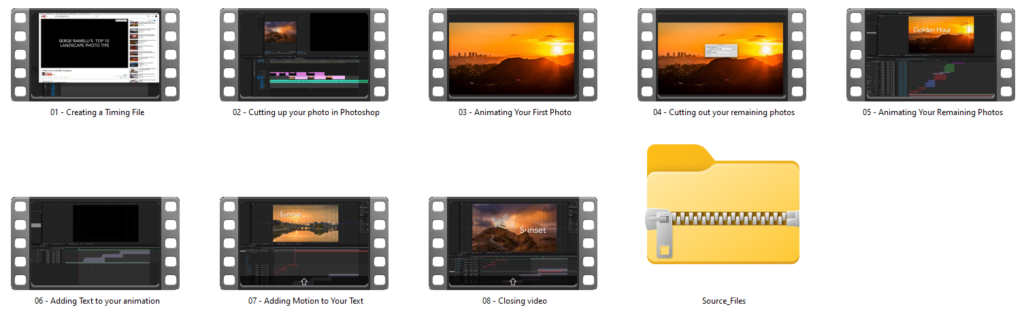
This course breaks down the process of animating still photos into 8 distinct lessons, designed to take you from initial setup to a finished animated piece. According to the course materials, the total runtime is 1 hour and 38 minutes, making it a fairly concise program focused on a particular skill.
The first step in the curriculum is Creating a Timing File. This sounds like a crucial, time-saving technique, and it’s one of the standout details the creator highlights. From what I can tell, this module aims to streamline the animation process before you even touch the visual elements, which is a smart way to approach complex projects.
Next, you move into Cutting up your photo in Photoshop. This module likely covers preparing your still image for animation by separating different elements into layers. The course description specifically mentions learning how to split a photo into multiple layers and overlap them to prevent halo problems, which is a common issue when isolating subjects and backgrounds. That’s a valuable detail for anyone who’s struggled with clean cut-outs.
The core animation work starts with Animating Your First Photo. This is where you’d apply the techniques learned to your initial prepared image. After that, the course doubles down with Cutting out your remaining photos and Animating Your Remaining Photos, suggesting you’ll apply the workflow to multiple images, reinforcing the method. The creator states you’ll learn to use After Effects presets to apply complex animations with a single click, which sounds like a significant time-saver, especially if you’re dealing with multiple shots.
Beyond photo animation, the course also covers integrating text. You’ll find modules for Adding Text to your animation and Adding Motion to Your Text. This suggests a complete workflow from static image to a dynamic, branded piece of content, which is useful for content creators and marketers. The course wraps up with a Closing video, which probably summarizes the techniques or offers final tips.
Who Made This Course and Why It Matters
The course is created by Dare Cinema and taught by industry professional Dare Stevens. Knowing that Dare Stevens is an “industry professional” is good because it implies the techniques taught are practical and relevant to real-world production. It suggests you’re learning methods that are used in actual production environments, rather than just theoretical concepts. While the creator doesn’t publish specific examples of Dare Stevens’s work or experience, the title “industry professional” usually means they’ve got hands-on experience delivering projects for clients.
This background makes me think the focus will be on efficient, effective techniques. The emphasis on creating a “timing file” and using “After Effects presets” to save time strongly supports this idea. It looks like Dare Stevens isn’t just showing you *how* to do something, but *how to do it efficiently* in a professional context.
Who It’s For, and the Level It Assumes
From what the creator publishes, this course is made for a pretty wide audience. They list:
- Photographers
- Content Creators
- Videographers & Editors
- Marketers
- Anyone with a creative vision
This broad appeal suggests the technique itself is versatile. If you’re a photographer, you could use it to add movement to your portfolio shots. Content creators and marketers could make engaging social media posts or ads. Videographers and editors might find it useful for intro sequences or specific visual effects. The “anyone with a creative vision” part usually means if you just want to learn something cool and have an idea, this course could be for you.
The creator doesn’t specify a skill level, which means you need to read between the lines a bit. Since the course dives directly into Cutting up your photo in Photoshop and Animating Your First Photo, it seems to assume you have at least a basic working knowledge of Photoshop and After Effects. It’s not likely to teach you the fundamentals of these software programs from scratch. If you’ve never opened After Effects or Photoshop before, you might find yourself needing to learn some basics on the side.
What You Need Before You Start
The compatibility notes for this course are pretty clear: you’ll need access to After Effects and Photoshop. These aren’t free programs, so if you don’t already have them, you’ll need to factor in a subscription cost. The course doesn’t mention any specific versions, but generally, it’s best to have fairly recent versions of Creative Cloud applications to ensure full compatibility with presets and features.
Other than the software, the creator doesn’t list any specific hardware requirements or prior experience beyond what’s implied by the software compatibility. You’ll obviously need a computer capable of running After Effects and Photoshop smoothly, as animation and photo editing can be resource-intensive. A decent amount of RAM and a capable processor are usually recommended for this kind of work, but the course creators don’t spell out minimum specs.
What Is Missing, Thin, or Unclear from the Published Curriculum
While the course covers a specific animation technique well, a few things are unclear or explicitly limited. The biggest gap is that the course Does not cover downloading lesson videos. This means you’re tied to online access through a browser for the entire duration of your learning. If you have an unreliable internet connection, or if you prefer to watch lessons offline (say, while traveling), this could be a significant drawback. It’s a common limitation for some online courses, but it’s important to know upfront.
The course also doesn’t specify a recommended skill level for After Effects or Photoshop. As I mentioned, it jumps straight into specific tasks within those programs. If you’re an absolute beginner to either software, you might feel a bit lost without supplementary tutorials on the basics. While the content outline is concrete about the technique, it’s thin on foundational software instruction.
Finally, while “anyone with a creative vision” is listed as an audience, the course doesn’t seem to delve much into the artistic principles or conceptual development behind *why* you’d animate a photo in a certain way, or *what kind* of creative vision to apply. It appears to be very much a technical “how-to” rather than a broader creative workshop. If you’re looking for deep gets into animation theory or artistic direction, that’s probably not the focus here.
Who Should Skip It
You should probably skip this course if you don’t have access to After Effects and Photoshop, or if you’re not willing to subscribe to them. The entire workflow relies on these specific tools. Also, if you need to download lesson videos for offline viewing or simply prefer to keep course materials permanently on your hard drive, this course isn’t going to meet that need, as the creator explicitly states video downloads aren’t covered.
If you’re an absolute beginner to photo editing or video animation software, you might find the pace challenging since it doesn’t appear to cover software fundamentals. You’d likely need to spend time learning After Effects and Photoshop basics elsewhere first. Similarly, if you’re looking for a broad course on animation principles, storytelling through motion, or deep artistic direction for your projects, this specific technique-focused course might be too narrow for what you want.
Is Animating Still Photos by Dare Cinema for You?
If you’re a content creator, photographer, or marketer who uses After Effects and Photoshop and wants to add a specific, engaging animation technique to your toolkit efficiently, this course looks like a solid fit. The emphasis on time-saving techniques and solving common problems like halo issues is a big plus. However, if offline access to lessons is critical for you, or if you’re looking for broader software training or artistic guidance, you’ll need to look elsewhere.
Questions people ask
How do I watch the course?
The course is accessed online through your browser. You get lifetime access to the course materials this way.
When does the course start and finish?
The course is self-paced, so you can start whenever you like and learn at your own speed.
How long do I have access to the course?
You get lifetime access to the course materials once you enroll.
What is your refund policy?
The course includes a 30-day money-back guarantee.
Prefer to buy directly from Dare Cinema at full price? See the official page.